idialer on 9Apps

Free download latest idialer for Android here and enjoy it with your phone. Below you can download a list of top and latest apps related to idialer . 9APPS is a fast, safe app store. With 9APPS, you can save a lot of time on searching and downloading apps.
#1 iDialer OS 11

iDialer OS 11
Rating: star 3.0 | Version: 4.3.0 | Size: 3.8MB
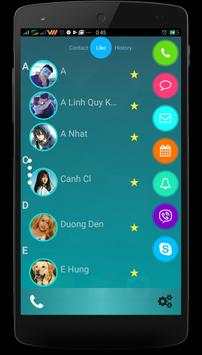
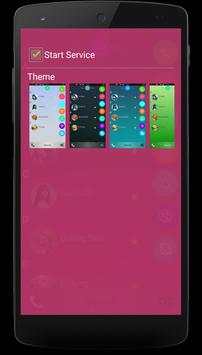
iDialer OS 11 screenshot 1 iDialer OS 11 screenshot 2 iDialer OS 11 screenshot 3

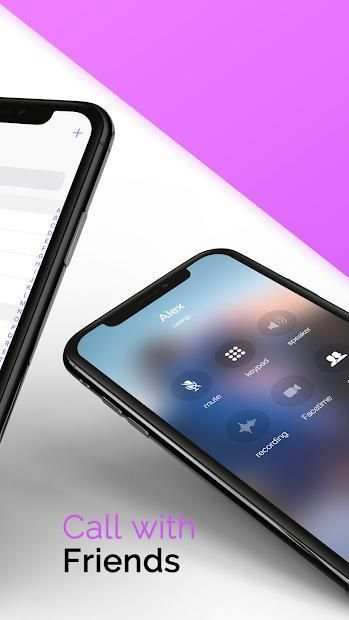
iDialer OS 11 is a new phonebook app for your phone. The design of this phone book is beautiful and an attractive UI Design. 
So it’s look very professional and a cool thing if you want something new. 
During missed call time a Callback dialog provide an options for Call Back, Message and Block Call for that person.
You can see how different to the default contact app on your phone. very beautiful layout ui design and many cool function on contact book. 
Want something new on your phone, iDialer OS 11 is a new phonebook app for your phone. The design of this phone book is beautiful and an attractive UI Design. 
So it’s look very professional and a cool thing if you want something new. 
During missed call time a Callback dialog provide an options for Call Back, Message and Block Call for that person.
You can see how different to the default contact app on your phone. very beautiful layout ui design and many cool function on contact book. 
Want something new on your phone, then iDialer OS 11 is some thing you should try.
Main Features :
- For frequently used features: Favourites (Favorites), Recents, Contacts, and Keypad.
- Recents All and Missed Calls logs with information.
- Call blocker to block caller.
- Callback to quick and easy way with different types of available useful options like message, block calls etc.
- Show all the contact list, add edit or modify some. You can do almost everything with numbers and contacts.
- Add or Edit Contacts with simple interface.
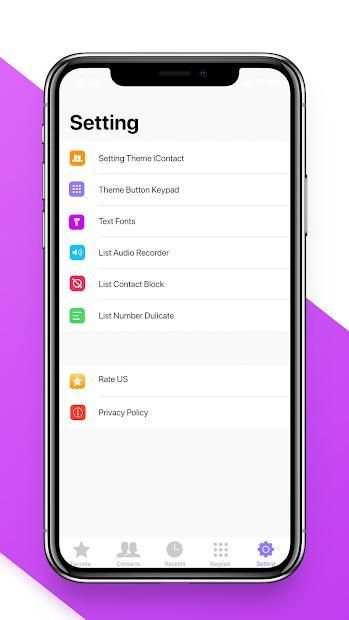
- Settings to Turn on/off features.
- International number format.
- One tap to call.
- Long press to any 1 to 9 number and use Speed Dial With Photo ID option.
How to Use?:
1. Open an iDialer OS 11 Contact Book app.
2. The app will automatically load all contact of your phone into your app.
3. All contact in your phone book will be loaded including facebook and skype whatsapp contact.
4. Turn on/off callback dialog option.
5. Edit or modify and share contact easily.
If you have any problems or suggestions, please feel free to contact us !

...

👉 For More Detail of iDialer OS 11

#2 iDialer OS 12

iDialer OS 12
Rating: star 3.0 | Version: 1.0 | Size: 7.6MB
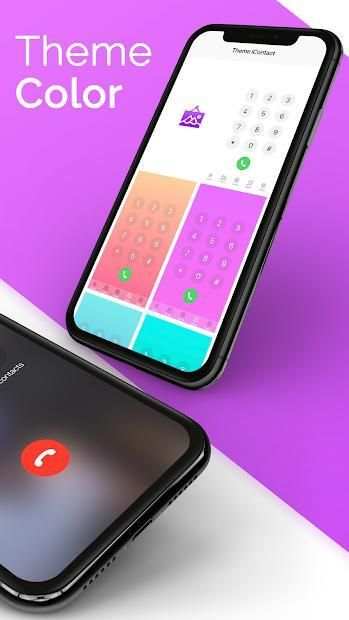
iDialer OS 12 screenshot 1 iDialer OS 12 screenshot 2 iDialer OS 12 screenshot 3


iDialer I.O.S 12
is best dialer application with the Phone X experience on Style OS 12

iDialer OS 12
, a
dialer app
,
contact app
that brings the neatness of the
iDialer on Phone X
and might make a good alternative to your default
Dialer app
.
All in One
iDialer I.O.S 12 from Phone X
-
iDialer
with style I.O.S 12 is new amazing system in your phone
-
iCaller
is the
best Caller
with OS 12 style on Phone. You can change look of default caller to make your phone stylish
-
iContacts
-
Contact of I.O.S

Best Phonebook
: Display contact with the neatness of the Phone X
- Call Screen is professional, new and easy to make calls:
+
Outgoing Call Screens
: rich and clean outgoing and after receive screen
+
Incoming Call Screens
: easy to answeer and reject call simple yey powerful
+
Recents Call
: All recents call and also separated by missed log
- Best Theme Color Dialer, Theme Dialer, I.O.S Theme Dialer

Features of iDialer I.O.S 12 from Phone X bester than iDialer I.O.S 11
 Easy using iDialer applications; easy using contact phone, and call with one click
 Phone Dialer for android with style OS 12 from Phone X
 Contact book, Phonebook: fast and smooth contact
 Call screen theme slide
 Best smart caller id
 Theme OS 12 for android
 For frequently used features: Favourites (Favorites), Recents, Contacts, and Keypad
 Best tool to Contacts Manager and Phone Caller id
 Basic features on iDialer, Phone Contact:
o Calling app use OS 12 like Phone X from home screen
o Automatic contact addition
o Call history on call screen
o Add favorite contact
o Easy contact delete/edit/add
o Photos, email and other contacts frequent update
 Caller screen have a great keyboard
 Incoming and Outgoing Screen Setting is available, interfaces with Full Screen Caller ID: caller name, caller id
 Show all phone book lists, contact phonebook style OS12. You can do almost anything with Phone contacts
 Search contact from your phonebook quick and easy
 Keypad Touch sounds
 Personalize your dialer with beautiful Themes.
 Create call your own telephone number in telephone directory
 The app Dialer from Phone X style, and from style OS12, complete from the rounded corners to the font
 Flat-style interface OS contacts professional
 Set Enable/Disable ICaller Dialer Screen
 Offers you to experience the full X phone calls
 Best app is 100% FREE: free caller dialer App on android, free dialer screen app, iDialer app free
With
iDialer I.O.S 12 from Phone X
, users can freely access dialer app, caller's ID and view detailed information of call history through iDialer 12.
And, if you want to change your callscreen app, dialer app,contacts app to look like Phone X with style OS12,
iDialer I.O.S 12 frome Phone X
is the best your choice.
Thank you for using the
iDialer I.O.S 12 from Phone X
! Have fun.

...

👉 For More Detail of iDialer OS 12

#3 idílico-llamada telefónica ios

idílico-llamada telefónica ios
Rating: star 4.5 | Version: 1.30 | Size: 21.0MB
idílico-llamada telefónica ios screenshot 1 idílico-llamada telefónica ios screenshot 2 idílico-llamada telefónica ios screenshot 3

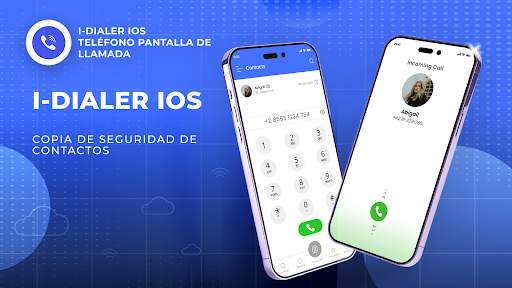
¿Desea determinar la aplicación de pantalla de llamadas telefónicas idialer-ios y la actualización de IOS 14, las características de IOS 14 e IOS 16 en su dispositivo de teléfono Android? La "aplicación de pantalla de llamada de marcador de teléfono" viene con un "marcador de estilo IOS" para verificar los contactos recientes y la pantalla de llamadas para un fácil registro de llamadas.
- pantalla de llamada de iPhone con marcador de iOS
- El marcador móvil es una aplicación de llamadas.
- Marcador de teléfono ios de pantalla icall.
¿Eres monótono de la pantalla móvil antigua y clásica? ¿Está buscando una actualización de IOS para tener el teclado de pantalla completa del iPhone X, XI, XII, XIII o OS14 o OS15? Esta aplicación permite al usuario utilizar todas estas funciones sin ningún obstáculo. Además, la aplicación gratuita para iPhone ofrece una lista de contactos, una lista de favoritos para acceder a ellos cuando sea necesario.
Características de Idialer: aplicación icall:
• Seductor marcador de iOS para llamadas telefónicas.
• Disfrute de una variedad de temas y marcadores.
• Pantalla de llamada de iPhone con diseño ligero y elegante.
• Facilidad de búsqueda de número de teléfono.
• Registro de llamadas inteligente para buscar fácilmente.
• Grabar llamadas telefónicas y actualización de IOS.
• Administrador de contactos competente.
La pantalla de llamadas telefónicas de idiale- rios es una aplicación gratuita resplandeciente para iPhone que proporciona rápidamente la actualización IOS 14 del usuario para su teléfono inteligente. Dialpad tiene una amplia gama de marcadores para llamadas para mejorar el contraste de color del teclado y hacerlo divertido. La aplicación IOS 16 busca y administra contactos y llamadas de cuajo de manera competente.
La pantalla de llamadas telefónicas de idiale- rios es una increíble aplicación de actualización de IOS 14 para buscar y marcar números. El marcador fuera de línea le permite acercarse a sus contactos en su directorio telefónico y administrar los registros de llamadas y el teclado de marcación. La aplicación gratuita para iPhone tiene una interfaz orientada al usuario para realizar todas las tareas de manera inteligente y más adecuada.
La pantalla de llamadas telefónicas de idiale-rios es una aplicación maravillosa para acceder instantáneamente a sus contactos y también agregar uno nuevo. Esta aplicación tiene una amplia gama de temas y marcador, también agrega y elimina contactos de su lista de favoritos.
Los contactos y el marcador telefónico facilitan a todos los que desean buscar el número de marcación desde el teléfono. Esta aplicación Idailer es muy fácil para todos los usuarios y tiene una interfaz amigable para usar el teclado de marcación del teléfono.
Marcador de teléfono estilo IOS
La aplicación de marcación telefónica estilo IOS tiene una aplicación única para todos los que les gusta el teclado de marcación estilo ios y quieren ser utilizados en nuestros dispositivos. Cambie la pantalla de llamada y el marcador de su antiguo teléfono con el nuevo marcador de teléfono de estilo ios más reciente para disfrutar de su teclado de marcación con esto.
Bloquear contactos no deseados
La aplicación de pantalla de llamadas Idialer viene con esta característica única y más útil de bloquear llamadas de spam y teclado de marcación rápida. Puede bloquear fácilmente las llamadas no deseadas de su directorio telefónico y evitar estas llamadas fácilmente con un solo clic. Bloquee sus llamadas no deseadas y ahorre tiempo con estas llamadas.
Locutor de llamadas y luz de flash
La aplicación de llamada Idialer viene con estas características. No necesita ver la pantalla de su teléfono en las llamadas entrantes. Anuncia directamente el nombre de la persona que llama y también hace parpadear una linterna en su dispositivo móvil en cada llamada entrante.

...

👉 For More Detail of idílico-llamada telefónica ios

#4 Idialer - iOS Call Screen App

Idialer - iOS Call Screen App
Rating: star 3.0 | Version: 1.0.11 | Size: 16.8MB
Idialer - iOS Call Screen App screenshot 1 Idialer - iOS Call Screen App screenshot 2 Idialer - iOS Call Screen App screenshot 3

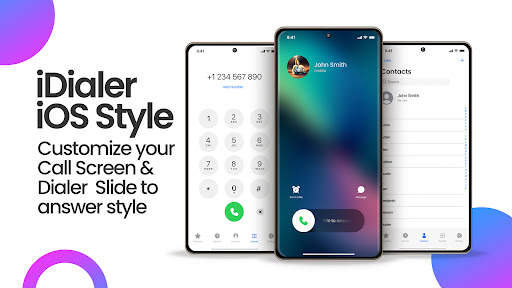
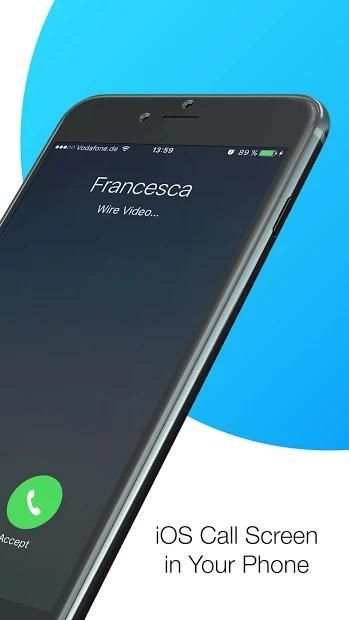
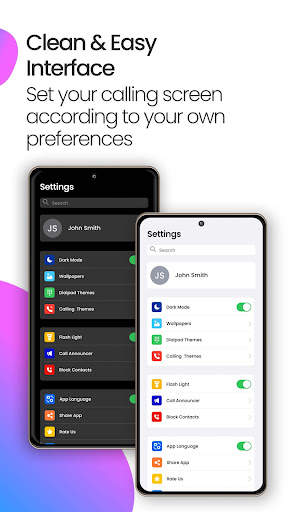
Idialer phone call app is a call dialer with iOS style phone dialer and contacts. Replace the default phone dialer with reliable idialer phone call app which includes customizable contact and dialer, and a smooth caller screen resembling an icallscreen.
Idialer phone call app easily enhances your calling experience. Phone dialer app along with call master is to improve your incoming call screen display.
iOS Dialer for improved caller screen:
Call master and phone dialer app is more than just a typical phone call app. This iDialer makes your contact and dialer easily accessible. So, no more searching through endless contact list. With this call master, convert your caller screen and incoming calls into an iOS call screen and call display iPhone.
iOS Dialer and Caller Theme:
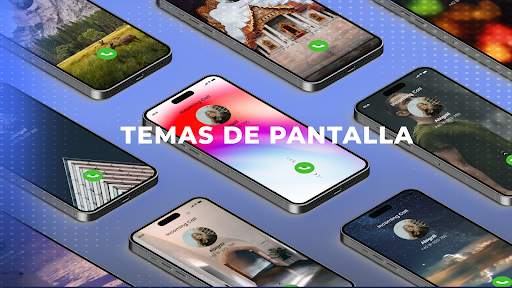
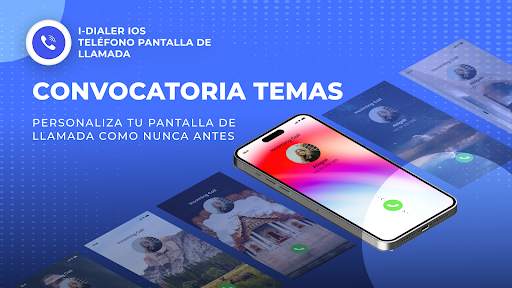
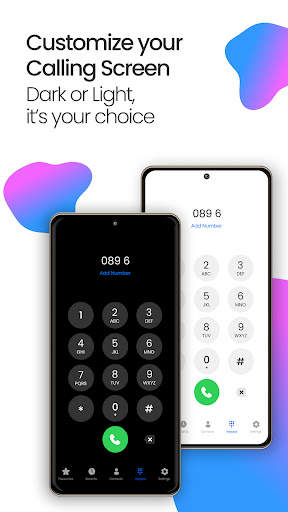
The Phone dialer app offers a wide range of caller theme to suit your style. Whether you prefer a minimalist look or a vibrant eye-catching design, iDialer has a number of wallpapers, dial pad and caller themes. Make your caller screen unique with a range of caller theme.
Favorite contacts and Contact list:
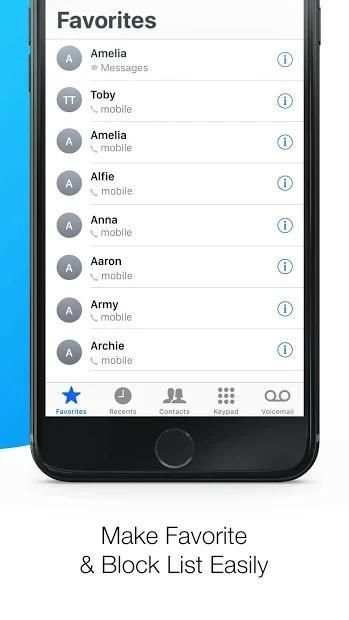
iDialer includes a useful contact and dialer feature that lets you add any contact from your contact list to your favorite contacts. With just a single tap, you can instantly connect with your favorite contacts without scrolling through the entire contact list.
Flash light on call:
The flash light on call is a useful feature for incoming calls during the night. iDialer ensures that every call you receive doesn’t go unattended and you get notified by this flash light on call feature.
Call History :
Access the call logs using phone dialer app and get to know all call history.
Experience the Phone Call App with iDialer call master. With this phone dialer app, you gain control with advanced call management features such as call blocker. You can add any unwanted numbers to the Blacklist from the calls log, contacts list or input the number manually. idialer also announces caller name and call history.
Key Feature of phone dialer app/call master:
iOS-themed contact and dialer
Variety of caller theme
Call screen slide to answer calls
Call history iPhone
Favorite contacts
Flash light on call
iPhone announce caller name
Choices of caller screen
Number of iOS Dial pad
Call display iPhone
Phone dialer app stylize your Phone caller screen, incoming calls, contact and dialer.

...

👉 For More Detail of Idialer - iOS Call Screen App

#5 iDialer: iOS Dialer And Call Screen, Contacts
iDialer: iOS Dialer And Call Screen, Contacts
Rating: star 3.0 | Version: 1.0.0 | Size: 15.9MB

iDialer: iOS Dialer And Call Screen, Contacts screenshot 1 iDialer: iOS Dialer And Call Screen, Contacts screenshot 2 iDialer: iOS Dialer And Call Screen, Contacts screenshot 3

Welcome to our iOS dialer and call screen application!
It feels like you are taking a call iOS 12 like using a premium X phone, which is what you will experience when using this iOS dialer and contacts app.
Let's learn more about the iOS dial & iOS simulator app
Features of the dialer theme iOS app
- Dialer iOS 12 style
- iOS call screen
- Contacts iOS 12
- Create favorites list
- Create blocked list
- Manage phone call iOS history
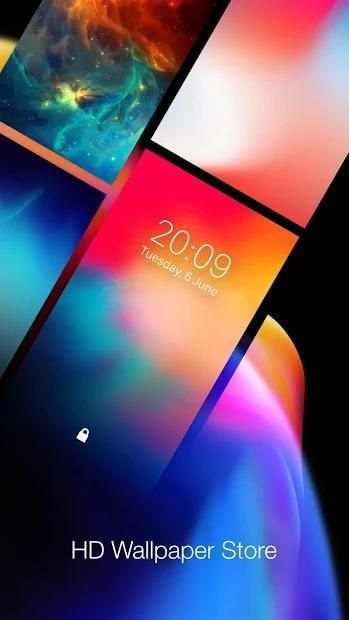
- Live wallpaper HD
Note when using the hd iOS call screen app
You need to set the call screen iOS 12 app as the default phone application and grant the necessary permissions to the iOS contacts app.
Let's download and experience the dialer iOS 12 app now!
If you have any comments about the iOS 12 call screen app, please leave a comment below.
Please rate 5* HD call screen iOS app to support the developer!

...

👉 For More Detail of iDialer: iOS Dialer And Call Screen, Contacts

Search Results

1/1

You may like

DOWNLOAD IS NOT SUPPORTED IN WEB STORE!
Use the latest version of 9Apps to download APK&OBB file of games in one click!
DOWNLOAD 9APPS