











DOWNLOAD IS NOT SUPPORTED IN WEB STORE!
Use the latest version of 9Apps to download APK&OBB file of games in one click!
DOWNLOAD 9APPS


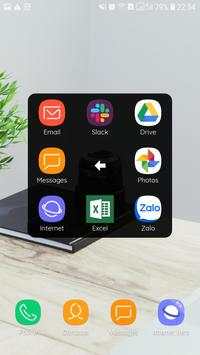

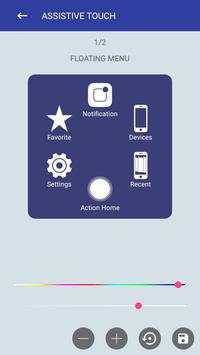

Assistive Touch?
Assistive Touch is the best assistant tool for you to control your device. It's fast, smooth and has a lot of useful tools.
Assistive Touch needs some special permissions
It uses Device Administrator permission for locking your device.
It needs Accessibility services to perform some actions like simulating back, recent button, opening notification and power dialog.
How to use Assistive Touch
1. Open Assistive Touch app
2. Turn on the setting "Assistive Touch"
3. Allow app to use some needed permissions.
Assistive Touch supporting items
1. Turn on/off WiFi, Bluetooth, Airplane, Location, Rotation
2. Screenshot
3. Main Panel, Setting Panel, Favorite panel
4. Virtual home, back button, recent apps
5. Volume up/down button
6. Lock screen, notification, power dialog
7. Flashlight, brightness, etc
If you find any problem, please don't report through the rating comment. Please send us email to [email protected].
Thank you so much for using Assistive Touch.


Fix showing advertisement after removing ads


