















DOWNLOAD IS NOT SUPPORTED IN WEB STORE!
Use the latest version of 9Apps to download APK&OBB file of games in one click!
DOWNLOAD 9APPS

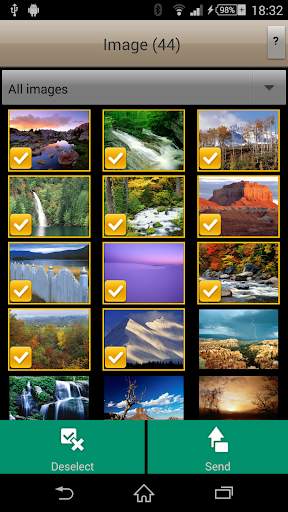
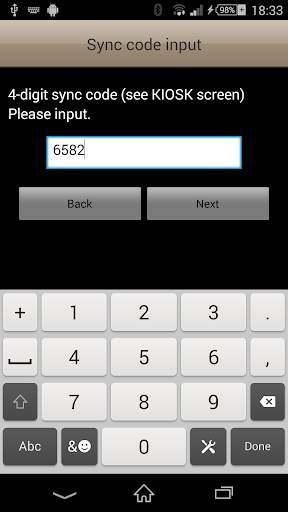
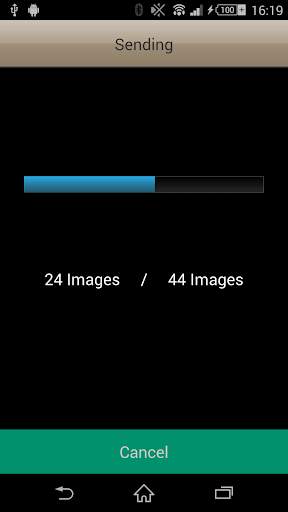
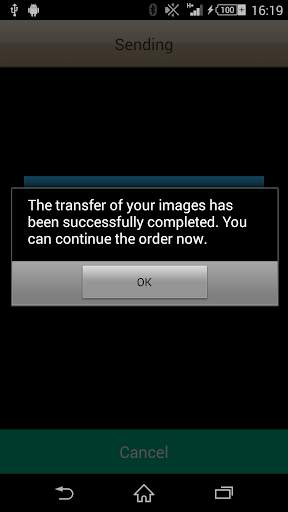
The "order-it mobile" application is designed specifically for sending images from an android device to a Fujifilm "order-it" photo kiosk in a retail store environment without using cables.
Please note that this application will only function when operated in our participating retail stores.
To use this simple high speed image transfer software, please follow these steps.
1. Select images anytime and anywhere - the selection is automatically preserved.
2. Go to a Fujifilm "order-it" kiosk.
3. Start an order process using order-it kiosk
4. Press "order-it mobile" in the media selection screen.
5. On your smartphone, go to the "order-it mobile" app.
6. Please press "continue" on the kiosk and wait until a 4-digit sync code is displayed on the next screen.
6. Press "Send " at the bottom right.
7. Enter the sync code on your smartphone and press "Next."
8. All selected images are transferred immediately to the order-it Kiosk.
The selected images will now be transferred over the high speed Wi-Fi network directly to the FUJIFILM order-it Kiosk.
Currently not all Android-devices are supported. Due to customer feedback, we are currently working on expanding the range of supported devices and hope to provide an update soon.
HEIF format is supported.


