
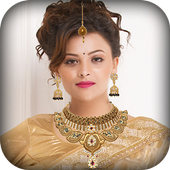
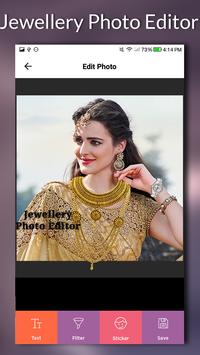
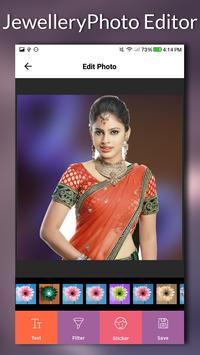
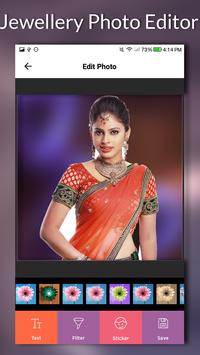
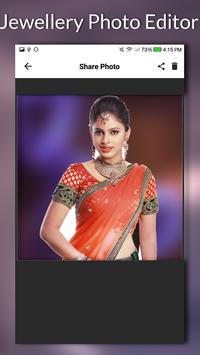
Jewwllery Photo Editor
is make fantastic “Jewwllery” maker enables you to convert your beauty Selfie into extraordinary pic with Jewwllery picture effect in a matter of seconds.
Jewwllery Photo Editor
helps you to convert your new amazing look and “Jewwllery” size according to girls face shape.
With amazing photo booth
Jewwllery Photo Editor
you can find various types of “Jewwllerys”, your wedding hairstyle and make a perfect “photo montage”.
Jewwllery Photo Editor
is more variety of “Jewwllery” Stickers to perfect photo in a few second.
Jewwllery Photo Editor
Application provided Add Text and over chosen beautiful font style.
How to Using Jewwllery Photo Editor :
(1) Describe three option but Select start option.
(2) Select photo from Start with Gallery and Start with Camera to choose photo.
(3) Crop image used to crop your unwanted portion remove your photos.
(4) Select any one “Jewwllery” sticker.
(5)
Jewwllery Photo Editor
having option for Selecting Crown related to your choice and place it into fitting area.
(6) Zoom in and out, rotate adjust.
(7) Add text and filter on image.
(8) You can save convert “Jewwllery” image in your phone gallery.
(9) You can share your Crown pictures to friends on social network.
Features of Jewwllery Photo Editor :
- “Jewwllery” stickers available for your
Jewwllery Photo Editor
- Change the Jewwllery size according to your face shape.
- You can set opacity Jewwllery with scaling option in your
Jewwllery Photo.
- Add Text - font style on image.
- Flip/Rotate - Rotate Left, Rotate Right, Flip Vertical, Flip Horizontal.
- Add Photo - Add photo save from gallery
- Convert Jewwllery Photo share with all friends on Facebook, Twitter, Bluetooth, Email, and Xender.




9Apps 4.9














