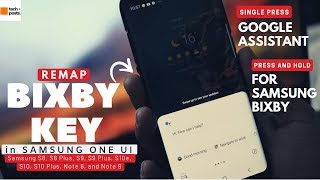
Remap Bixby Key with Google Assistant icon

Remap Bixby Key with Google Assistant

Version: 1.0
990.8KB 10,000+ 3.4 3.35
Price: $0

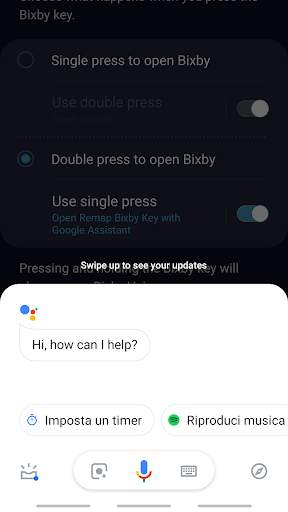
Description Remap Bixby Key with Google Assistant

Remap Bixby Key with Google Assistant
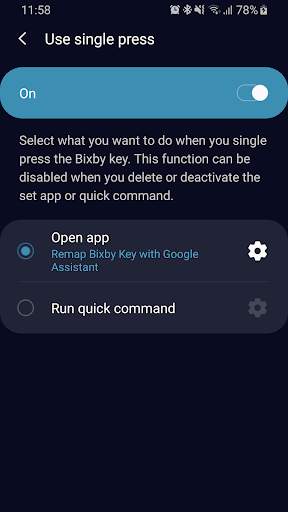
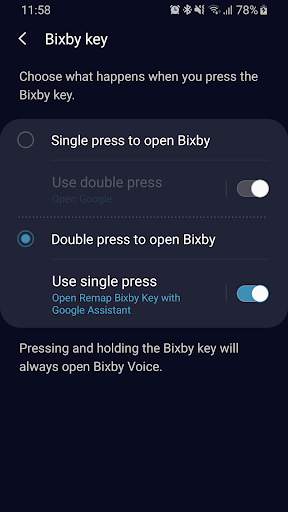
How to use:
1) Open Bixby Settings
2) Tap Bixby Key
3) Select "Use double/single press"
4) Select "Open app"
5) Choose from the app list "Remap Bixby Key with Google Assistant"
Show More Less

What's New Remap Bixby Key with Google Assistant

Version 1.0

Information

PackageName icon
ID:
it.giovanniperrone.remapbixbykeywithgoogleassistant
category icon
Category:
update icon
Updated:
2019-03-01
version icon
Version:
1.0
requirements icon
Requires:
Android 7.1 or later
google play icon
Available on:
filesize icon
File size:
990.8KB
DOWNLOAD IS NOT SUPPORTED IN WEB STORE!
Use the latest version of 9Apps to download APK&OBB file of games in one click!
DOWNLOAD 9APPS