









DOWNLOAD IS NOT SUPPORTED IN WEB STORE!
Use the latest version of 9Apps to download APK&OBB file of games in one click!
DOWNLOAD 9APPS
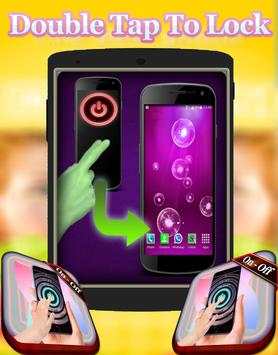
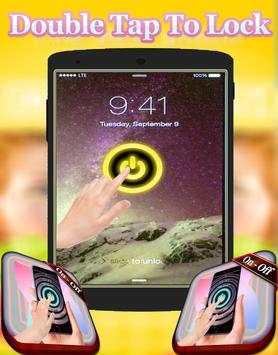
iLocker - Double Tap Screen On & Off is an application help you double tap to Screen On/Screen Off
If your device does not have Always On Display, you can cover proximity sensor to turn on screen.We also provide super feature for Samsung device that's easily comeback home screen by touching fingerprint or swipe up bottom edge.
●●● ●●● ●●● ●●● ●●● ●●● ●●● ●●● ●●● ●●● ●●● ●●●
[Feature]
● Double tap to Screen On , home screen to turn off screen.
● Double tap to Screen only works on Off Home Screen and Lock Screen
● Double Tap power icon on Always On Display to turn on screen.
● Provide a lock screen shortcut on home screen.
● Comeback home by touching fingerprint for Samsung
● The sensor will automatically detect, and auto power on / off screen to help you.
● You can set separate delays when the screen on / off to avoid accidentally enabled.
● Auto screen off when put your phone into pocket.
●●● ●●● ●●● ●●● ●●● ●●● ●●● ●●● ●●● ●●● ●●● ●●●
Double Tap Screen On/Off is an easy to use application, by which you can double tap on Home Screen to on/off the screen instead of pressing power button. Double Tap Screen On/Off will help you to minimize the usage of power button.is simple utility to automatically On or Off screen using proximity sensor and double tap on Home Screen.
Instead of having to press the power button manually. Smart Screen On Off have a power head floating in a convenient location is also provided to quickly turn off the screen.
●●● ●●● ●●● ●●● ●●● ●●● ●●● ●●● ●●● ●●● ●●● ●●●
[Note]
This app uses the Device Administrator permission to you can use the feature Double tap screen off.
Default the app use Triple Tap to Screen Off that make avoid some error related touch but you can change a number of taps in the app to Double Tap.
When to use the keyboard you should disable app or pause app to avoid Screen Off when to type text.
To "PAUSE" app you can open notification and click icon "PLAY" with content "DoubleTap To Lock Is Playing" and
to use the app after you can click icon "PAUSE" with content "DoubleTap To Lock Is Pause" to can use continue use.
●●● ●●● ●●● ●●● ●●● ●●● ●●● ●●● ●●● ●●● ●●● ●●●
Sometimes difficult to press the power button, or you want to preserve the physical power button. Smart Screen On Off application and the power head floating can help you minimize the use of the power button anytime, anywhere. And Double Tap Off also help you turn off the screen quickly with just two times touching the home screen.
Double Tap Off is an app that helps you protect the power button.
Save your hard power key, you only double tap home screen to turn off screen. Especially, we can double tap power icon on Always On Display to turn on screen without draining battery.
●●● ●●● ●●● ●●● ●●● ●●● ●●● ●●● ●●● ●●● ●●● ●●●


