

DOWNLOAD IS NOT SUPPORTED IN WEB STORE!
Use the latest version of 9Apps to download APK&OBB file of games in one click!
DOWNLOAD 9APPS

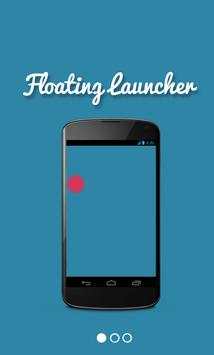
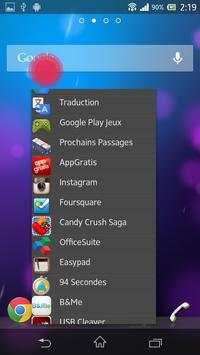
Floating Launcher d'applications
Aucne configuration requise, il vous suffit de :
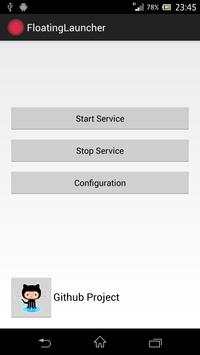
- Cliquer sur "Start Service"
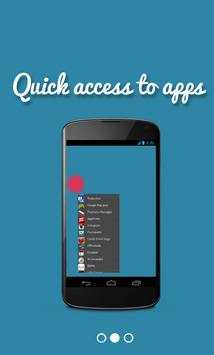
- Cliquer une fois seulement sur l'icone flotante pour afficher la liste des applications
- Cliquer sur une apps pour la lancer
- Double cliquer sur l'icône flotante pour la cacher puis cliquer sur la notification créée pour l'afficher de nouveau.
-------------------------------------------------------
Quick Floating Launcher apps.
No configuration needed, nothing to do.
Just :
- Start the app and click on "Start Service".
- Click on floating icon to display the app list and click on an app to launch it
- Double tap on floating icon to hide it
- Click on the new notification (top of screen device) to display back launcher icon.
Easy as ABC.
Github Project : https://github.com/marshallino16/FloatingNotification




Ajout d'une présentation rapide au premier lancement
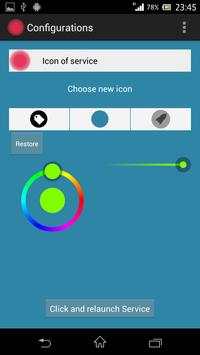
Ajout de la configuration de l'icône
Quelques modifications sur l'interface
Ajouts de la préparation pour une sélection personnelle d'apps en raccourcis
Préparation d'une option de dossiers



Candy Crush Saga
4.491.1MB

imo beta -video calls and chat
4.394.0MB

Talking Tom Cat
3.963.0MB

Dearmet: Video Chat, Live Talk
4.043.4MB

Facebook Lite
4.02.5MB

Temple Run 2
4.4122.1MB

Stickman Fighting
3.059.6MB

Quikr: Homes, Jobs, Cars Etc
4.120.8MB

ShopClues
3.816.4MB

Offline Music Mp3 Player- Muso
4.535.9MB