DOWNLOAD IS NOT SUPPORTED IN WEB STORE!
Use the latest version of 9Apps to download APK&OBB file of games in one click!
DOWNLOAD 9APPS

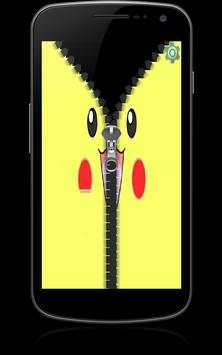
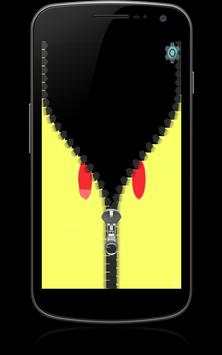
Lock Screen for Pokemon Go is a zipper lock screen application.
To unlock your phone, you pull the zip down.
Features of Lock Screen for Pokemon Go:
• Easy to use
• Free
• Customizes your lock screen
• Fast
• Works with phones, and tablets
• Disable and Enable Feature
Instructions:
1. Open the app
2. Tap the settings on the top right corner
3. Enable the Lock Screen
4. Disable the system lock, by going to your devices’ settings, then lock screen.
5. Enjoy the Zipper Lock Screen!
DISCLAIMER:
This app is an unofficial Pokemon Go zipper lock screen, it is not authorized or created by the creator of the game.