
DOWNLOAD IS NOT SUPPORTED IN WEB STORE!
Use the latest version of 9Apps to download APK&OBB file of games in one click!
DOWNLOAD 9APPS
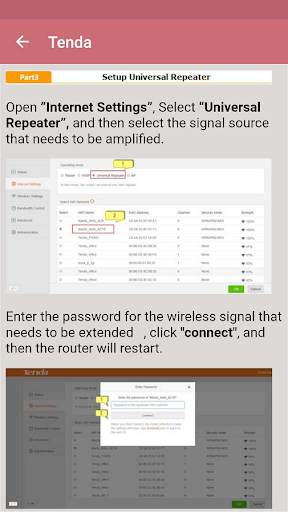
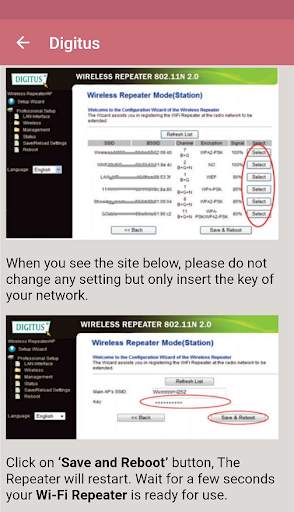
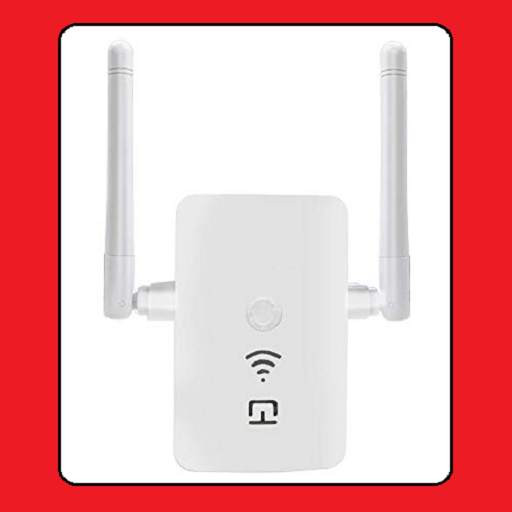
In our mobile app, how to configure wifi repeater is explained. The wifi repeater is used to repeat the wireless connection and spread it over longer distances. If there are spots in your home where wireless connection signals cannot reach, or if you want to use your wireless internet connection in a wider area in your workplace, the repeater is for you. Configuration setup and settings may differ for each brand and model. We explained the configurations of the most used brands in our mobile app. The wifi repeater receives the signal from the router and repeats it exactly. If it cannot receive the signal enough, internet connection may break. Therefore, device positioning is important.
Application content
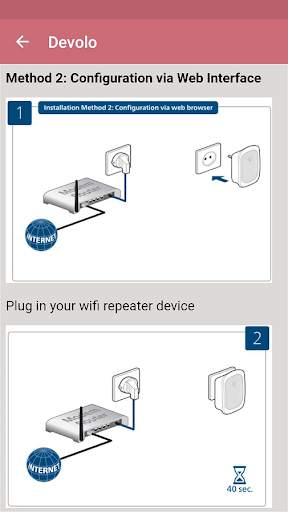
Devolo wifi repeater (easy setup with WPS and step by step setup via manual web browser)
Netgear wifi repeater (The device should be placed in a position where it can receive the signal from the wireless connection so that it can repeat the wifi signal healthily)
TP Link repeater (The wifi password of your router and your wifi repeater is the same. You can make it invisible if you want from the router settings)
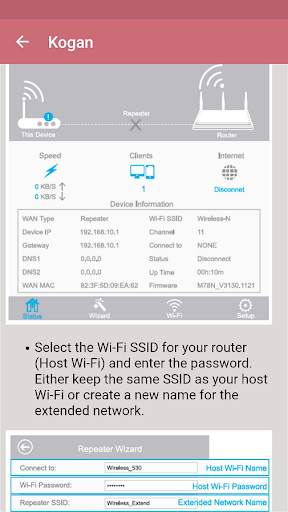
Other wifi repeater brands explained in our app: Devolo, Kogan, D Link, Digisol, Netgear, Wavlink, Digicom, Zyxel, Asus, TP Link, PLDT, Medialink, Netcomm, Tenda, Etisalat, Edimax, Digitus, iBall, Verizon, Linksys


![How to Use TP-Link Router as a WiFi Repeater [TL-WR841N] screenshot 4](https://i.ytimg.com/vi/iVca4TKaEqc/mqdefault.jpg)

Permissions of the app updated



Candy Crush Saga
4.491.1MB

Quikr: Homes, Jobs, Cars Etc
4.120.8MB

Offline Music Mp3 Player- Muso
4.535.9MB

ShopClues
3.816.4MB

Talking Tom Cat
3.963.0MB

Stickman Fighting
3.059.6MB

Facebook Lite
4.02.5MB

Temple Run 2
4.4122.1MB

Dearmet: Video Chat, Live Talk
4.043.4MB

imo beta -video calls and chat
4.394.0MB