









DOWNLOAD IS NOT SUPPORTED IN WEB STORE!
Use the latest version of 9Apps to download APK&OBB file of games in one click!
DOWNLOAD 9APPS
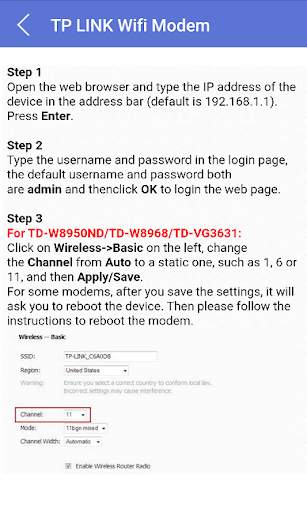
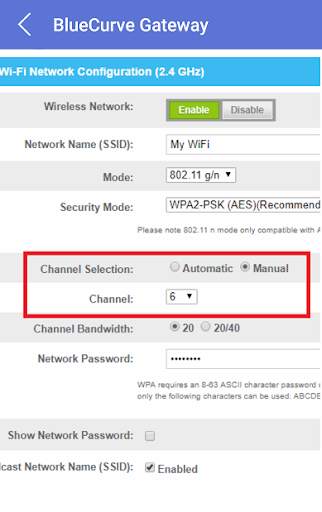
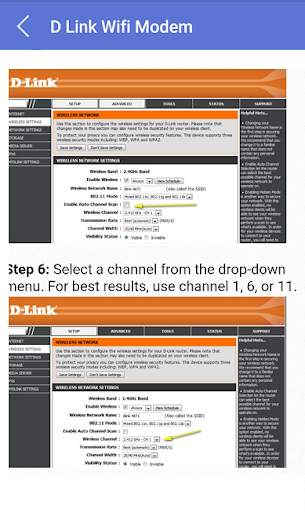
In our mobile application you will learn how to change the wifi channel of your wifi modem. It may be necessary to manually change the wifi channel when you encounter wifi signal interference. How to do this according to your modem brand is explained in our mobile application.
Wifi signal interference may be caused by other wireless networks, other 2.4 GHz frequency devices, and high-voltage devices that produce electromagnetic interference. These devices can be bluetooth devices, nearby wireless networks, cordless phones, wireless security equipment, microwaves, monitors.
Install our app now to learn how to change your wifi router's wifi channel.
How to change wifi channel for your wifi modem (D Link wifi modem, TP Link modem, Cisco wifi modem, Arris wifi modem, BlueCurve Gateway, Hitron wifi modem, tp link wifi and SMC wifi modem.


