

EASY WIRELESS STREAMING FROM OCULUS QUEST TO TWITCH, YOUTUBE, OBS, ETC.:
✔
Uses standard Oculus Quest casting facilities
✔
Does not require any additional software or hardware on Oculus Quest
✔
Does not impact performance of Oculus Quest any more than casting to a TV
✔
Can deliver full casting quality to streaming provider (network speed permitting)
✔
Supports most RTMP based streaming services: YouTube, Twitch, …
✔
Supports casting to streaming software like OBS Studio, … via RTMP server*
✔
Can stream to multiple targets simultaneously (network speed permitting)
✔
Works well on Android-x86 in VirtualBox (bridge network, allow promiscuous)
EASY SETUP:
► Make sure your Android device and your Oculus Quest are on the same WiFi
► Install and open QuestCast app on your Android device (not on Oculus Quest!)
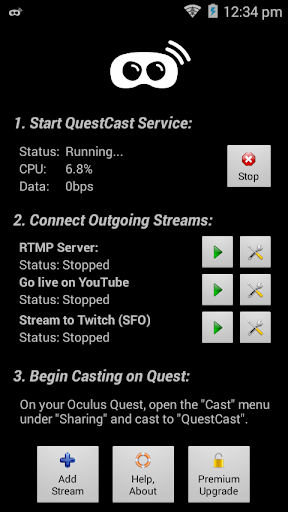
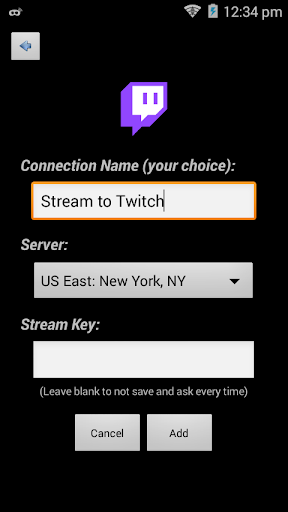
► Add any streaming targets (YouTube, Twitch, custom RTMP target or server, …)
► Click "Start" to turn on casting service and desired outbound stream(s)
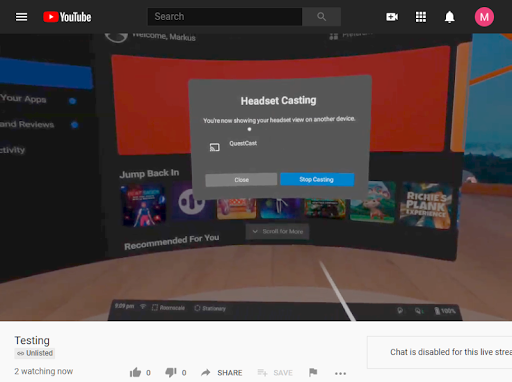
► On your Oculus Quest, open the casting menu and cast to "QuestCast"
► Done… Enjoy! ;)
A NOTE ON PERFORMANCE:
► It is highly recommended to use QuestCast over a 5GHz WiFi network:
► A typical Oculus Quest video stream creates about 2.5 to 5 Mbps of bandwidth
► This data needs to reliably (!) traverse your WiFi network at least 3 times for a single streaming target:
● Oculus Quest to WiFi router
● Router to QuestCast
● QuestCast to router (for internet)
► Every additional streaming target adds another WiFi trip from QuestCast to the router
► While 15 Mbps may not sound like much these days, it can still push 2.4GHz WiFi to its limits, especially in congested areas
► To make things worse, the stream from the Quest to the QuestCast app does not provide a way to recover lost packets (uses UDP)
► Such packet loss will therefore lead to unavoidable visual and/or audio disturbances in the stream!
* Requires premium upgrade








9Apps 4.9













