

DOWNLOAD IS NOT SUPPORTED IN WEB STORE!
Use the latest version of 9Apps to download APK&OBB file of games in one click!
DOWNLOAD 9APPS

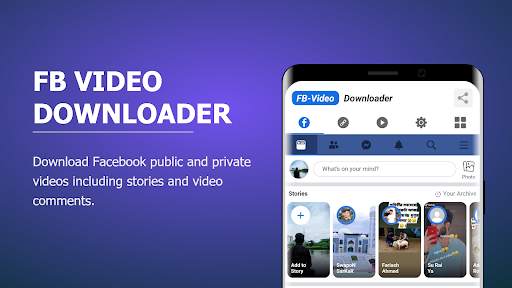
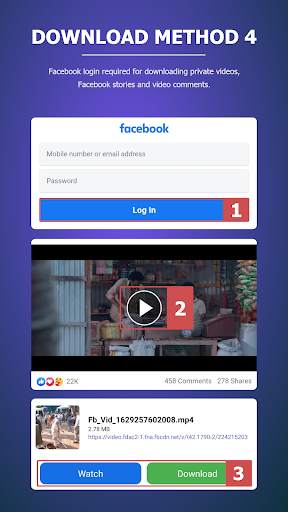
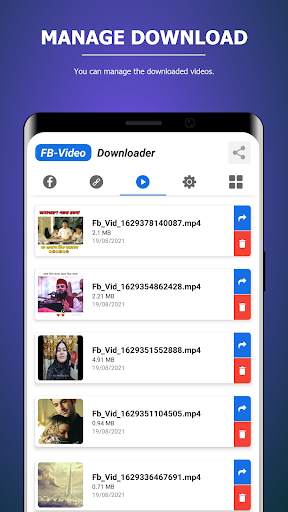
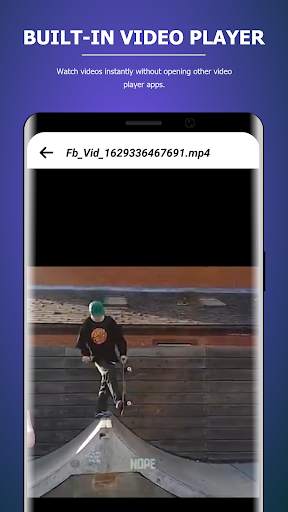
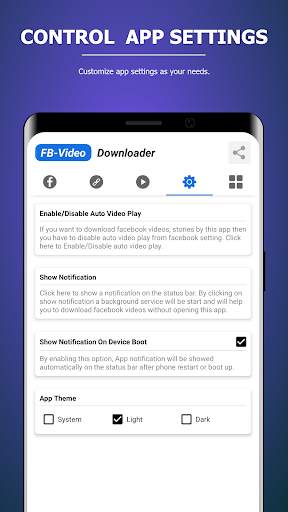
Fb Video Downloader is the best and the easiest Facebook Video Downloader app that comes with a clean UI design to help you download videos from Facebook.
• Download Public Videos
• Download Private Videos
• Download Stories Videos
• Download Comments Videos
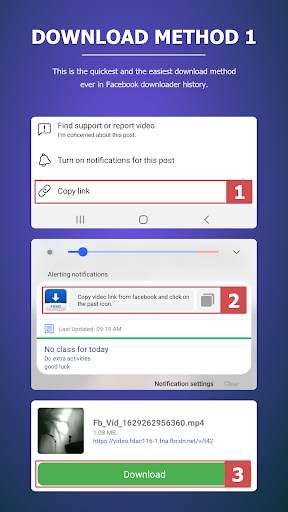
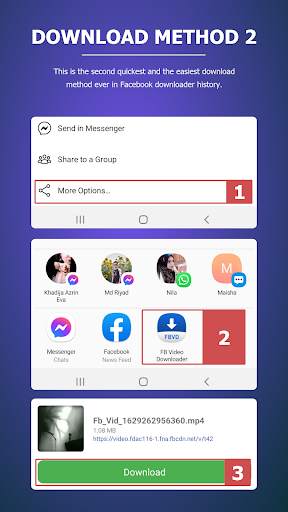
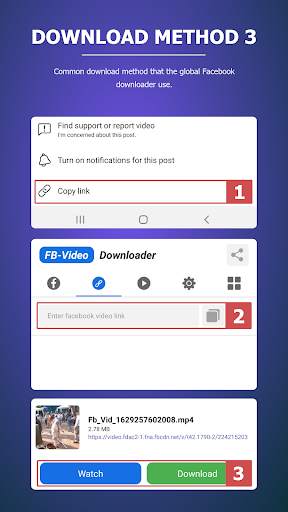
By using this app you can download videos from Facebook using the video link without login or with login by sharing the video form Facebook to the "Fb Video Downloader" app OR by copying video link and past it in the foreground service located in notification panel OR by browsing the "Fb Video Downloader" app with your Facebook account and clicking on the videos to download.
You can only able to download the public videos without a login. To download the private videos then you must have to login. If you want to download Facebook stories then you have to download them from app built-in browser with login.
Usage:
* Download public videos (without login)
Method 1:
• Copy video link.
• Paste inside app.
• Click on download/ watch.
Method 2:
• Share the video into the app.
• Click on download.
Method 3:
• Copy video link.
• Paste into the foreground service on the notification panel.
• Click on download.
* Download private videos (with login)
Method 1:
• Copy video link.
• Paste inside app.
• Click on videos.
• Click on download/ watch.
Method 2:
• Share the video into the app.
• Click on videos.
• Click on download.
Method 3:
• Copy video link.
• Paste into the foreground service on the notification panel.
• Click on videos.
• Click on download.
* Download Facebook video story (with login)
Method 1:
• Open Fb Video Downloader app.
• Login with your account.
• Find out the story that you want to download.
• Click on video story.
• Click on download/ watch.
* Download Facebook post comment (with login)
Method 1:
• Open Fb Video Downloader app.
• Login with your account.
• Find out the post with video comment.
• Click on the video comment.
• Click on download/ watch.
Method 2:
• Share the post with video comment into the app.
• Click on the video comment.
• Click on download/ watch.
Important Notes:
• To download videos from the built-in browser you have to disable video auto play from the app's Facebook settings after login.
![How to Download Facebook Videos & Reels Easily [PC/LAPTOP] screenshot 1](https://i.ytimg.com/vi/4RmKGJY0qcg/mqdefault.jpg)


![How to Download Facebook Videos & Reels Easily [PC/Laptop/Computer] screenshot 4](https://i.ytimg.com/vi/7xbunp9cX0g/mqdefault.jpg)

Minor bug fixed.



Facebook Lite
4.02.5MB

imo beta -video calls and chat
4.394.0MB

Mushroom Takeover
4.569.0MB

Temple Run 2
4.4122.1MB

Candy Crush Saga
4.491.1MB

Offline Music Mp3 Player- Muso
4.535.9MB

Quikr: Homes, Jobs, Cars Etc
4.120.8MB

ShopClues
3.816.4MB

Dearmet: Video Chat, Live Talk
4.043.4MB

Talking Tom Cat
3.963.0MB