









DOWNLOAD IS NOT SUPPORTED IN WEB STORE!
Use the latest version of 9Apps to download APK&OBB file of games in one click!
DOWNLOAD 9APPS
Bluetooth and WiFi keyboard is designed to communicate with your Arduino or Raspberry pi project by bluetooth or wifi.
Bluetooth and WiFi keyboard is super simple to send data by Bluetooth HC-05 or HC-06 to your Arduino or Raspberry Pi project
Bluetooth and WiFi keyboard is super simple to connect to devices and send characters over the Internet. It's a simple app to send numbers or any characters to your modulo ESP8266 Arduino or to your Raspberry Pi..
**HOW TO USE**
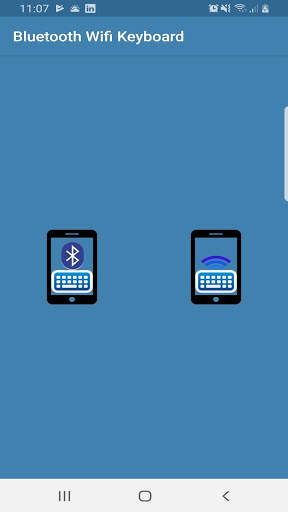
- Enter the application and select bluetooth mode or wifi mode
-If you selected bluetooth mode:
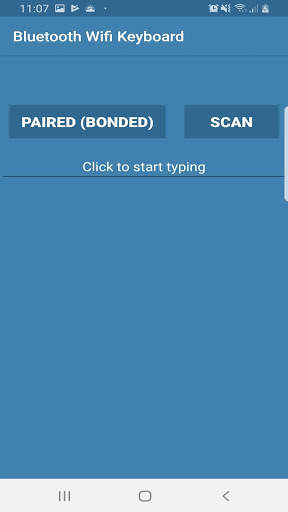
1-Select de button Paired (Bonded) or Scan.
Paired (Bonded) button shows list of already paired (bonded) Bluetooth devices.
Scan button you can only scan for other Bluetooth devices that are already set to be discoverable.
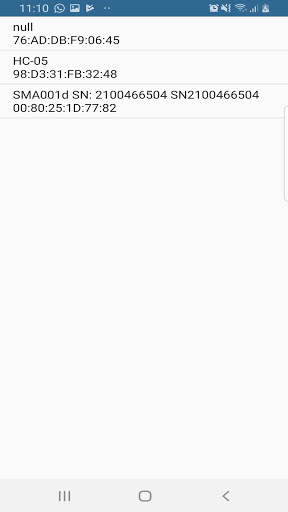
2-Select your bluetooth device (you need to wait a few seconds)
3-When the application returns to the keyboard without error message, it is ready to send data.
-If you selected Wifi Modulo
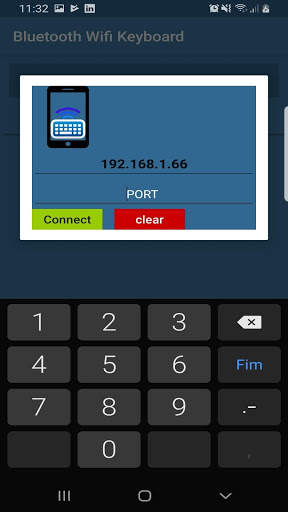
1-Click on the "Connect" button
2-Insert the ip and the port
3-Click on the green button to connect or the red button to clear the parameters.
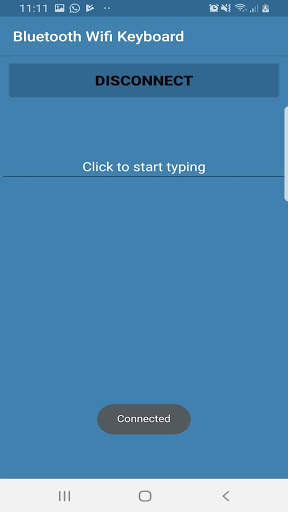
4-Click where it says "click to start typing" to send data
5-Click the "Disconnect" button to turn off communication
If you have any problems, you can contact me and I'll help you.
Enjoy