




DOWNLOAD IS NOT SUPPORTED IN WEB STORE!
Use the latest version of 9Apps to download APK&OBB file of games in one click!
DOWNLOAD 9APPS
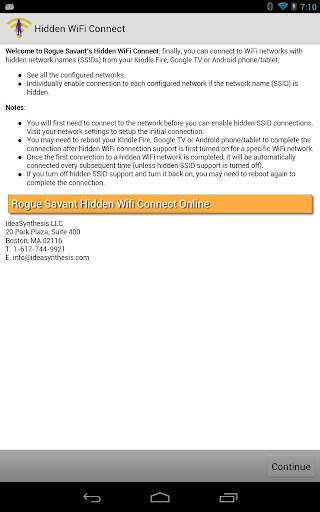
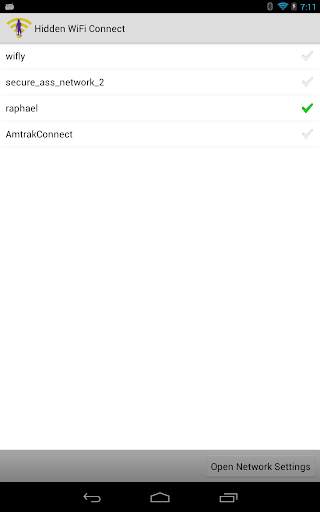
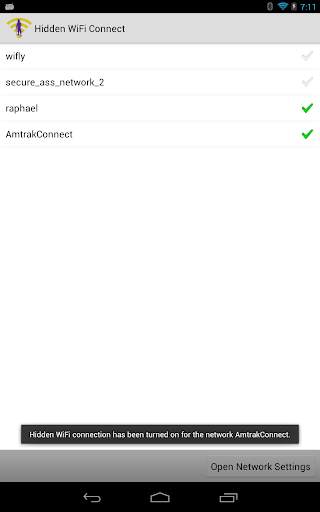
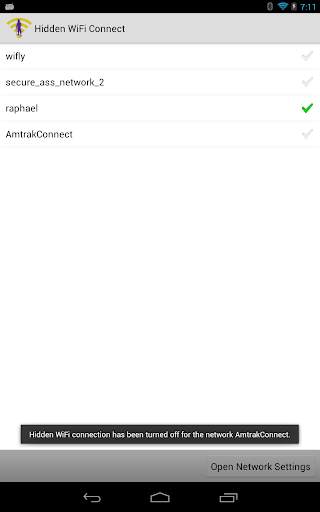
Hidden WiFi Connect makes it easy to connect your Kindle Fire tablet, Google TV or Android phone or tablet to hidden WiFi networks (that do not transmit their WiFi network name or SSID). Finally, you can connect to WiFi networks with hidden network names (SSIDs) from your Kindle Fire, Google TV or Android phone/tablet. See all the configured networks. Individually enable connection to each configured network if the SSID is hidden. Notes: You will first need to connect to the network before you can enable hidden SSID connections. Visit your network settings to setup the initial connection. You may need to reboot your Kindle Fire, Google TV or Android phone/tablet to complete the connection after hidden WiFi connection support is first turned on for a specific WiFi network. Once the first connection to a hidden network is completed, it will be automatically connected every subsequent time (unless hidden SSID support is turned off). If you turn off hidden SSID support and turn it back on, you may need to reboot again to complete the connection.
Initial release:
- See all configured WiFi networks.
- Individually enable or disable connections to each configured WiFi network if the SSID is hidden.
- Instantly open the network settings.



Candy Crush Saga
4.491.1MB

Temple Run 2
4.4122.1MB

Quikr: Homes, Jobs, Cars Etc
4.120.8MB

Stickman Fighting
3.059.6MB

imo beta -video calls and chat
4.394.0MB

Facebook Lite
4.02.5MB

Offline Music Mp3 Player- Muso
4.535.9MB

Talking Tom Cat
3.963.0MB

ShopClues
3.816.4MB

Dearmet: Video Chat, Live Talk
4.043.4MB