








DOWNLOAD IS NOT SUPPORTED IN WEB STORE!
Use the latest version of 9Apps to download APK&OBB file of games in one click!
DOWNLOAD 9APPS
This app is identical to Camper Leveler - Free Edition, only difference is that the Pro version is ad free. Not sure if you want to buy the app? Try the Free app first! Do you like the Free app? Please then consider buying this ad free version. Thanks!
***Since 2012***
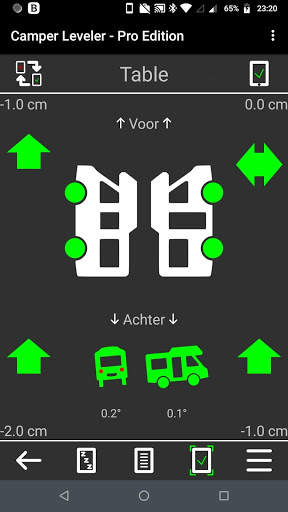
Camper Leveler - Pro Edition is the app that helps leveling your motorhome or any other 4-wheel vehicle. The first version was created back in 2012 by eland apps and is being used by thousands of camper enthousiasts all over the world!
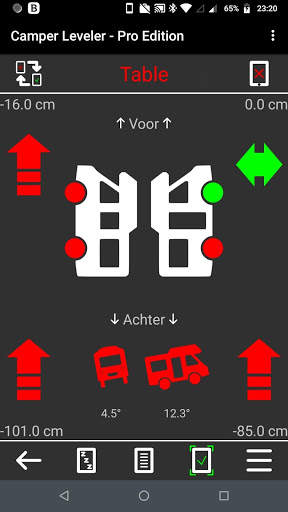
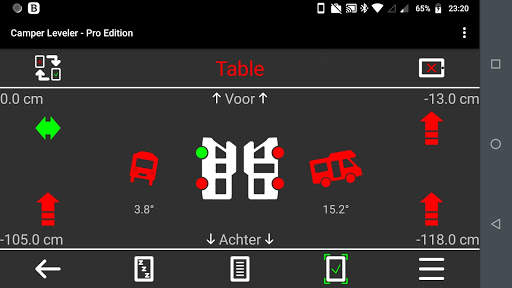
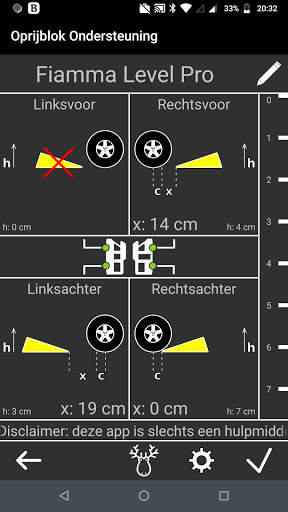
The app shows the amount of centimeters or inches each wheel has to rise, taking the wheel base and the wheel width into account. Values for wheelbase and wheel widht can be set according to your vehicle's specifications.
The app can be calibrated to be used on various locations, like the dashboard, the floor, a chair, a table or any other location, even if this surface is not flat*!
*you need to calibrate the App before using it
*note that when you put your phone on a flat surface, without calibrating, the app will show incorrect results as the back of your phone is probably not flat because of the camera, for instance.
------
First time users, please read the instructions (also available in the Menu under "?":
By default the app is not calibrated. In order to do so, please follow following intructions before usage:
1. Place your phone on a flat surface, like a large table
2. In the app select "Table"
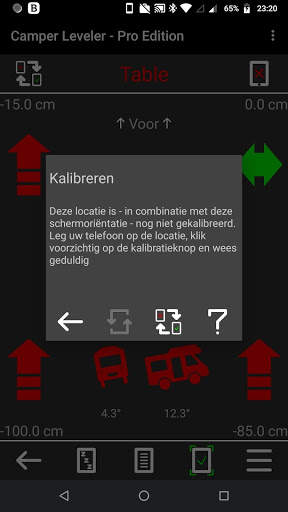
3. Click the Calibrate menu button (left top in Leveler screen) to open the Calibration menu
4. Click the Calibrate button
5. Be patient and do not touch the table or the phone / tablet while calibrating !!!
6. When completed, the app is calbrated for a flat surface like the table
7. Use the table in your camper (or the kitchen worktop) to level your camper
8. When your camper is leveled, you can calibrate the app for other locations as well, even if that location is not horizontal: the dashboard, a chair, the floor or any other location. You do so by selecting the right location in the app and clicking Calibrate again
(note: "None" can not be calibrated. "None" shows the phone's default)
You can undo the calibration for any selected location by clicking the Undo button in the Calibration menu.
Note: calibration is a correction added to the app only, there are no changes made to your phone!
Some phones also require to calibrate the sensors in the phone or tablet. Please read your phone's manual on how to do that.
----
Camper t-shirt? http://campsite.spreadshirt.nl/



- Revised Traffic page. This should avoid crashes on older phones