

DOWNLOAD IS NOT SUPPORTED IN WEB STORE!
Use the latest version of 9Apps to download APK&OBB file of games in one click!
DOWNLOAD 9APPS

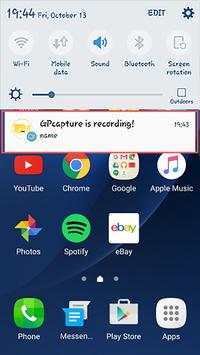
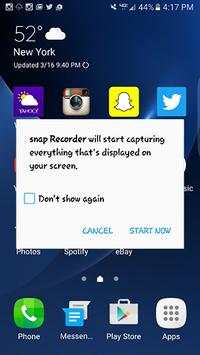

status downloader is a screen recording application that makes it super easy to record SnapChat videos and their audio and also take screenshots of chat pictures on your phone.
Here are the simple steps to take.
how to use :
-
Open the app for the first time and it will ask for permission to record or take screenshots, mark the always allow option so you don't get asked that every time you want to record your screen.
- When you open the app, a little transparent menu opens up...now you are ready to record.
-
Feel free to click on the settings option to see if you wanna enable or disable recording audio.
- Open app and click on the record button, then click on the snap that you would like to record...its as simple as that.
- Pull down the android drop down menu from the top of your phone screen and click the 'Stop recording' option.
- Press the little "X" button on the right side of the app menu to close the app.





Temple Run 2
4.4122.1MB

Candy Crush Saga
4.491.1MB

Dearmet: Video Chat, Live Talk
4.043.4MB

imo beta -video calls and chat
4.394.0MB

ShopClues
3.816.4MB

Offline Music Mp3 Player- Muso
4.535.9MB

Talking Tom Cat
3.963.0MB

Facebook Lite
4.02.5MB

Stickman Fighting
3.059.6MB

Quikr: Homes, Jobs, Cars Etc
4.120.8MB