










DOWNLOAD IS NOT SUPPORTED IN WEB STORE!
Use the latest version of 9Apps to download APK&OBB file of games in one click!
DOWNLOAD 9APPS


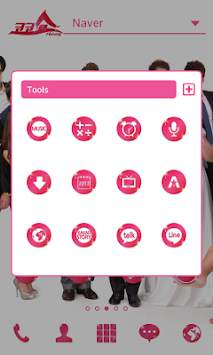

Apply the theme to transform your background screen, icon and launcher widget :D
* How to apply a theme
- Install Dodol Launcher (if you haven’t yet).
>>
http://dodol.naver.com/launcher
- Press the home button and set the Dodol Launcher as the default home launcher by selecting [Use as default value for this task] or [Always].
- Open the launcher menu by swiping the home screen upwards, select the [Theme] menu, them select and apply the theme of your choice.
* Why Dodol Launcher is so special
- Cute, simple, vibrant, sophisticated, cuddly and warm themes are continuously updated.
- The default widget offers convenient functions, including quick switch and memory cleaner
- App/widget can be used easily with the dock and alert shortcut list.
- Offers functions that can be used to decorate fonts / ring tones / keyboards
- Offers detailed functions for screen rotation / individual icons / folders etc…
- Supports functions in a convenient and stable manner by copying the home screen and creating backups of settings
** Precaution
- Is available only in Android ver. 4.0.2 and above (ICS, Jellybean)
- Some function cannot be applied in certain devices.
* Customer Support
- Contact :
http://m.help.naver.com/serviceMain.nhn?falias=mo_launcher_app&type=faq
- Official blog :
http://dodolhome.blog.me
- Facebook :
http://www.facebook.com/dodolhome


