
DOWNLOAD IS NOT SUPPORTED IN WEB STORE!
Use the latest version of 9Apps to download APK&OBB file of games in one click!
DOWNLOAD 9APPS
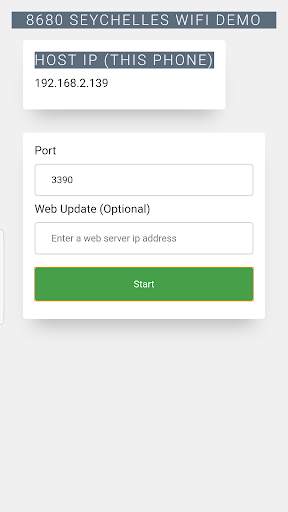
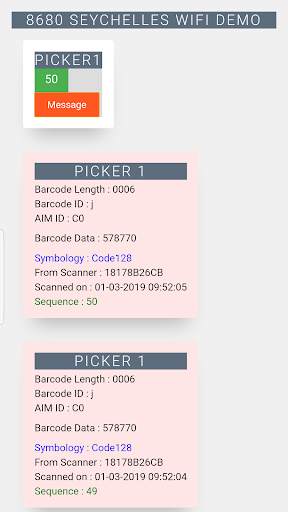
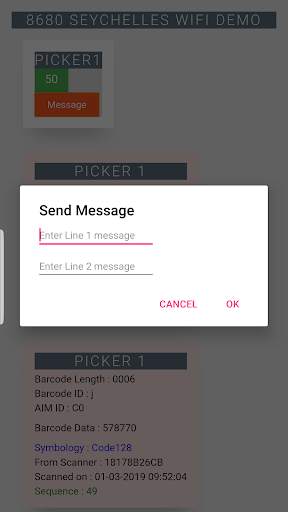
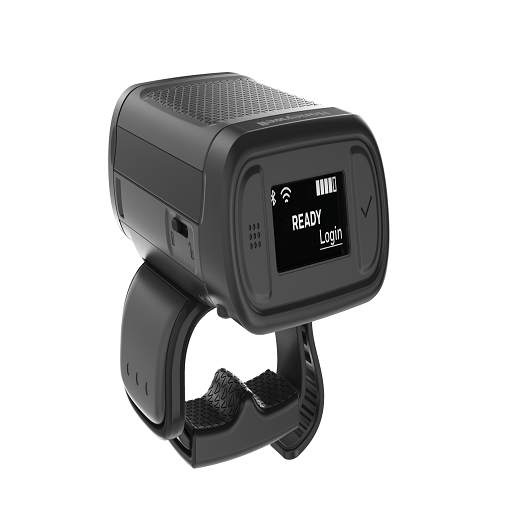
Demo application to Honeywell 8680 WIFI scanner sending scan data to an Android device.
Configure the scanner to WIFI network using EZConfig->Scan Data Window->Create Wifi Bar Code. Scanner need not be connected to the PC , you can do this by selecting "Disconnected device" option and scanning the barcode.
Host address - will be the Android device IP address. You can obtain the IP address by running this application and will display on top of the app.
TCP Port- default 3390 - you'll enter this port number in the application.
Upto 7 scanners can be connected. Scanners connecting in sequence will assign PICKER tags automatically.





Quikr: Homes, Jobs, Cars Etc
4.120.8MB

imo beta -video calls and chat
4.394.0MB

Offline Music Mp3 Player- Muso
4.535.9MB

ShopClues
3.816.4MB

Talking Tom Cat
3.963.0MB

Mushroom Takeover
4.569.0MB

Facebook Lite
4.02.5MB

Candy Crush Saga
4.491.1MB

Dearmet: Video Chat, Live Talk
4.043.4MB

Temple Run 2
4.4122.1MB