DOWNLOAD IS NOT SUPPORTED IN WEB STORE!
Use the latest version of 9Apps to download APK&OBB file of games in one click!
DOWNLOAD 9APPS

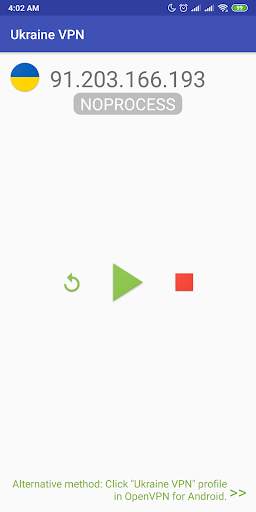
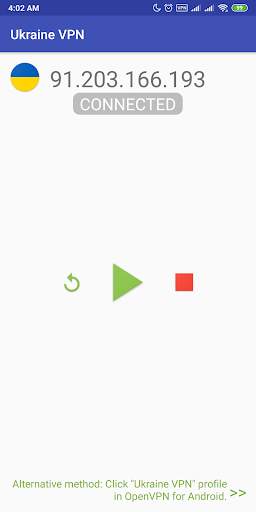
This app is a plug-in app, it can not work independently, this app is not developed by OpenVPN Technologies, Inc.
It is recommended to install OpenVPN official client "OpenVPN For Android", this app will send "import VPN profile" and "connect" command to "OpenVPN For Android" app.
"OpenVPN for Android" download:
https://play.google.com/store/apps/details?id=de.blinkt.openvpn
*** How to use ***
As "OpenVPN For Android" plugin as an example:
1. Install this app and "OpenVPN For Android" app.
2. open this app, click the Refresh button, the new VPN server ip will appear later.
3. Click on "Play" button , the IP address of OpenVPN profile will be save, import and start to connect to the server by pass command to "OpenVPN For Android" app.
4. If you're lucky and free VPN server is not busy, your device will be successfully connected to VPN server.
*** common problem ***
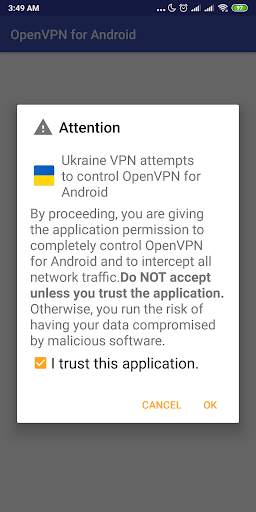
1. "Trust this program" can not tick?
>> Installation of the software conflict, check whether the installation called "blue light filter" software, please try to stop it (or temporarily removed)
2. Can't connect to server, show error: "PolarSSL: SSL read error : X509 - Certificate verification failed".
>> Some servers may not work very stable, press the "reload" button to get new server ip to connect.
This free app not able to guarantee the quality of service.
Tutorial: http://max-everyday.com/2017/04/japanvpn-tutorial/