











DOWNLOAD IS NOT SUPPORTED IN WEB STORE!
Use the latest version of 9Apps to download APK&OBB file of games in one click!
DOWNLOAD 9APPS
Screen Capture is the easiest and simplest way to capture.
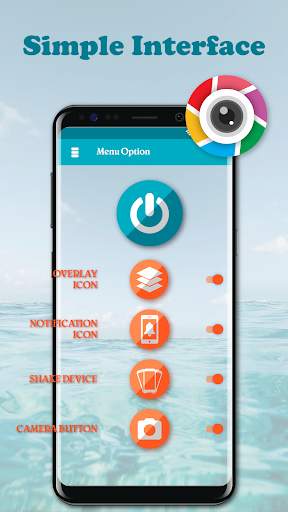
It help you take the screenshot easily with one touch on the overlay icon. Capture the screen in several apps such as games, wallpapers or any type of apps or videos. You also can edit and share your screenshot with friends.
✍
Screenshot Easy highlight feature:
☞ Easy and user friendly interface
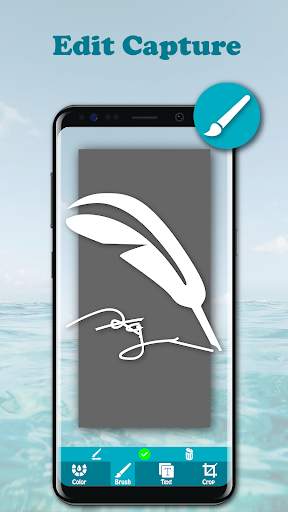
☞ Image cropper (Crop ratio, rotate)
☞ Notification icon click
☞ Capture screenshot by one touch (Notification area, overlay icon, shaking).
✍
Basic features
✓ Capture by touch (Notification area, overlay icon, shaking the device)
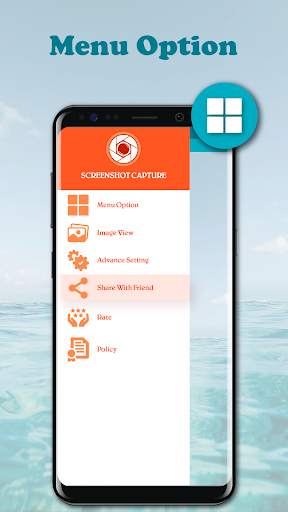
✓ Photo viewer
✓ Image cropper (Crop ratio, rotate)
✓ Draw on captured image (Pen, Text, Rectangle, Circle, Stamp, Opacity and so on)
✓ Sharing screenshot images to other installed apps (user controlled)
★
How to take screenshot?
Application provides many easy method to take screenshot without physical button, so you can take screenshot even while physical button is damaged
☞ Floating button: Simple button that is displayed on top of everything, just one-click to take a screenshot
☞ Shaking device: Shaking your device to take a screenshot
☞ Notification: Drag down status bar, then click on notification to take a screenshot.
☞ Camera button: Click on camera button to take a screenshot (if your device have camera button)
★
Note: Screenshot Easy – Quick Capture Free is only available for devices running android 5.0 or above.


☞ Easy and user friendly interface
☞ Image cropper (Crop ratio, rotate)
☞ Notification icon click
☞ Capture screenshot by one touch (Notification area, overlay icon, shaking).