










DOWNLOAD IS NOT SUPPORTED IN WEB STORE!
Use the latest version of 9Apps to download APK&OBB file of games in one click!
DOWNLOAD 9APPS
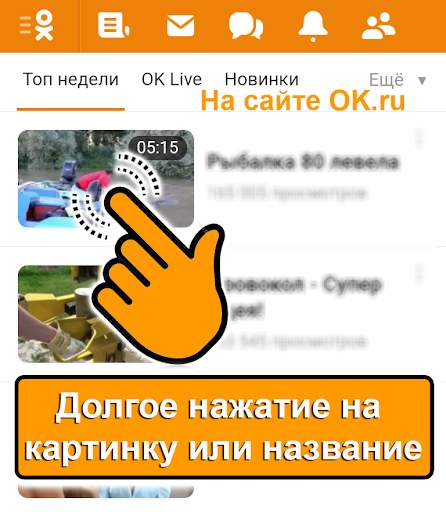
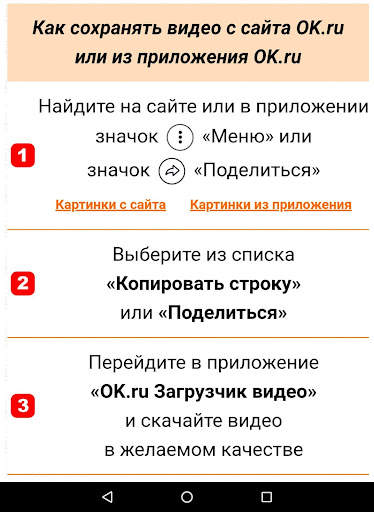
How to quickly download the video from the site OK.ru:
- On the OK.ru website, hold your finger on the description of the video (or on the video itself) so that the menu appears;
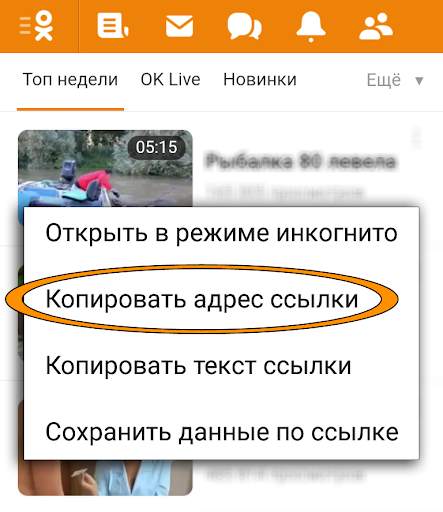
- Select the menu item "Copy link address";
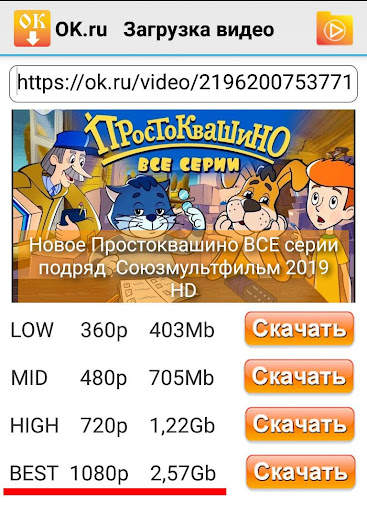
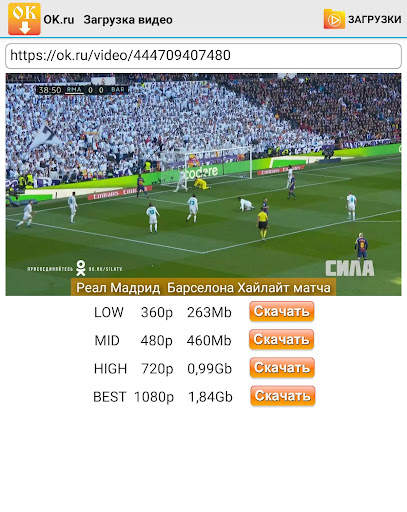
- Go to the "OK.ru Video Downloader" application and select the video quality.
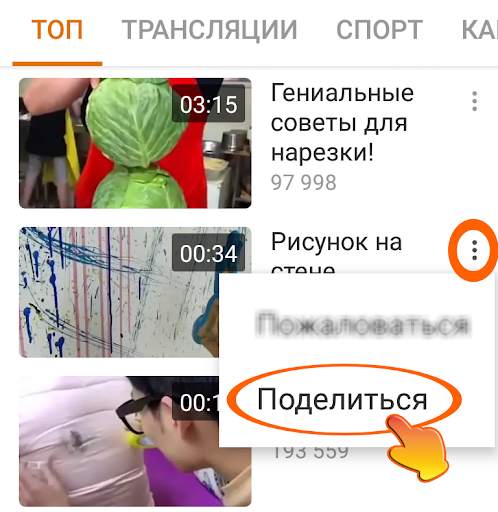
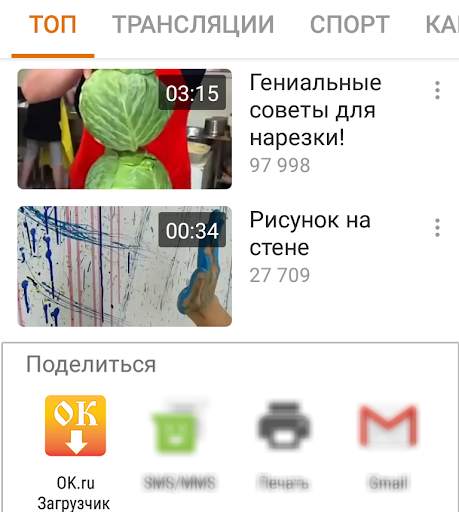
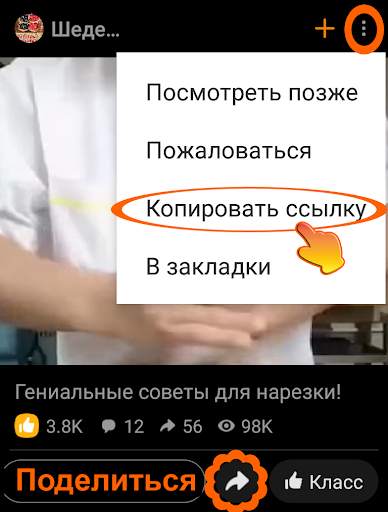
How to quickly download the video from the OK.ru application:
- Find the "Menu" or "Share" icon in the video list or on the video page
- Select the menu item "Share" or "Copy link"
- Go to the application "OK.ru Video Downloader" and download the video in the desired quality.
Notes:
* We completely refused advertising in the application.
You can always save the video in medium quality (360p), but if you need to save the video in higher quality (480p, 720p), you can purchase the full version. Thank you for supporting the project.
* The application cannot download videos from YouTube, as
it is forbidden by the rules of this service (observe copyright)
* Live streams (LIVE video) cannot yet be saved
* We are always happy to hear from you comments and suggestions
on the program to our E-mail: support@mobiav.com


You can save videos to SD card.
Download videos through the built-in browser.
Download video from the «Odnoklassniki» application.
Download videos from private groups.
Displaying the download progress in the notification bar.
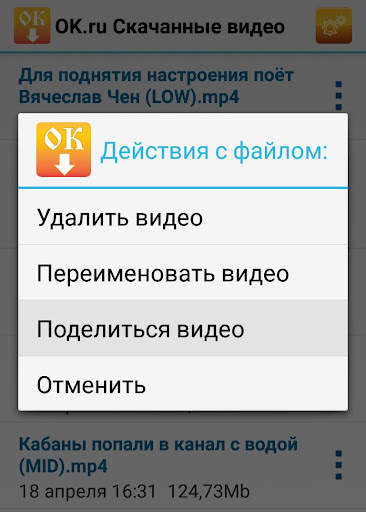
"Share" the downloaded video with other applications.