








DOWNLOAD IS NOT SUPPORTED IN WEB STORE!
Use the latest version of 9Apps to download APK&OBB file of games in one click!
DOWNLOAD 9APPS
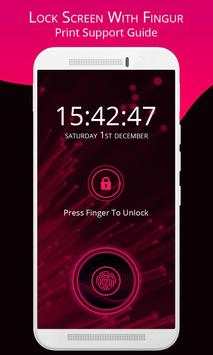
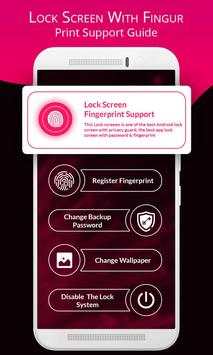
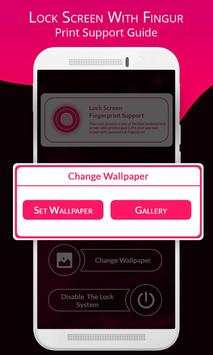
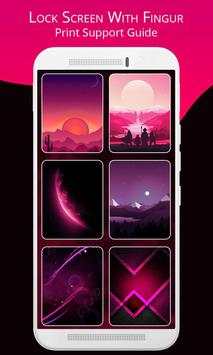
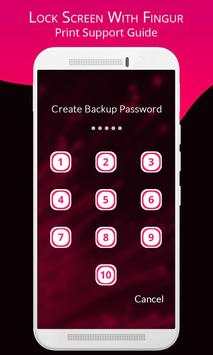
Lock Screen Finger Print support is an awesome screen lock app which unlock your phone by simulating to scan your fingerprint. The amazing fingerprint graphics and wonderful scan animation make it professional and funny.
It takes photo of snooper that tries to unlock your apps with wrong passwords, patterns or fingerprint and send email to you immediately with photo and details.
~ Fingerprint app lock is supported by all phones who has Fingerprint hardware and Marshmallow Android Version and if you don't have one then our Fingerprint Simulator enables simulated App lock support for any phone you have. Enable Simulator from settings and you can simulate fingerprint app lock with PIN or Patten.
There are more than 10 brilliant and beautiful wallpapers provided to decorate your screen to the best.
Lock Screen Finger Print support application not really determined your fingerprints, it is only simulation application.
Function:
- Simulation lock screen Fingerprint
- Fingerprints Scan machine with graphic amazing
- Provide 10 brilliant and beautiful wallpapers and more
- Display digital clock, date month and time
- Use to password to lock screen
- High security, prevent log in your mobile phone
- User can change wallpaper of lock screen
- Show main screen of mobile phone as information: internet, wifi, battery…
- Lock screen by password
- Unlock screen by password
- Unlock screen by fingerprint, (only devices support fingerprint)
- This application also has fingerprint lock screen simulator
- Fingerprints Scan machine with graphic amazing
- Display digital clock, date month and time
- High security, prevent log in your mobile phone
- User can change wallpaper of lock screen
- Lot of beautiful password lock themes
- Transparent status bar.
1. open the app, and tick the "Enable Lockscreen" check box to enable it.
2. press and hold the center lock icon and sweep for 3 seconds (which you set in the first step), the fingerprint lock scanner will imitate the lock, Animation as already recognize your fingerprints and your phone will unlock quickly. If you press more or less than 3 seconds, your phone will always be locked.
3. click the Lockscreen Wallpaper to switch to different beautiful backgrounds.


