









DOWNLOAD IS NOT SUPPORTED IN WEB STORE!
Use the latest version of 9Apps to download APK&OBB file of games in one click!
DOWNLOAD 9APPS

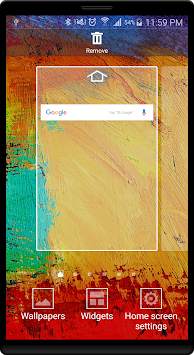
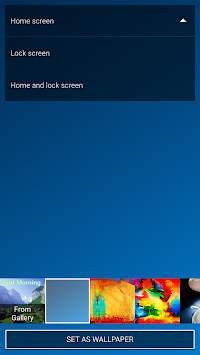
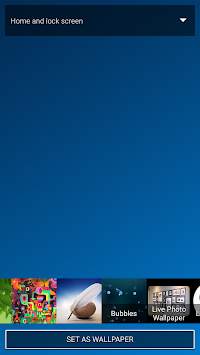
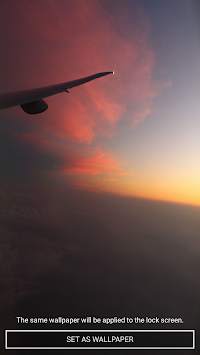
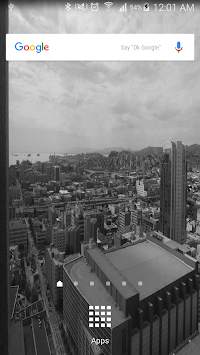
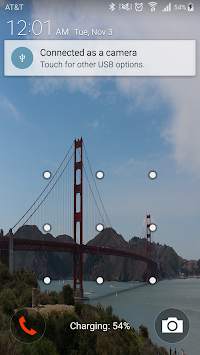

This app has an ability to keep multiple photos as wallpaper or home screen. It comes with few images pre-configured to which user can add more images.
Steps to set this app as Live Photo wallpaper
1. Download and install app from Google play store
2. Go to home screen
3. Touch and hold for 2-3 seconds on home screen.
4. Select Wallpapers
5. Select Home and Lock Screens
6. Select Live Photo Wallpapers from the wallpaper list.
7. Enjoy the photo album on your screen.




![Girl Behind Curtains | [4K] | Anime Mystery Live Wallpaper now has 1483981 views! screenshot 5](https://i.ytimg.com/vi/8FFqFSOBHzU/mqdefault.jpg)
** Add Image Interface. User can as add custom images to the playlist.
** Timer Setting with Lower bound at 10 sec.
** Added Setting option for app start at Boot Up.


