









DOWNLOAD IS NOT SUPPORTED IN WEB STORE!
Use the latest version of 9Apps to download APK&OBB file of games in one click!
DOWNLOAD 9APPS

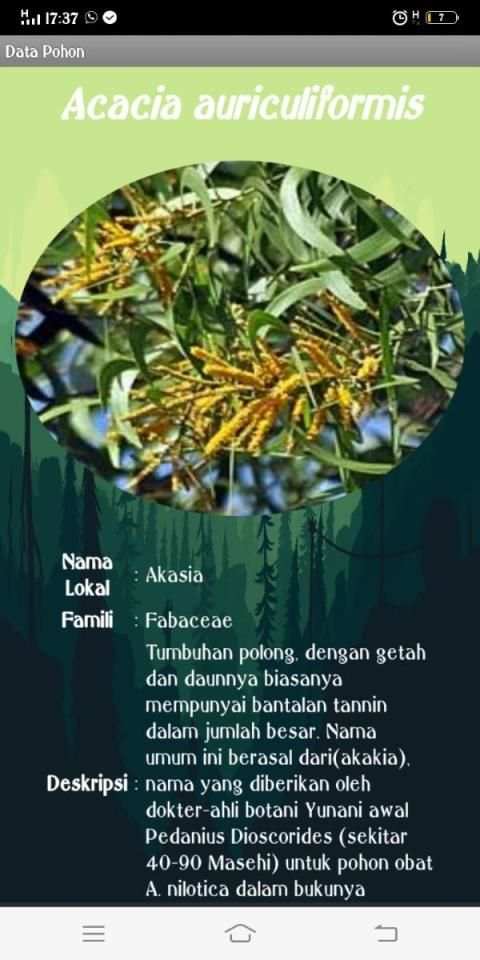
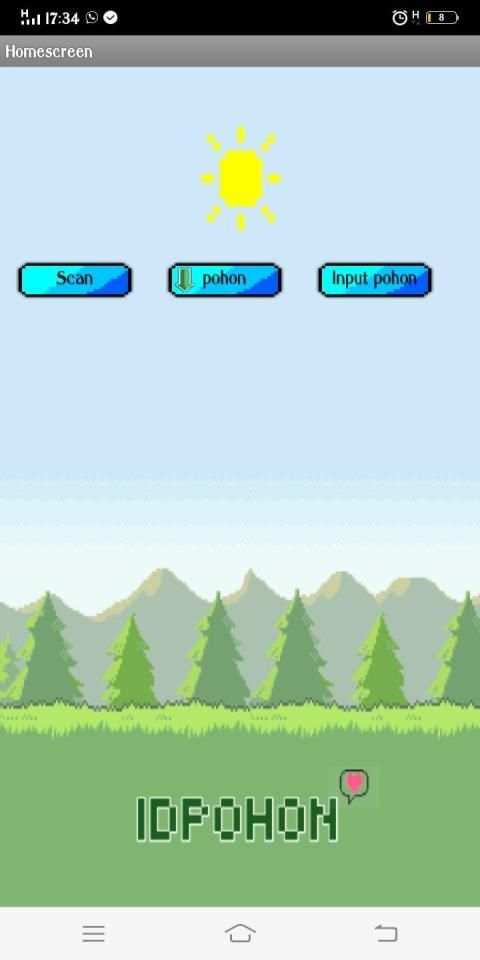
Aplikasi idpohon adalah aplikasi yang memudahkan kita dalam mengetahui jenis pohon dengan cara mengscan barcode yang terpasang pada pohon, hasil scan berupa data jenis pohon tersebut seperti nama lokal, nama ilmiah, deskripsi, penyebaran tentang pohon tersebut, dalam aplikasi tersebut ada 3 button/tombol masing masing button/tombol memiliki fungsi yang berbeda untuk fungsi - fungsinya akan dijelaskan dibawah:
1. Button/tombol scan berfungsi untuk mengscan barcode yang terpasang di pohon lalu dapat menampilkan data pohon tersebut dari hasil scan
2. Button/tombol mengunduh pohon berfungsi untuk mendapatkan file barcode dari pohon pohon yang telah diidentifikasi oleh ahli botani
3. Button/tombol input pohon memiliki fungsi untuk apabila pengguna menemukan pohon dan belum ada dalam database admin pengguna dapat dikirim dan menjadi database admin lalu dishare kembali ke pengguna dengan data dari pohon tersebut sudah diidentifikasi oleh ahli botani
Idpohon yang sekarang adalah versi yang pertama sehingga masih ada button/tombol yang belum bisa dipakai seperti button/tombol input pohon tidak bisa diklik sedangkan untuk button/tombol mengunduh pohon belum dapat mendownload file hanya dapat menampilkan file
The idpohon application is an application that makes it easy for us to find out the type of tree by scanning a barcode installed on the tree, the results of the scan in the form of tree type data such as local names, scientific names, descriptions, dissemination of the tree, in the application there are 3 buttons / buttons respectively Each button / button has a different function for its functions will be explained below:
1. The scan button functions to scan the barcode installed in the tree and then can display the tree data from the scan results
2. The download button functions to get a barcode file from the tree that has been identified by a botanist
3. Button / tree input button has a function for if the user finds a tree and is not yet in the admin database the user can be sent and become an admin database and then shared back to the user with data from the tree already identified by a botanist
The current tree is the first version so that there are still buttons that cannot be used like the tree button can not be clicked while for the download button the tree cannot download the file can only display the file
1.0


