DOWNLOAD IS NOT SUPPORTED IN WEB STORE!
Use the latest version of 9Apps to download APK&OBB file of games in one click!
DOWNLOAD 9APPS
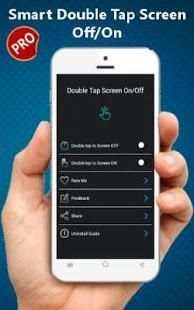
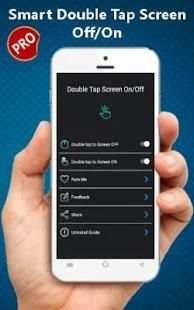
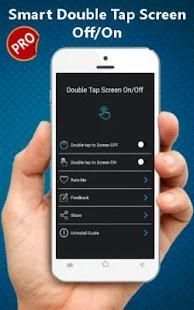
Double Tap Screen Off/On is the best way to on off screen without power button, Save your hard power key now, just double tap home screen to turn off or on screen. With Double Tap Screen Off/On you can Double Tap Off to turn off the screen quickly by touching the Home screen twice. and save battery life. Make your hard power key last longer, you need just to double tap home screen to turn off phone screen.
Especially, we can double tap power icon on Always On Display to turn on screen without draining battery. If your device does not have Always On Display, you can cover proximity sensor to turn on screen. Double Tap Screen On / Off is the perfect app to lighten the screen of your smartphone with just 2 tapes to auto Screen on off, Double Tap Screen Off/On will definitely help you reduce the power button status if your phone is damaged. Now just touch the screen twice to turn on or turn off the screen fast easy and for free.
Double Tap Screen Off/On features
* Just a double-tap the home screen to turn off/on the screen.
* Its covers the proximity sensor to turn on the screen (if it is not just press Always on).
* Just a double-tap the power icon Always on to activate the screen.
* It provides a lock screen shortcut on the home screen.
How to use Smart Double Tap Screen Off/On
- Double-tap the home screen to turn off the screen.
- The sensor will automatically detect, and the auto power on / off screen to help you.
- You can disable the function when the screen is rotated horizontally.
- You can set separate delays when the screen on / off to prevent accidentally enabled.
- Power support to quickly leave the screen.
- Support the use of the same cover.
- Automatic screen off when you put your phone in the pocket ....
Sometimes you have difficult to press the power button, or you want to keep the physical power button last longer. The Smart Screen On Off app and the feed head float will help you minimize the use of the power button whenever you want.
★ UNINSTALL INSTRUCTIONS DOUBLE TAP APPLICATION:
- Open the Double Tap Off application.
- Select the Uninstall button to uninstall the application.
Note:
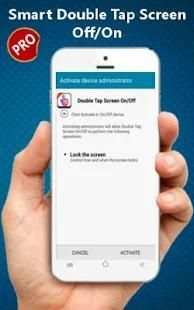
Double Tap Screen Off/On uses Device Administrator authorization. It is needed and used only to lock the device when using the application. You activate the administration before you can use it. In addition, you must disable administration before you can uninstall.