DOWNLOAD IS NOT SUPPORTED IN WEB STORE!
Use the latest version of 9Apps to download APK&OBB file of games in one click!
DOWNLOAD 9APPS
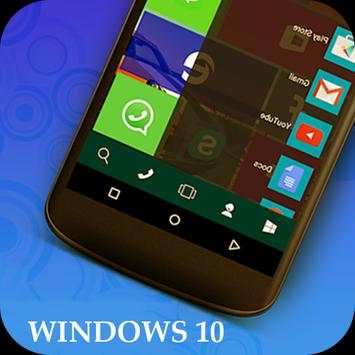
Computer Launcher 10 Pro app will convert your Android device into a a windows 10 Desktop launcher. This app customizes your mobile with different look and use one of the fastest launcher of win 10.
Computer Launcher 10 Pro app provides a amazing look and feel with the fastest, clean and energy efficient Launcher which is perfectly suitable to your mobile. One of the special feature of the Computer launcher 10 is that it gives you a start menu bar which looks similar to the start bar on windows 10.
Computer Launcher 10 Pro app features some built-in support of File Explorer and File Manager through which you can search and explore your files and Folders of your mobile and perform operation like Copy, Paste, Zip/Unzip, RAR, Delete Files, Share Files and many more.
By using this app explore your file system with this simple and efficient file explorer and manager in native desktop computer design. It also allows you to quickly access the favorite application, recent application, and phone, mail, and default browser.
Features:
-Features Stylish Tiles in Start Menu
- Just one click to open any application and Create Shortcuts of most used application - Easy
- Listing of all of your drives, SD Card, Storage, audio and video files and pictures in PC style.
-Simple access for Navigation to the Apps
- Built-In support of File Explorer in windows 10 theme
- Create Folders, Cut, Copy, Paste, Move, Share etc.
-Different types of themes like, system, abstract, pets & animals, tech, cartoon, love, nature, sport, auto & vehicle, festival & holiday, landscape and so on.
- Move the files to Recycle Bin and delete later in window launcher style.
- Built-in ZIP support allows you to decompress or extract ZIP/RAR files.