













DOWNLOAD IS NOT SUPPORTED IN WEB STORE!
Use the latest version of 9Apps to download APK&OBB file of games in one click!
DOWNLOAD 9APPS

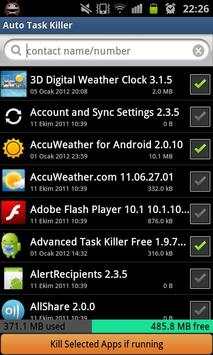
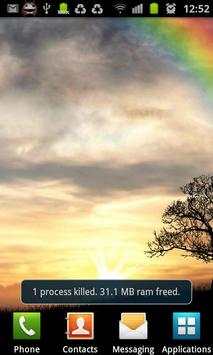
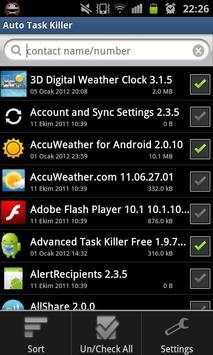
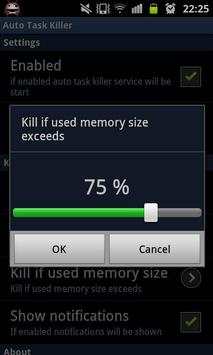
"Auto Task Killer" kills tasks and processes automatically so that it saves your battery and your phone is working faster.
Why I Need Auto Task Killer?
- Some games and applications will continue working in the background even if you turn off them. This causes slow down your
phone. Also applications running in the background tires your battery. "Auto Task Killer" prevents applications' running in
the background which you choose. Notifies freed memory after task killing. In addition "Auto Task Killer" allocates little
space and minimal system resources.
What are the "Auto Task Killer" Features?
- List applications' verison's and size's,
- Search and sort applications,
- Showing freed and used memory informations,
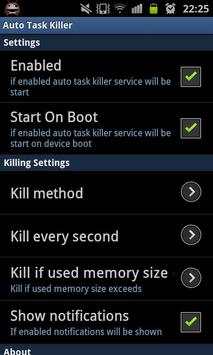
- The option of "Auto Task Killer" enabled,
- The option of start "Auto Task Killer" on boot,
- Select kill method (all applications or selected applications),
- Select kill option tasks or all processes,
- The option of killing used memory
- Kill option according to memory usage. For example; if you choose � when memory usage exceeds � automatically "Auto
Task Killer" according to criterias which selected, kills tasks or processes running in the background.
- 5, 10, 30 or 60 second intervals, the option to terminate the application,
- After terminating option of show notifications freed memory,
Moving external memory option closed. Because of starting on boot problem.


