DOWNLOAD IS NOT SUPPORTED IN WEB STORE!
Use the latest version of 9Apps to download APK&OBB file of games in one click!
DOWNLOAD 9APPS
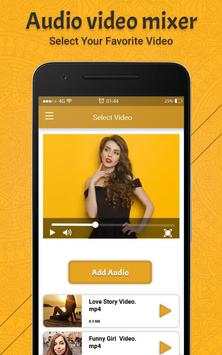
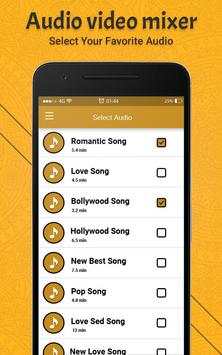
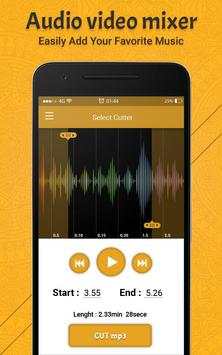

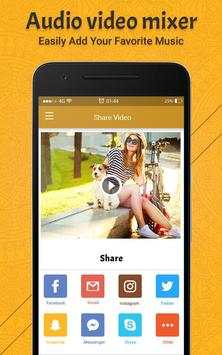
Audio video mixer is one type of video editor app, using this app you can add or mix your favorite audio files to video files. If the audio duration is less than video then audio will be concatenated to video length. With this you can trim any video or audio and save them.
This application manage audio file size if the audio file length is larger than video files, it will be automatically trim audio to video's duration.
Audio Video Mixer provides a facility for changing Background Music of any video files. Audio video mixer is one type of video editor app, using this app you can add or mix your favorite audio files to video files. This application is for changing background music of a video. Using this video editor, you can add or mix any audio to a video.
With our Audio Video Cutter app you can cut the best part of your audio song and save it in your device . The cut results are stored in Audio Video Mixer folder.
With our Audio Video Cutter app you can make your own MP3 ringtones fast and easy. Out Audio Video Cutter app is also a music editor and ringtone cutter.
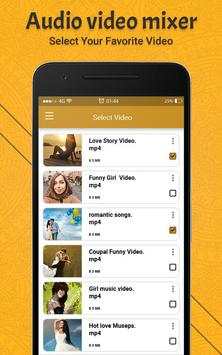
Steps to Video Audio Music Mixer:
► Select videos from your gallery
► Select audios from your gallery
► Choose Audio in your Music list to add music in the Video.
► Simple interface.
► Mix audio and video.
Main Features:
- Add audio in specific portion of video
- Add Audio File to Video file
- Video Editor
- Audio Video Mixer
- Add Your Music to Your Video
- Audio Video Mixer
- Audio Video Mixer Video Cutter
- Mix Audio with Video
- Add Audio To Video
Key features
1. Select a background music for your video, using this video mixer with audio and audio video mixer hd app, or audio video mixer software, which is one of the best audio video mixer apps.
2. Record an audio and add it to a video, as a background music, using this music editor and mixer free, or best audio editor app and video mixer audio app.
3. Trim the audio for the video or use it in its real form, using this music editor for youtube and audio mixer software, or video audio mixer app and best audio video mixer.
4. Preview your video, before sharing or saving it, using this video editor and music editor for android, or audio video mixer editor and video mixer with song.
5. The formats supported by this video mixer for videos are mp4, wmv, avi, flv, 3gp and for audio are mp3, wav, m4a and aac.
6. Save the video to your phone, using this add audio to video app or add audio to video mixer app.
7. Share the video through different platforms like the Facebook, WhatsApp etc. using this music editor software and audio video editor app, or video audio mixer software and audio mixer for android.
Steps to trim audio:
-> Open our Audio Video Mixer.
-> Click on Audio cutter Button.
-> Select mp3/music from your mobile.
-> Select area to be chopped from your audio.
-> Save as mp3 file.
Rate us and give your valuable comment for this awesome Audio Video Music Mixer to create more cool apps like this.
Thank You.