










DOWNLOAD IS NOT SUPPORTED IN WEB STORE!
Use the latest version of 9Apps to download APK&OBB file of games in one click!
DOWNLOAD 9APPS


Note:
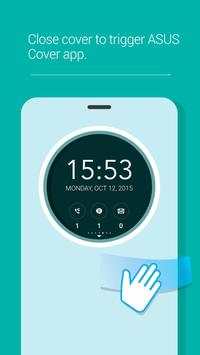
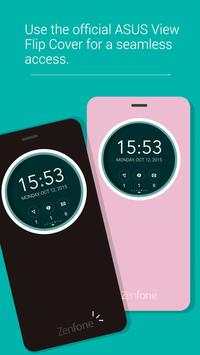
ASUS ZenFone 2 Flip View Cover is required to enable ASUS Cover for ZenFone 2 app. If you're using a non-ASUS Flip View Cover some functions may not work properly. Check out the official ASUS website to see/order the latest ASUS Flip View Covers.
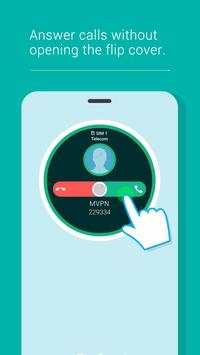
ASUS Cover for ZenFone 2 offers the quickest way to control your ZenFone 2. It provides instant access to some of your ZenUI apps, displays the battery status, and shows the latest notifications via touch gestures. You can also set up the apps that you want to appear on the Cover's quick access panel.
Supported apps and features:
-
Clock:
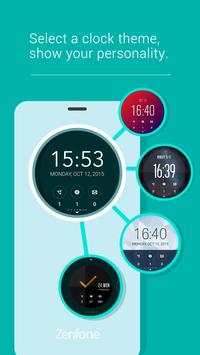
ASUS Cover shows the Clock widget by default. Swipe up to change the clock's face or theme.
-
Calendar:
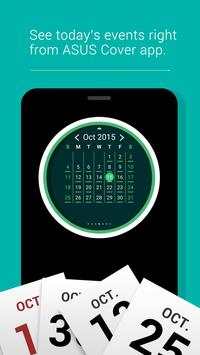
View your daily calendar and its corresponding events.
You can change it to monthly format by swiping up from the ASUS Cover screen.
-
Weather:
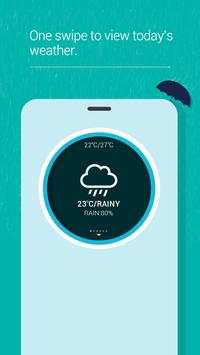
Swipe up to view the next 4-day weather forecast.
-
Camera:
Take a photo using the rear camera of your Zenfone 2 by using ASUS Cover as your live viewfinder. Swipe up to launch Gallery and see the photos you took.
-
Music:
Swipe up to switch to album view while a song is playing.
-
Mystic ball:
Ask and you shall be answered. Have fun asking random questions with this Mystic ball on your ASUS Cover. Turn on this feature by waking your device, launching Settings > ASUS Cover > Select apps on the cover screen > Mystic ball.
-
Flashlight:
Slide up/down the button to switch on/off the flashlight.
-
Quick Settings:
Enable/disable basic settings such as Airplane mode, Do not disturb, and Sound. You can also adjust ASUS Cover screen to align with the Flip View Cover.
-
Battery status:
Know the battery status of your device by the color of the Clock widget's circular edge.
-
Mystic Ball:
Have fun asking random questions with this app.
Notifications
- Incoming and missed calls
- Calendar events
- Clock alarm
- Unread SMS and emails
Gestures
- Double-tap to turn on/off ASUS Cover screen.
- Swipe left or right to switch between apps.
- Swipe up/down to change the app's display format, enable/disable Flashlight, view contents in Gallery while on Camera mode, or browse your Settings options.
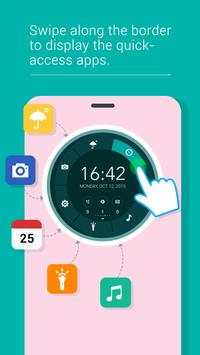
- Swipe the round edge of ASUS Cover to launch Quick Access panel and enable the apps.





↑ ★ ★ ★ ★ ★ ↑
Like this app? Keep us inspired by lighting up stars.
-
Bug fixes


