









DOWNLOAD IS NOT SUPPORTED IN WEB STORE!
Use the latest version of 9Apps to download APK&OBB file of games in one click!
DOWNLOAD 9APPS
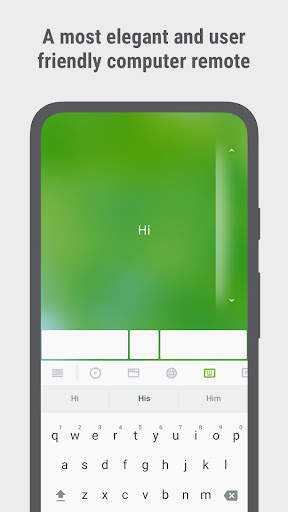
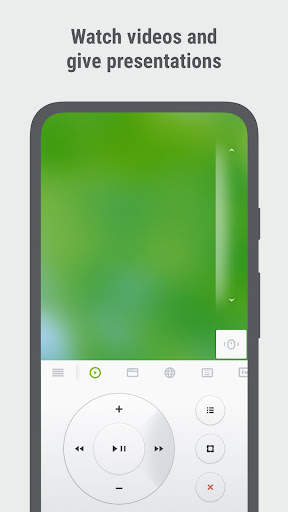
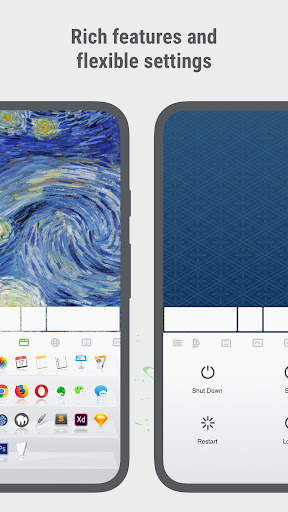
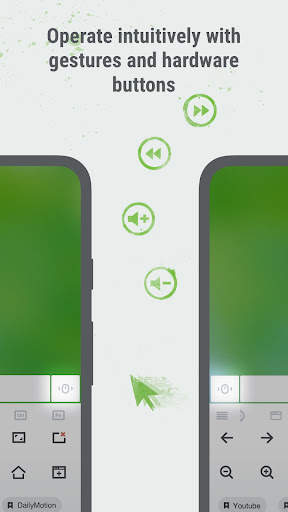
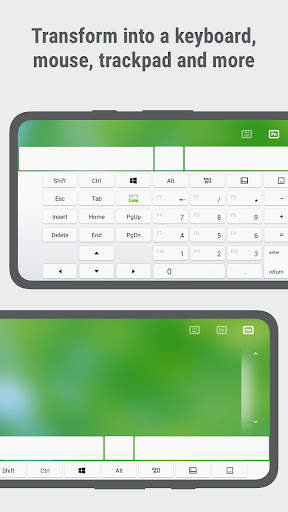
Binago ng Remote Mouse ™ ang iyong mobile phone o tablet sa isang madaling gamitin na remote control para sa iyong computer.Ginagaya nito ang mga pag-andar ng isang wireless mouse, keyboard, at touchpad, at nag-aalok din ng iba't ibang mga dalubhasang control panel tulad ng media remote, application switcher, cross-device clipboard, at web browse remote, na nagbibigay-daan sa iyo upang maisagawa ang mga tiyak na operasyon nang mas mahusay.Ang mga maliliit na tampok, na idinisenyo para sa isang kamay na paggamit o intuitive na operasyon, ay malugod ka.Computer Remote Apps.Ginamit ito ng higit sa 20 milyong mga gumagamit sa buong mundo.Remote ng telepono sa iyong mga daliri.
keyboard
• isinama sa mga keyboard ng system at third-party, sumusuporta sa pag-type sa iba't ibang wika
• Malayo na nagta-type sa pamamagitan ng boses kung ang malambot na keyboard ay sumusuporta sa pagkilala sa boses
• sumusuporta sa pagpapadala ng iba't ibang mga shortcutIba't ibang mga keypad para sa MAC o PC
TouchPad
• Ginagaya ang Apple Magic Trackpad at sumusuporta sa mga multi-touch gestures
specialty control panelKeynote, PowerPoint, at Windows Photo Viewer, at susuportahan ang higit pa
• Web Remote: Sinusuportahan ang Chrome, Firefox, at Opera
• Application SWitcher: mabilis na ilunsad at lumipat sa pagitan ng mga programa
• Mga Pagpipilian sa Kapangyarihan: Sinusuportahan ang malayuan na pag-shut down, pagtulog, pag-restart, at pag-log off
Iba pang mga tampok
• clipboard ng cross-deviceMga pindutan ng Dami sa Mobile Device para sa Remote Control
• Magtakda ng isang password para sa Koneksyon
• Napapasadyang Wallpaper
• kumonekta sa pamamagitan ng kasaysayan
operating environment
• katugma sa windows, mac osx, at linux
>
1.Bisitahin ang https://www.remotemouse.net sa iyong computer at i -download ang remote na mouse computer helper.
2.I -install at patakbuhin ang computer server.
3.Ikonekta ang iyong mobile device sa parehong Wi-Fi o Bluetooth bilang iyong computer.Maaari kang sumangguni sa video na ito (https://youtu.be/8ljbtv42i44) para sa gabay.




* Cross-Device Clipboard Syncing: Effortlessly copy and paste text and images between devices. No more manual typing or transferring of files. Just copy to one device and paste on another.
* Linux and Steam Deck support: Beyond our existing Windows and macOS compatibility, we're thrilled to announce support for Linux and Steam Deck. Seamlessly use our app to control any of these devices.


