












DOWNLOAD IS NOT SUPPORTED IN WEB STORE!
Use the latest version of 9Apps to download APK&OBB file of games in one click!
DOWNLOAD 9APPS



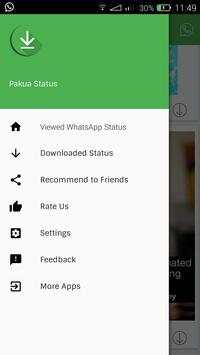



First Step - User has to open the Whats App-Messenger and view the Status Updates posted by their Contacts.
Second Step - All the Status viewed by the user will be displayed in the Pakua Status App.
Third Step - User can opt to Download any of the Status they have viewed.
All downloaded status will be stored in a file named 'Pakua Status'
Fourth Step - User can share the Downloaded status to friends, and also reshare/repost and make any Downloaded status as their own status directly through the Pakua Status App.
Download Whatsapp Status.
Share with your Contacts.
Repost Downloaded Status as your own.


