

![10 The Best Slideshow Makers [Free and Premium] screenshot 2](https://i.ytimg.com/vi/xZ011-oCMRE/mqdefault.jpg)











DOWNLOAD IS NOT SUPPORTED IN WEB STORE!
Use the latest version of 9Apps to download APK&OBB file of games in one click!
DOWNLOAD 9APPS

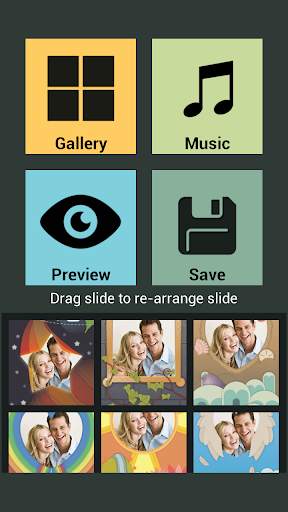


Create Slideshow with your photos and your music and play them to your friends and family and go to sleep watching your beautiful slideshow. Slideshow Maker lets you create your own slide shows with Photo's from phone Gallery and let you add music and provide nice slides editor by drag and drop and let you preview the slideshow before creating slideshow.
Steps to create slideshows:
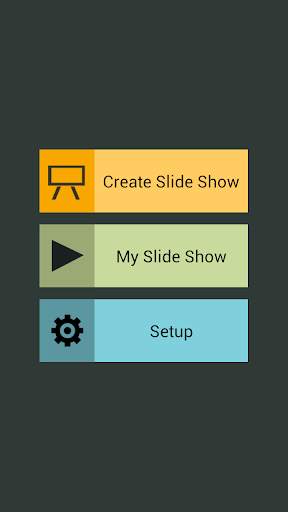
1. Select Create Slideshow from the main menu in the easy to use slideshow Creator app.
2. Select the Photos you want in slideshows.
3. Rearrange photos in the order you want with simple drag and drop of photos.
4. Select the music you want to play with slideshow. Selecting music is optional.
5. Preview the slideshow you created to make sure its what you want.
6. Save the slideshow.
Anytime you can view the slideshow you created by going to My Slideshows in the main screen giving you 365 view of your slideshows.
Slideshow Creator lets you create and view slideshows you created with 365 view with the repeat photos feature. Few of the users are requesting information on how to create Instagram Slideshows and Facebook Slideshows, Please note that the said applications does not support the feature.


