

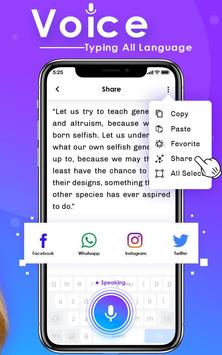
Voice Typing
is a simple app and user friendly application. The text appears after you done Talking. Once you get the regularity, you can use the app and send, share long texts and articles in other social media and many social media messaging application. voice typing Supports more than 70 different languages. Convert your voice into text with
Voice To Text
! Voice to Text allows you to share your text messages to Whatsapp.
Stop getting frustrated by regular mobile typing or regular
Talking Translator
. Your Phone should understand you, not the other way around. Voice Typing makes mobile typing easy - so you can focus on your text and thoughts - and not on the keyboard.
This
Speech Translator App
is simply amazing tool to type a text like message, lines, story by speaking only Voice will automatically translates to the text in any language.
Using
Voice Translator Device
, you can share your text file with all the supported application on your phone. You can copy the text and send as a message/text form to your contacts.
Speak Translate App
provides facility to save the text into your device and next time you just share that file with copied your contacts.
Stop getting frustrated by regular mobile typing or regular voice typing. Your Phone should understand you, not the other way around.
Offline Translator App
makes mobile typing easy - so you can focus on your text and thoughts - and not on the keyboard.
Features : -
- You Can speak in any language.
- excellent apps for people who are slow in writing
- Create text notes / sms / emails / tweets by using your voice
- Copy the text to clipboard with a simple click button
- Dictate SMS messages by voice and comfortably edit them
Speech recognizer does not time out
- Word suggestions.
- make your conversation fast and types
- simple and user friendly application
This
Free Text To Speech Translator
and voice recognition app can also be used for the sake of voice notes. Working professionals want to convert audio to text notes to share with their working colleagues. This app allows you to create voice text notes by giving in the audio input and then sharing it in your work space. Furthermore, if you do not wish to share voice notes, you can easily save your audio transcription in the form of notes and use them as reminders for future references.
Voice Translator All Languages
translator free multi app is the best for student during their study they need to translate some unique word in English, French, Thai, Spanish or translate it in these languages, You can grip a conversation in any language, different texts and use the button to talk to the translation app. Voice Translator in different languages is very helpful for speak translator travelers and new students.
Voice To Text
App
convert the voice to text using the Google Speach Recognization API. After gettting the response ( voice text ) from
Google Speech To Text
Voice Api this will application will show you the voice text on app screen. Then on clicking the messaging button you will be able to
Send Free Sms
to selected people from contact list. No writing just speak and send messages.
A message could be a form of sms to send to the mobile phones of your dear ones with a lovely thought invoking your feelings and expressions. It’s a thing that lasts so long. All messages are 160 characters or less, so are the perfect size to share with friends or your beloved via sms.
Write Sms By Voice app
makes you more convenient in texting the messages using
Voice Typing
.
This app speaks your words written or recorded.
You can speak and write your words.
A robot can speak your words typed.
Write a text and a robot speaks your words.
Thanking to you For Using This app, give us your feedback,rating and Consider for Future updates.
Thank you...


![Convert Audio Recording To Text Notes on Android [ English ] screenshot 3](https://i.ytimg.com/vi/c-_rUtcgWFw/mqdefault.jpg)


9Apps 4.9










