








DOWNLOAD IS NOT SUPPORTED IN WEB STORE!
Use the latest version of 9Apps to download APK&OBB file of games in one click!
DOWNLOAD 9APPS

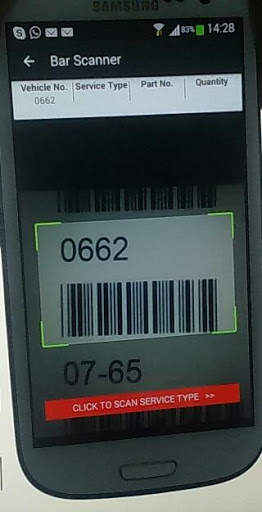
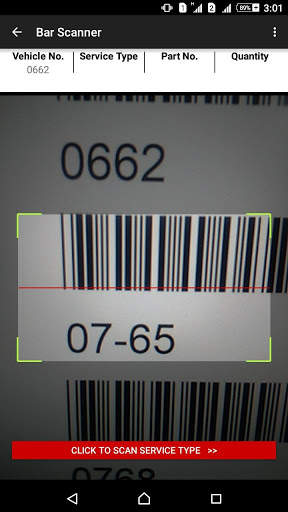
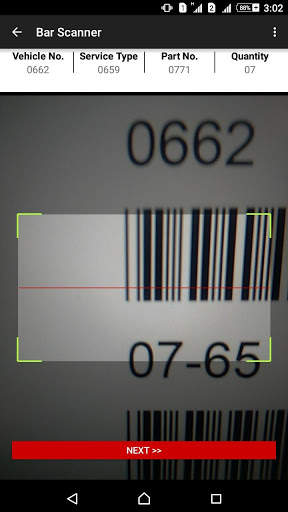
Application has been designed to capture the work order items through bar code scanning. Following items are scanned in the application before getting saved in the database:
1. Vehicle Number
2. Part Number
3. Service Type
4. Quantity
In addition to the above it comes with the following features:
HELP:
For the ease of use, it gives you help, that walk you through with the steps that are needed to be taken to run through the scanning process successfully.
Server Settings: This option allows you to set the IP/Host address of the server, where you would have configured the REST API.
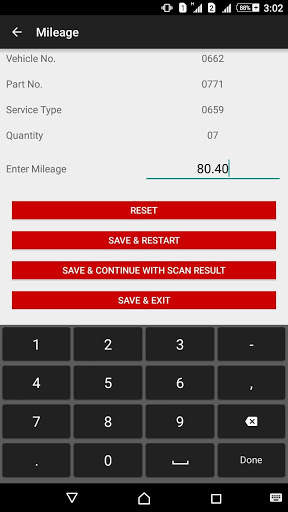
Once scanning of the above mentioned items is done, it ask you to manual entry of Mileage and presents following buttons:
1. SAVE & RESTART:
It will save all the scanned data in your MDB database kept in the LAN. Restart will take you the
first screen, so that you can again perform the scanning operation in the same sequence.
2. SAVE & CONTINUE WITH SCAN RESULT: It will save all the scanned data in your MDB database kept in the LAN. And restart the scan process while keeping Vehicle No. & Service Type same as previously scanned. User need to enter only
Part No., Quantity and Mileage.
c. SAVE & EXIT: It will save all the scanned data in your MDB database kept in the LAN and close the application.
Note: Save doesn't work unless Database has been setup in the environment correctly. Please contact Joel.Bush@yahoo.com


