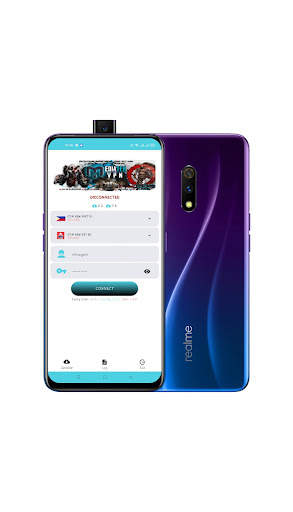
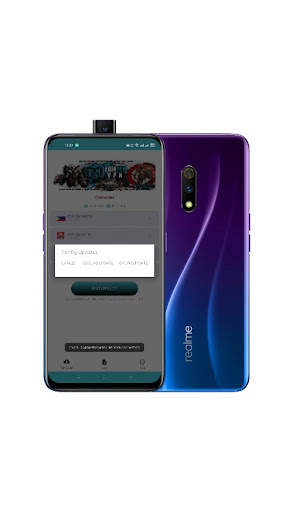
mediatek smartdevice on 9Apps

Free download latest mediatek smartdevice for Android here and enjoy it with your phone. Below you can download a list of top and latest apps related to mediatek smartdevice . 9APPS is a fast, safe app store. With 9APPS, you can save a lot of time on searching and downloading apps.

#1 Mediatek SmartDevice
Mediatek SmartDevice
Rating: star 2.6 | Version: V1.7.6 | Size: 7.3MB
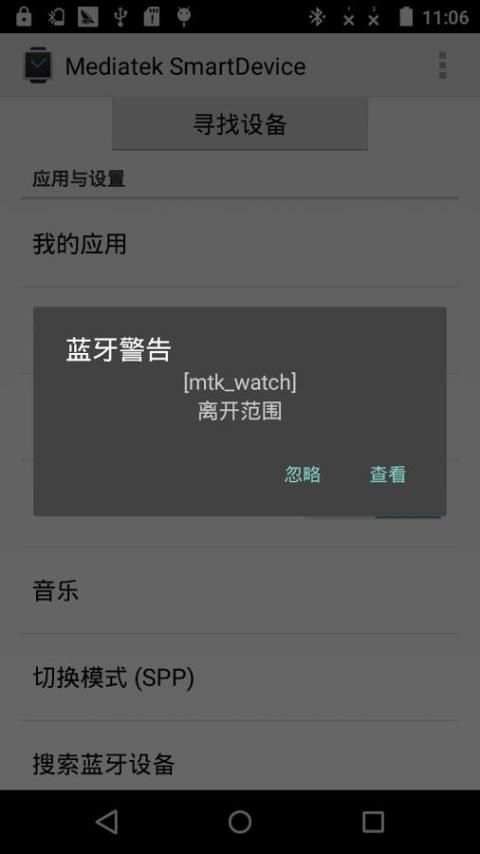
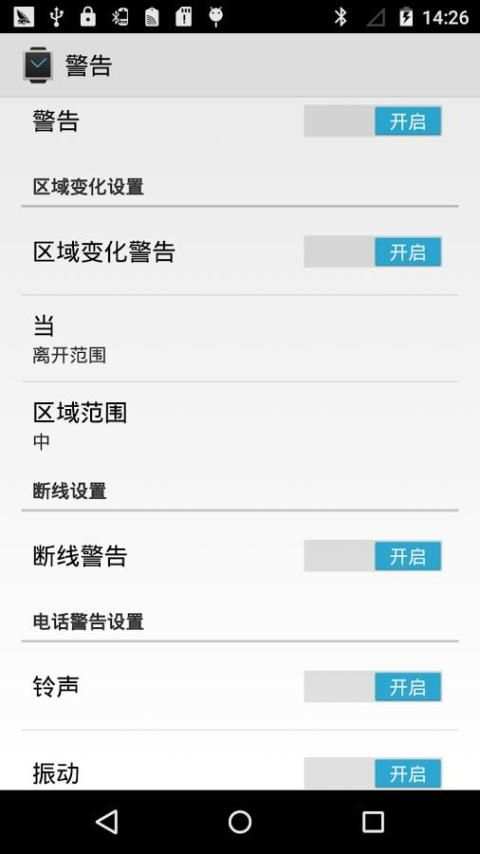
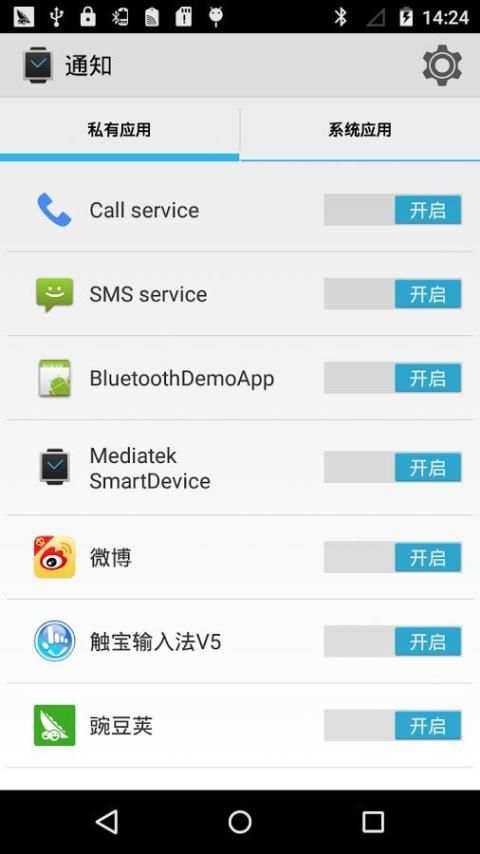
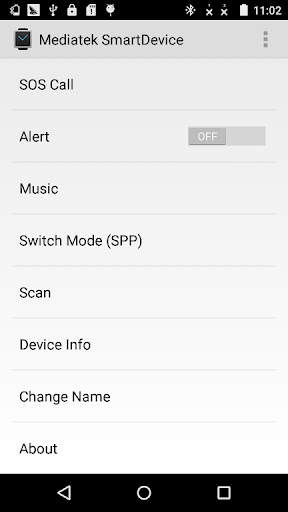
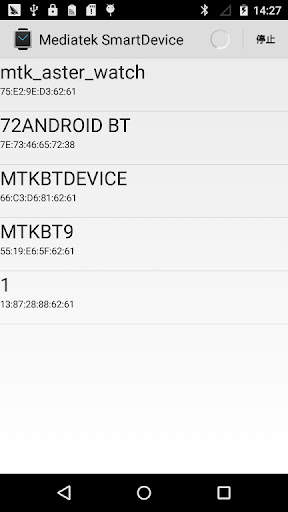
Mediatek SmartDevice screenshot 1 Mediatek SmartDevice screenshot 2 Mediatek SmartDevice screenshot 3

[English description]
Mediatek SmartDevice (For MT2502 / MT2503)
Attention:
1: The APK need work with Mediatek (MTK) wearable device (e.g. based MTK2502 / MT2503 chip wearable products).
2: The APK can connect with wearable product through SPP mode or GATT (BLE) mode (depends on your wearable device HW capability).
3: The GATT mode can work normally need below two conditions and BLE is connected.
   1) The Android platform is equal or higher Android 4.3 (API 18).
   2) The hardware of smart phone need support BLE.
  
The APK can support below functions:
1. The APK can scan wearable devices in SPP or GATT mode.
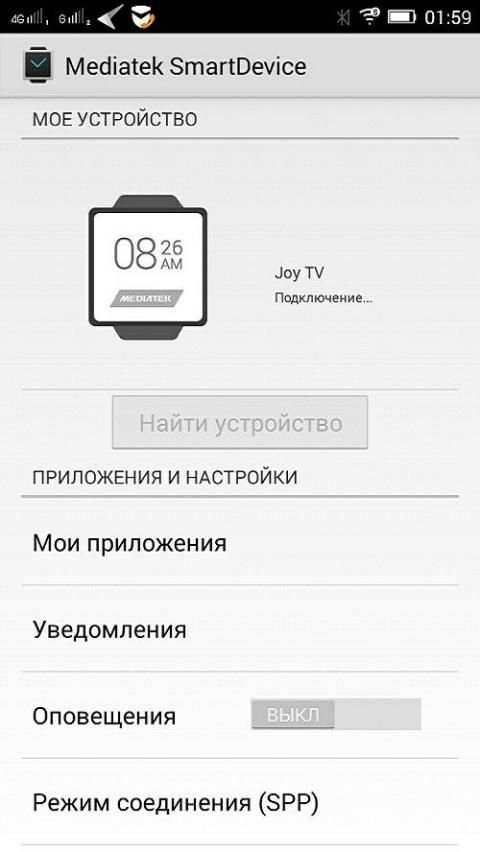
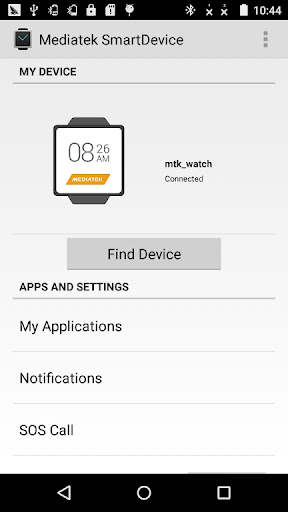
2: The APK can install or uninstall Linkit app to watch through "My Applications" item.
   E.g. Yahoo Weather / Digit clock / Codoon app
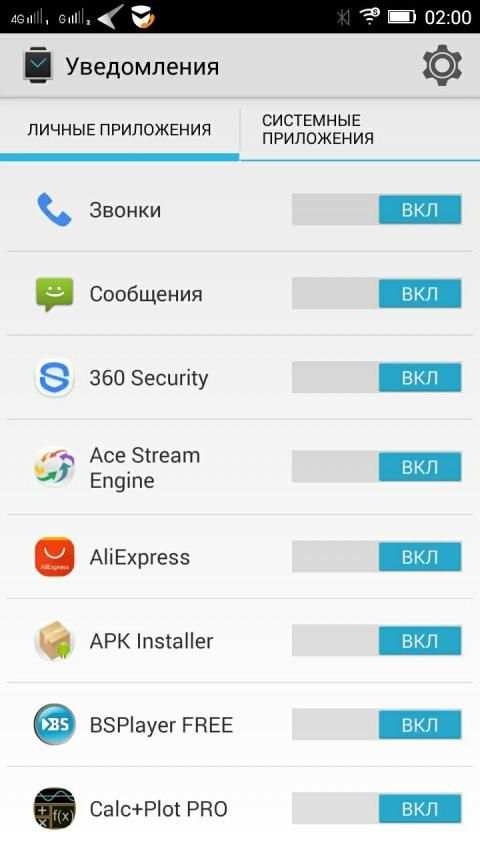
3: The APK can listen and push Smart Phone notification to watch.
   The APK can parse the notification attributes: action / group / big text view / page.
   And watch and sync operation with phone.
4: The APK can edit contact (name and number) or other attributes for making SOS call in wearable device.
5: The APK can find the wearable device through "Find device".
6: The APK will notify alert when the distance between phone and wearable device is unmatched the set value.
7: The APK can push smart phone inbox message to wearable device through MAP feature.
8: The APK integrate with Google fit and can view fitness data in Google fit APK after login in Google account.
   E.g. step / calorie / distance / heart rate
9: The APK can show the battery captivity of wearable device.
10: The APK can send firmware data to wearable device to do upgrade action.
11: The APK can push incoming call to wearable device when Hands-Free Profile (HFP) is disable.
12: The APK can sync time / zone / time format (12/24 hour format) to wearable device.
13: The APK support auto connect.
14: The APK can modify the connected device's name through "Change Name" item.
15: The APK can show the information of the connected device through "Device info" item.
Below functions need start operation on watch part:
1: Remote capture
   The watch can preview and capture a picture through open Smart Phone camera simultaneously.
2: BT music
   You can control the smart phone music media player to play / pause / pre / next / adjust volume.
Fix bug:
    The APK can not connect some watch version. Strongly recommend you upgrade the APK to V1.2.1
Special Explanation:
This APK is not suitable for NO.1 G2 watch, please do not use it to connect the G2 watch. Please contact with the manufacturer or watch saler to get help.
[Simplified Chinese description]
Mediatek SmartDevice (applies MT2502 / MT2503)
note:
1: The application needs and Mediatek (MTK) with the use of wearable devices (for example, based on MTK2502 / MT2503 wearable product).
2: connection with the application of wearable devices support SPP mode or GATT mode (depending on your wearable device has the hardware support).
3: GATT mode can work required based on the following two conditions need to Connected and BLE.
   1) mobile platform Android4.3 or more is needed
   2) mobile phone hardware required to support BLE
   
The application has the following features:
1: wearable device can scan through SPP mode or GATT mode.
2: "My Applications", can install or uninstall Linkit platform application to the wearable device.
   Such as: Yahoo Weather / Digit clock / Codoon Applications
3: You can synchronize notification message on the phone to the wearable device.
   Activities can be parsed notification message / packet / long text / page properties, and enables mobile phones and wearable devices for notification message "active" attribute for synchronous operations.
4: You can set the wearable device emergency call contact name and number.
5: You can "find device" function to find wearable device.
6: When the distance between mobile phones and wearable devices do not meet the set value, the phone sounds an alarm.
7: wearable device can obtain a short message from the inbox on your phone through the MAP function.
8: integrated Google fit, after landing Google account can view the health status information, such as the number of steps / calories / distance / heart rate.
9: You can display charge information for wearable devices.
10: You can upgrade package sent to the wearable device.
11: When the Bluetooth hands-free (Hands-Free Profile) function is not available when the caller's information can still be pushed to the device.
12: You can time / time zone / time format (12/24 format) synced with the device side.
13: Support automatic reconnection.
14: You can "modify the device name" function modify the name of the connected device.
15: Through the "View Smart Device Information" function queries wearable device information.
The following features need to initiate action from the wearable side:
1: remote camera
   Open the camera application through the mobile phone side, the wearable client can preview or photograph
2: Bluetooth music
   On the wearable device can control the music player software on the phone, such as the realization play / pause / previous / next one / volume adjustment function
Repair bug:
      The application can not connect to repair some low edition watch problems. It is strongly recommended that you apply the upgrade to version V1.2.1.
Special Note:
Which APK suited to NO.1 G2 watch, please do not use the APK to connect G2 watch. If you need assistance, please contact the manufacturer or distributor.

...

👉 For More Detail of Mediatek SmartDevice

#2 Mediatek SmartDevice

Mediatek SmartDevice
Rating: star 3.0 | Version: V1.1.2 | Size: 4.3MB
Mediatek SmartDevice screenshot 1 Mediatek SmartDevice screenshot 2

Приложение для синхронизации смарт-часов с вашим Android устройством. Приложение поддерживает ниже идущие функций: 1. Приложение может найти носимые устройства в режиме SPP или GATT. 2: Приложение может установить, удалять и просматривать приложения через пункт "Мои Приложения". Например: Yahoo Погода, Цифровые часы 3: Приложение может просматривать push-уведомлений смартфона. 4: Приложение может редактировать контакты (имя и номер) или другие атрибуты для совершения SOS вызова в носимом устройстве. 5: Приложение может найти носимое устройство через пункт "Сканировать". 6: Приложение уведомит, когда расстояние между телефоном и носимым устройством будет превышено. 7: Приложение интегрировано с Google Fit и может просматривать фитнес-данные приложения в Google Fit после входа в аккаунт Google. Например: шаг/калорий/расстояние/пульс 8: Приложение может показать заряд батареи носимого устройства. 9: Приложение может отправить прошивку в носимое устройство, чтобы обновить его. 10: Приложение может синхронизировать время/зоны/формат времени(12/24). 11: Приложение поддерживает авто подключение. 12: Приложение может изменить имя подключенного устройства через пункт "Сменить имя" 13: Приложение может показать информацию о подключенном устройстве через пункт "Информация об устройстве" Ниже функции которые откроются при подключении к смарт-часам: 1: Удаленная съемка Часы показывают предварительную картинку и фоткают удаленно. 2: BT-музыка Вы можете управлять музыкой на смартфоне удаленно. Внимание! 1: Приложение работает только с Mediatek (MTK) носимыми устройствами (например, на основе чипа MTK2502). 2: Приложение может соединиться с носимыми продуктами через режим SPP или в режиме GATT(BLE) (зависит от вашего устройства). 3: Для нормальной работы GATT режима и BLE связи нужно выполнить два условия. 1) Android 4.3 или выше. 2) Смартфон должен поддерживать BLE.

...

👉 For More Detail of Mediatek SmartDevice

#3 Mediatek SmartDevice Guia

Mediatek SmartDevice Guia
Rating: star 3.0 | Version: 2.0 | Size: 11.8MB
Mediatek SmartDevice Guia screenshot 1 Mediatek SmartDevice Guia screenshot 2 Mediatek SmartDevice Guia screenshot 3

ATENÇÃO:
1: O APK precisa funcionar com dispositivo vestível Mediatek (MTK) (por exemplo, produtos vestíveis de chip MTK2502/MT2503 baseados em chip).. (Depende do seu dispositivo vestível HW
Capacidade)
3: O modo GATT pode funcionar normalmente abaixo de duas condições e BLE está conectado.
1) A plataforma Android é igual ou superior Android 4.3(API 18).
2) O hardware do smartphone precisa de suporte ble.
O apk pode suportar abaixo as funções:
1.O apk pode digitalizar dispositivos vestíveis no modo spp ou gatt.
2: o apk pode instalar ou desinstalar o aplicativo Linkit para assistir através de "meus aplicativos"Item.
p.Yahoo Weather/Digit Clock/Codoon App
3: O apk pode ouvir e empurrar a notificação do telefone inteligente para assistir.
O apk pode analisar os atributos de notificação: ação/grupo/grande textão/página.
eAssista e sincronize operação com telefone.;.
6: O APK notificará alerta quando a distância entre o telefone e o dispositivo vestível for incomparável o valor definido.: O APK se integra ao Google Fit e pode visualizar dados de fitness no Google Fit APK após o login na conta do Google.
por exemploEtapa/Caloria/Distância/Frequência Cardíaca
9: O APK pode mostrar o cativeiro da bateria do dispositivo vestível.pode empurrar a chamada recebida para o dispositivo vestível quando o perfil sem mãos-livres (HFP) é desativado.APK SUPORTE Auto Connect.Item.Item.
Abaixo as funções precisam iniciar a operação na parte de relógio:
1: Captura remota
O relógio pode visualizar e capturar uma imagem através da câmera aberta do telefone inteligente simultaneamente.
2: BT Music
você pode controlar o mídia de música smartphone para reproduzir/pausar/pré/próximo/ajustar o volume.
Corrija o bug:
O apk pode conectar alguma versão de relógio.Recomendo fortemente que você atualize o apk para v1.2.1
Explicação especial:
Este APK não é adequado para o relógio G2 No.1, não o use para conectar o relógio G2.Entre em contato com o fabricante
ou assista a Saler para obter ajuda.BR> 1: 该 应用 需要 与 MEDIATEK (MTK) 穿戴式 设备 搭配 使用 (例如 , 基于 MTK2502/MT2503 的 穿戴式 产品)。
2: 该 与 与 穿戴式 设备 连接 方式 支持 spp 模式 或 或 该 应用 与 穿戴式 设备 连接 方式 支持 spp 模式 或 或 gatt 模式(取决于 你 的 穿戴式 设备 是否 有 该 硬件 支持)。
3: gatt 模式 能 正常 工作 需 基于 以下 2 个 , , ble 需要 已 连接 上。
1) 手机 需要 需要 Android4.3 或 以上
2) 手机 硬件 需要 支持 ble
该 应用 具有 以下 功能 :
1: 可以 通过 spp 模式 或 gatt 模式 扫 描穿 戴式 设备。
2: 通过 通过 我的 应用 ”, 可以 实现 安装 或 卸载 linkit 平台 应用 到 穿戴式 设备 上。
:: Yahoo Clima/Digit Clock/Codoon 应用
3: 可以 同步 手机 上 的 的 通知 到 穿戴式 设备 上。
可以 解析 通知 的 活动/分组/长 文本 内容/页面属性 , 并 能 实现 手机 和 穿戴式 设备 上 对 通知 消息 的 "" "活动" 进行 同步 同步 操作。
4: 可以 设置 "设备 上 紧急 呼叫 的 的 名字 和 号码
5: 可以 通过 通过 "寻找 设备" "功能 寻找 穿 戴式 设备
6: 当 手机 和 穿戴式 设备 间 的 不 符合 符合 设定值 当 当 手机 穿戴式 设备 间 的 距离 不 符合 设定值 设定值, 手机会 发出 报警。
7: 通过 mapa 功能 , 穿戴式 可以 从 手机 手机 上 获取 收件 箱 短 信息。
8: 整合 了 Google Fit , 在 登陆 Google 账号 后 可以 查看 健康 信息 , , , , 在 登陆 Google 账号 后 可以 查看 健康 , ,例如 , 步数/卡路 里/距离/心率。
9: 可以 显示 穿戴式 设备 的 电量 信息。
10: 可以 将 升级 包 发 送 到 到 设备 上 上
11: : 蓝牙 蓝牙 蓝牙 蓝牙 到 穿戴式 设备 上。
11:(Perfil sem mãos-livre) 功能 不 可用 仍然 仍然 可以 将来 电信息 推送 给。
12: 可以 将 时间/时区/时间 制式 (12/24 制式) 信息 同步 到 设备 端。
13: 支持 自动 自动 自动 信息 同步 设备 端。
13: 支持 自动 自动重 连。
14: 可以 通过 通过 修改 设备 名 名 ”功能 修改 已 连 设备 的 名称。
15: 通过 通过 通过 查看 智能 设备 信息” 功能 查询 穿戴式 设备 信息。
Disclamentar:
Este aplicativo é feito pelos fãs e acredita -se que todas as imagens usadas neste aplicativo estejam em domínio público.Se você possui direitos a
Qualquer uma das imagens de pontuação do Mediatek SmartDevice e não deseje que eles apareçam aqui, entre em contato conosco e eles serão removidos
do aplicativo.
Este aplicativo não tem nenhuma relação com a MediaTek SmartDevice ou qualquer outra empresa, isso é apenas para divertir e ajudar a guiar para
Mediatek SmartDevice Usuários.
- O objetivo do aplicativo é ajudar os usuários a melhorarEntenda e facilite o uso do Mediatek SmartDevice.

...

👉 For More Detail of Mediatek SmartDevice Guia

#4 Mediatek Learning

Mediatek Learning
Rating: star 5.0 | Version: 3.4.0.2 | Size: 11.7MB
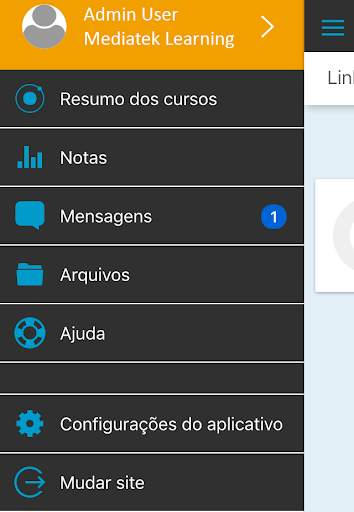
Mediatek Learning screenshot 1 Mediatek Learning screenshot 2

Apresentamos o MediaTek Learning, uma plataforma de treinamento que ajudará a seguir roteiros de treinamento e ensino on-line de manera efetiva. Esse Aplicativo irá garantir acesso à conteudo exclusivo para ampliar seus conhecimentos de tecnologia.
Atravéz da aplicação MediaTek Learning, você poderá acessar de maneira fácil, utilizando, seu smartphone, à uma experiência de aprendizagem inovadora ao alacance de suas mãos.
Tais como:
- Acesso a conteúdo exclusivo MediaTek, que te ajudará a conhecer mais sobre la tecnologia móvel.
- Conexão com outros participantes para compartilhar suas experiências.
- Consolidar seus conhecimentos, on line ou off line, ao participar de atividades ou jogos de aprendizagem.
- Configuração do seu perfil para acesso
personalizado.
- Capacidade de guardar
arquivos, como como imagen, pdf ou outros documentos, para suas atividades no seu dia a dia.
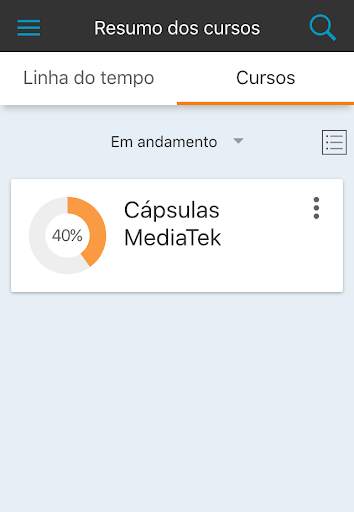
- Visualizar as datas dos programas e cursos de maior interesse, com visualização por tempo ou cursos.
- Receber notificações instantaneas sobre publicações específicas.
- Controle do progresso dos seus treinanmento, e visualização da sua pontuação.
Assim, o MediaTek Learning te permitirá contar con la informação chave para conhecer as diferentes tecnologias,
e suas aplicações para diferenciar e comprender como funciona seu smartphone.

...

👉 For More Detail of Mediatek Learning

#5 Mediatek Vpn

Mediatek Vpn
Rating: star 4.5 | Version: 1.0.0 | Size: 16.2MB
Mediatek Vpn screenshot 1 Mediatek Vpn screenshot 2

Mediatek Vpn gives you secure location and high speed internet.

...

👉 For More Detail of Mediatek Vpn

Search Results

1/1

You may like

DOWNLOAD IS NOT SUPPORTED IN WEB STORE!
Use the latest version of 9Apps to download APK&OBB file of games in one click!
DOWNLOAD 9APPS