mx player apps on 9Apps

Free download latest mx player apps for Android here and enjoy it with your phone. Below you can download a list of top and latest apps related to mx player apps . 9APPS is a fast, safe app store. With 9APPS, you can save a lot of time on searching and downloading apps.

#1 MX Player

MX Player
Rating: star 4.3 | Version: 1.83.0 | Size: 129.4MB
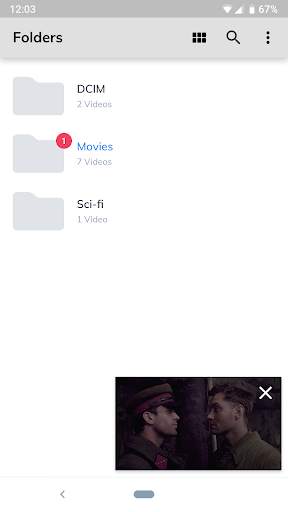
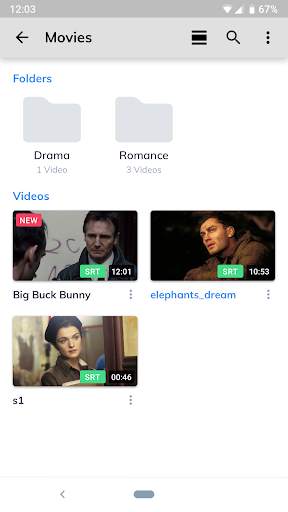
MX Player screenshot 1 MX Player screenshot 2 MX Player screenshot 3

Potężny odtwarzacz filmów z zaawansowanym wsparciem sprzętowym i znakomitą obsługą napisów.
a) DEKODOWANIE SPRZĘTOWE - Z nowym dekoderem HW możliwe jest oglądanie wielu innych rodzajów filmów.
b) WIELORDZENIOWE DEKODOWANIE - MX Player jest pierwszym odtwarzaczem filmów, który potrafi korzystać z wielu rdzeni procesora. Zastosowanie tego rozwiązania na dwurdzeniowych procesorach pozwala na 70% szybsze dekodowanie filmów niż w przypadku procesorów jednordzeniowych.
c) USZCZYPNIJ I PRZYBLIŻ, PRZYBLIŻ I PANORAMUJ - Łatwo przybliżaj lub oddalaj przez uszczypnięcie i przesuwanie po ekranie. Dostępne jest również panoramowanie.
d) GESTY NAPISÓW - Przewijaj do przodu/tyłu aby przejść do następnego/poprzedniego tekstu, przesuwaj napisy w górę/dół, przybliżaj/oddalaj aby zmienić rozmiar tekstu.
e) KIDS LOCK - Twoje dzieci mogą oglądać film, a Ty nie musisz się martwić, że zrobią cokolwiek innego. (wymagany plugin)
Formaty napisów:
- DVD, DVB, SSA/*ASS* Napisy
- SubStation Alpha(.ssa/.*ass*) z pełną obsługą stylów.
- SAMI(.smi) z obsługą tagów ruby.
- SubRip(.srt)
- MicroDVD(.sub)
- VobSub(.sub/.idx)
- SubViewer2.0(.sub)
- MPL2(.mpl)
- TMPlayer(.txt)
- Teletext
- PJS(.pjs)
- WebVTT(.vtt)
******
Odnośnie uprawnienia "Renderowanie na innych aplikacjach": Jest ono wymagane aby zablokować przyciski systemowe jeśli jest włączona blokada ekranu odtwarzania.
About "Pair with Bluetooth devices" permission: This permission is required to improve AV sync when Bluetooth headset is connected.
About "Disable screen lock" permission: This permission is required to remove screen lock temporarily when Kids lock mode is used. Nevertheless, secure screen lock will not be disabled.
Odnośnie uprawnienia "Kontrola wibracji" i "Zapobieganie przejścia urządzenia w stan uśpienia": Te uprawnienia są wymagane do odtwarzania multimediów na niektórych urządzeniach.
******
Jeśli spotykasz się z błędem "Plik pakietu jest nieprawidłowy", zainstaluj aplikacje korzystając ze strony internetowej MX Player. (https://sites.google.com/site/mxvpen/download)
******
Jeżeli masz jakiekolwiek pytania, odwiedź XDA forum MX Player.
http://forum.xda-developers.com/apps/mx-player or https://www.facebook.com/MXPlayer
Some of the screens are from the Elephants Dreams licensed under the Creative Commons Attribution 2.5.
(c) copyright 2006, Blender Foundation / Netherlands Media Art Institute / www.elephantsdream.org
Some of the screens are from the Big Buck Bunny licensed under the Creative Commons Attribution 3.0 Unported.
(c) copyright 2008, Blender Foundation / www.bigbuckbunny.org

...

👉 For More Detail of MX Player

#2 MX Player Beta

MX Player Beta
Rating: star 4.2 | Version: 2.21.6 | Size: 37.1MB
MX Player Beta screenshot 1 MX Player Beta screenshot 2 MX Player Beta screenshot 3

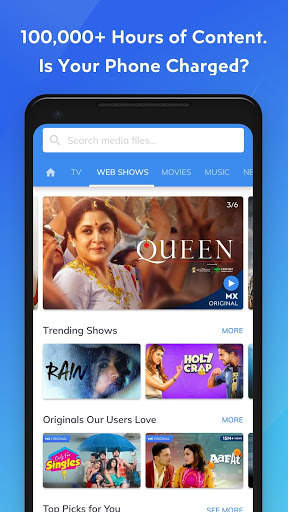
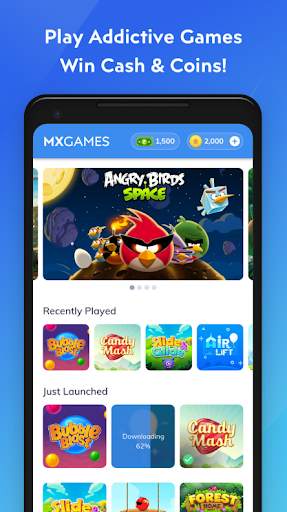
MX Player, najpotężniejszy odtwarzacz wideo, oferuje teraz BEZPŁATNĄ usługę przesyłania strumieniowego, oferującą ponad 100 000 godzin treści, w tym oryginalne i ekskluzywne programy, filmy, programy telewizyjne, seriale internetowe i podwójną muzykę z wideo i dźwiękiem.
Przedstawiamy turnieje gotówkowe! Graj więcej i uzyskaj szansę na wypłatę pieniędzy za pomocą portfela Paytm.
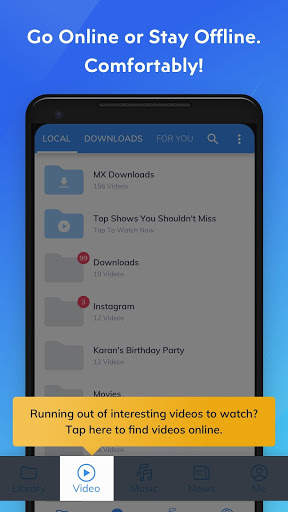
Dodaliśmy również zakładkę „Pobieranie” i funkcjonalność, aby ułatwić Ci zarządzanie pobraną zawartością i znajdowanie nowych treści do pobrania za pomocą pojedyncze kliknięcie.
Ten sam potężny odtwarzacz wideo odtwarza teraz filmy online za pomocą wszystkich gestów, które już lubisz!
Potężny odtwarzacz wideo z zaawansowaną akceleracją sprzętową i obsługą napisów.
a) PRZYSPIESZENIE SPRZĘTOWE - Przyspieszenie sprzętowe można zastosować do większej liczby filmów za pomocą nowego dekodera HW +.
b) DEKODOWANIE WIELORDZENIOWE - MX Player to pierwszy odtwarzacz wideo na Androida, który obsługuje dekodowanie wielordzeniowe. Wyniki testu dowiodły, że wydajność urządzeń dwurdzeniowych jest nawet o 70% lepsza niż urządzeń jednordzeniowych.
c) PRZYCINANIE, POWIĘKSZANIE, POWIĘKSZANIE I PRZESUWANIE - Łatwe powiększanie i pomniejszanie, ściskając i przesuwając po ekranie. Zoom i Pan są również dostępne jako opcja.
d) GESTY NAPISÓW - Przewiń do przodu / do tyłu, aby przejść do następnego / poprzedniego tekstu, W górę / w dół, aby przesunąć tekst w górę lub w dół, Powiększ / pomniejsz, aby zmienić rozmiar tekstu .
e) BLOKADA DLA DZIECI - zapewnij swoim dzieciom rozrywkę, nie martwiąc się, że mogą dzwonić lub dotykać innych aplikacji. (wymagana wtyczka)
Formaty napisów:
- Ścieżki napisów DVD, DVB, SSA / ASS.
- SubStation Alpha (.ssa / .ass) z pełną stylizacją.
- SAMI (.smi) z obsługą tagów Ruby.
- SubRip (.srt)
- MicroDVD (.sub)
- VobSub (.sub / .idx)
- SubViewer2.0 (. sub)
- MPL2 (.mpl)
- TMPlayer (.txt)
- Teletekst
- PJS (.pjs)
- WebVTT (.vtt)
* *****
O uprawnieniu „Rysuj nad innymi aplikacjami”: To uprawnienie jest wymagane do blokowania przycisków systemowych, gdy blokowanie wejścia jest aktywowane na ekranie odtwarzania.
Informacje o uprawnieniu „Paruj z urządzeniami Bluetooth”: To uprawnienie jest wymagana do poprawy synchronizacji AV, gdy podłączony jest zestaw słuchawkowy Bluetooth.
Informacje o uprawnieniu „Wyłącz blokadę ekranu”: To uprawnienie jest wymagane do tymczasowego usunięcia blokady ekranu, gdy używany jest tryb blokady dzieci. Niemniej jednak bezpieczna blokada ekranu nie zostanie wyłączona.
Informacje o uprawnieniach „Kontroluj wibracje”, „Zapobiegaj usypianiu urządzenia”: Te uprawnienia są wymagane do odtwarzania multimediów na niektórych urządzeniach.
******
Jeśli napotkasz błąd „plik pakietu jest nieprawidłowy”, zainstaluj go ponownie ze strony głównej produktu (https://sites.google.com/site/mxvpen/download)
******
Jeśli masz jakieś pytania, odwiedź naszą stronę na Facebooku:
https://www.facebook.com/MX.Player.Beta/
Niektóre ekrany pochodzą z Elephants Dreams na licencji Creative Commons Attribution 2.5.
(c) copyright 2006, Blender Foundation / Netherlands Media Art Institute / www.elephantsdream.org
Niektóre ekrany pochodzą od Królika Big Buck na licencji Creative Commons Attribution 3.0 Unported.
(c) copyright 2008, Blender Foundation / www.bigbuckbunny.org
Niektóre treści w aplikacji są dostarczane przez usługi YouTube i API. Proszę postępować zgodnie z tymi:
https: // www .youtube.com / t / terms
ht tps: //www.youtube.com/yt/copyright/
https://www.youtube.com/yt/policyandsafety/

...

👉 For More Detail of MX Player Beta

#3 Video player MX Player

Video player MX Player
Rating: star 4.3 | Version: 1.2 | Size: 4.4MB
Video player MX Player screenshot 1 Video player MX Player screenshot 2 Video player MX Player screenshot 3

Powerful video player with advanced hardware acceleration and subtitle support.
a) HARDWARE ACCELERATION - Hardware acceleration can be applied to more videos with the help of new HW+ decoder.
b) MULTI-CORE DECODING - MX Player is the first Android video player which supports multi-core decoding. Test result proved that multi-core device's performance is up to 70% better than single-core devices.
c) PINCH TO ZOOM, ZOOM AND PAN - Easily zoom in and out by pinching and swiping across the screen. Zoom and Pan is also available by option.
d) SUBTITLE GESTURES - Scroll forward/backward to move to next/previous text, Up/down to move text up and down, Zoom in/out to change text size.
e) MX FILE SHARING - Fast transfer files without mobile data usage. Share Music, Share Video, Share Files.
f) KIDS LOCK - Keep your kids entertained without having to worry that they can make calls or touch other apps.
Subtitle formats:
- DVD, DVB, SSA/*ASS* subtitle tracks.
- SubStation Alpha(.ssa/.*ass*) with full styling.
- SAMI(.smi) with Ruby tag support.
- SubRip(.srt)
- MicroDVD(.sub)
- VobSub(.sub/.idx)
- SubViewer2.0(.sub)
- MPL2(.mpl)
- TMPlayer(.txt)
- Teletext
- PJS(.pjs)
- WebVTT(.vtt)
******
Permission Details:
–––––––––––––––––––
* "READ_EXTERNAL_STORAGE" is required to read your media files in your primary & secondary storages.
* "WRITE_EXTERNAL_STORAGE" is required to rename or deletion of files and to store the downloaded subtitles.
* "LOCATION" permission is required to help find nearby friends for file transfers.
* "NETWORK" and "WIFI" permissions are required to get the network status which is required for various activities like license checking, update checking etc. Wifi connection is also used for faster file transfers.
* "BLUETOOTH" permission is required in order to improve AV sync when Bluetooth headset is connected, and create connections for file transfers.
* "CAMERA" permission is required to scan QR code for file transfers.
* "INTERNET" is required to play internet streams.
* "VIBRATE" is required to control the vibration feedbacks.
* "WAKE_LOCK" is required to prevent your phone from sleeping while watching any video.
* "KILL_BACKGROUND_PROCESSES" is required to stop the MX Player services used in background play.
* "DISABLE_KEYGUARD" is required to temporarily prevent secure screen lock when Kids Lock is used.
* "SYSTEM_ALERT_WINDOW" is required to block some keys when Kids Lock is used.
* "DRAW OVER OTHER APPS" is required to block system buttons when input blocking is activated on the playback screen.

...

👉 For More Detail of Video player MX Player

#4 HD MX Player

HD MX Player
Rating: star 4.9 | Version: 1.0 | Size: 6.3MB
HD MX Player screenshot 1 HD MX Player screenshot 2 HD MX Player screenshot 3

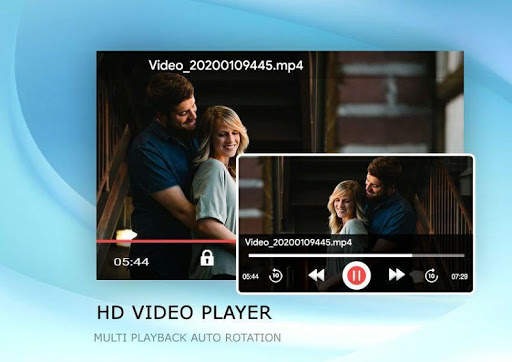
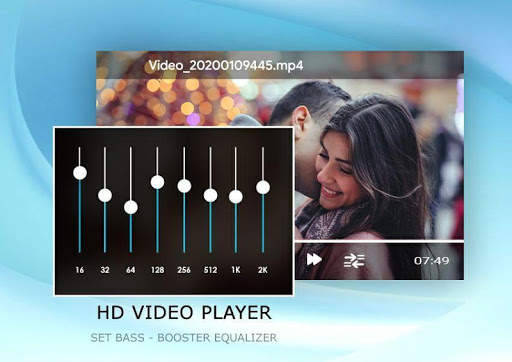
*mp4, Full HD Player
*Video Player
*Music Player
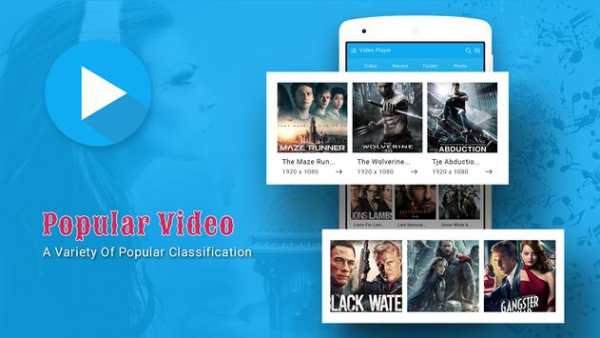
*Online Trending Videos
*Photo Albums
*Download and Search Subtitle of Videos
*Search Tracks, Album, Artist, mp4 files, video files, music library are the features of Rocks Player.
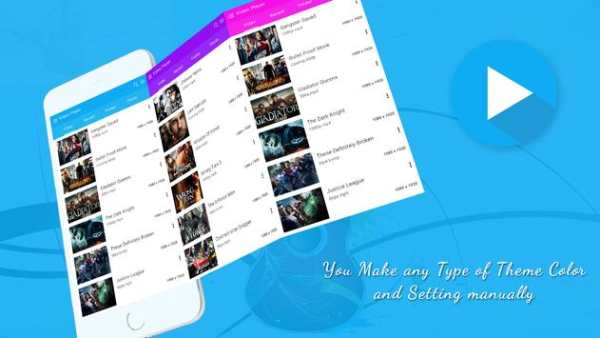
* Different Multiple Themes
* Awesome Video View
* Filter and Delete duplicate Videos Files to get more free space in Sd Card.
* Share video in social network
* Child mode and Screen Lock feature
* Autoplay Videos Queue
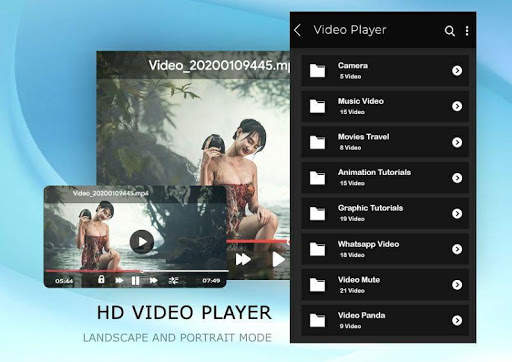
* Auto full sensor (Portrait/ Landscape)
* Video Folder View
* Sorting video list with duration, recent, latest videos and file name
* Screen Gesture detecting feature in Brightness and Volume Control
* Update and Drag-drop feature to re-queue the video playlist.
* Remove Video from Playing Queue using bottom to up swiping items
* Start video from Resume state with Playing Queue
* Supported Formats are mp4, mp4v, avi, asf, avchd, dav, arf, ts, mov, qt, trc, dv4, dv4, mpg, mpeg, mpeg4, webm, ogv, vp9, vob, 3gp, riff, m2ts, m3u, avc, mkv, wav, flv, wmv, divx, swf
Are the key feature of this video player.
All Format Video Player:
Video Player supports all popular video formats, including 3GP, AVI, FLV, M4V, MKV, MOV, MP4, WMV, etc.
Smart manage classified videos:
Video Player can Identify ALL video files on your device and SD Card automatically, allowing you to quickly locate and play the video. It helps you to manage your videos better. In addition, you can quickly rename, cut, delete and share your videos in a convenient way.
High quality and HD playing:
Video Player using hardware decoding, take advantage of hardware acceleration. You can startup quickly in all of your devices up to Android 8.0 and enjoy the best HD videos played with a HD quality and smoothly speed to get the most perfect movies playing experience.
Smart playback your videos:
Video Player is a best videos manager which helps you remember the last played progress, and auto playback in a HD Quality. Perfect stitching to the atmosphere of the previous movie scene.
Easy and convenient control:
Video Player supports gestures to easily adjust the screen brightness and video volume when you are watching the video.
And you can click the button to quickly control the videos’ progresses and the last or next video to play. In addition, locking screen, floating window playback, horizontal and vertical screen switching, trimming current interface, adjusting screen sizes features are ready for you!
Stylish design & colorful themes:
Video Player is designed by a simple stylish style and images filleted. And you can select your favorite one of six colorful themes to make your exclusive video player.
HD Video Player is a powerful and private smart playback video player. We are struggle for bringing you the most perfect experience in the HD video player. Hope you can enjoy the fun of movies playing in video player.

...

👉 For More Detail of HD MX Player

#5 HD MX Player

HD MX Player
Rating: star 4.9 | Version: 1.2 | Size: 5.9MB
HD MX Player screenshot 1 HD MX Player screenshot 2 HD MX Player screenshot 3

*mp4, Full HD Player
*Video Player
*Music Player
*Online Trending Videos
*Photo Albums
*Download and Search Subtitle of Videos
*Search Tracks, Album, Artist, mp4 files, video files, music library are the features of Rocks Player.
* Different Multiple Themes
* Awesome Video View
* Filter and Delete duplicate Videos Files to get more free space in Sd Card.
* Share video in social network
* Child mode and Screen Lock feature
* Autoplay Videos Queue
* Auto full sensor (Portrait/ Landscape)
* Video Folder View
* Sorting video list with duration, recent, latest videos and file name
* Screen Gesture detecting feature in Brightness and Volume Control
* Update and Drag-drop feature to re-queue the video playlist.
* Remove Video from Playing Queue using bottom to up swiping items
* Start video from Resume state with Playing Queue
* Supported Formats are mp4, mp4v, avi, asf, avchd, dav, arf, ts, mov, qt, trc, dv4, dv4, mpg, mpeg, mpeg4, webm, ogv, vp9, vob, 3gp, riff, m2ts, m3u, avc, mkv, wav, flv, wmv, divx, swf
Are the key feature of this video player.
All Format Video Player:
Video Player supports all popular video formats, including 3GP, AVI, FLV, M4V, MKV, MOV, MP4, WMV, etc.
Smart manage classified videos:
Video Player can Identify ALL video files on your device and SD Card automatically, allowing you to quickly locate and play the video. It helps you to manage your videos better. In addition, you can quickly rename, cut, delete and share your videos in a convenient way.
High quality and HD playing:
Video Player using hardware decoding, take advantage of hardware acceleration. You can startup quickly in all of your devices up to Android 8.0 and enjoy the best HD videos played with a HD quality and smoothly speed to get the most perfect movies playing experience.
Smart playback your videos:
Video Player is a best videos manager which helps you remember the last played progress, and auto playback in a HD Quality. Perfect stitching to the atmosphere of the previous movie scene.
Easy and convenient control:
Video Player supports gestures to easily adjust the screen brightness and video volume when you are watching the video.
And you can click the button to quickly control the videos’ progresses and the last or next video to play. In addition, locking screen, floating window playback, horizontal and vertical screen switching, trimming current interface, adjusting screen sizes features are ready for you!
Stylish design & colorful themes:
Video Player is designed by a simple stylish style and images filleted. And you can select your favorite one of six colorful themes to make your exclusive video player.
HD Video Player is a powerful and private smart playback video player. We are struggle for bringing you the most perfect experience in the HD video player. Hope you can enjoy the fun of movies playing in video player.

...

👉 For More Detail of HD MX Player
Search Results

1/20

You may like

DOWNLOAD IS NOT SUPPORTED IN WEB STORE!
Use the latest version of 9Apps to download APK&OBB file of games in one click!
DOWNLOAD 9APPS