












DOWNLOAD IS NOT SUPPORTED IN WEB STORE!
Use the latest version of 9Apps to download APK&OBB file of games in one click!
DOWNLOAD 9APPS

Since 1.8.0, EZCast supports casting to EZCast.
EZCast mirrors display and streams multimedia across Windows, Android, iOS and Mac platforms.
Please refer to http://www.iezvu.com/cast_to_any.php?l=en.
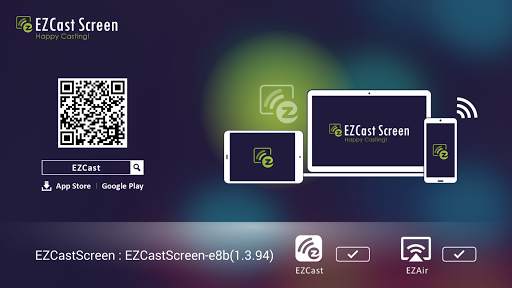
You need two devices to make EZCast Screen work. Install EZCast Screen on one and install EZCast app(http://goo.gl/RiwwN0) on another (or using AirPlay on iOS devices).
EZCast Screen, developed by WinnerWave, acts as an EZCast and airplay receiver for EZCast app and iOS airplay. EZCast Screen supports AirPlay Mirror, AirPlay Video, AirPlay Photo and AirPlay Audio (AirTunes).
You can also use EZCast app on Android to display web contents, photos, video, and so on, to EZCast Screen.
For more detail about EZCast app, please visit http://goo.gl/RiwwN0
Check http://www.iezvu.com for complete user manual and related information.
FAQ: http://www.iezvu.com/help_faq.php?faq=157&l=en
Requirements:
Android 4.0 above. (AirPlay requires 4.1 and above)
For more information, please refer to EZCast official site: http://www.iezvu.com
EZCast, Happy Casting
What's new
1.Improve compatibility of airplay mirror on some android boxes
2.Improve compatibility of video on some android boxes
3. New EZCast / EZAir service status display.
4. Change the icons in main UI
• Support iOS 10.2 airplay


