









DOWNLOAD IS NOT SUPPORTED IN WEB STORE!
Use the latest version of 9Apps to download APK&OBB file of games in one click!
DOWNLOAD 9APPS

How to Use:
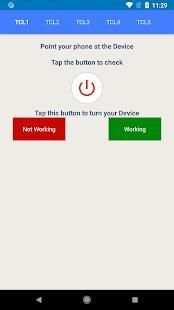
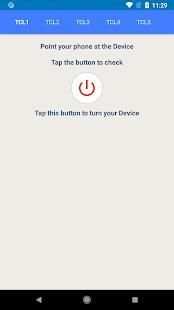
> Point your phone towards TCL TV.
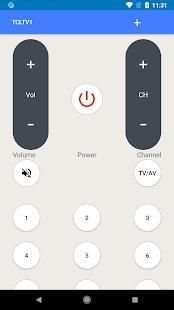
> Press Power button and wait for TV to turn ON or OFF.
> If your TCL TV is turned ON by “TCL Remote”, Select “Working” and enjoy.
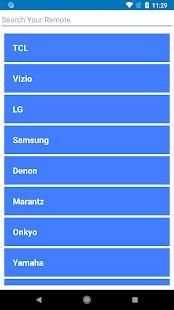
> If your TCL TV is Not Turned ON by “TCL Remote”, Select “Not Working” and Try next TCL TV Remote.
> Try same process until your TV gets ON.
Which Functionalities are Included:
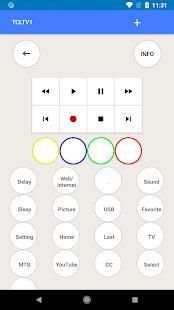
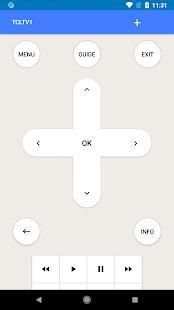
This TCL TV Remote Control has the following functionalities.
> Back
> Blue
> CC
> Channel_Down
> Channel_Up
> Delay
> Exit
> Fast_Forward
> Favorite
> Green
> Guide
> Home
> Info
> Input
> Last
> Menu
> MTS
> Mute
> Navigate_Down
> Navigate_Left
> Navigate_Right
> Navigate_Up
> Next
> Pause
> Picture
> Play
> Power
> Previous
> Red
> Rewind
> Select
> Setting
> Sleep
> Sound
> Stop
> TV
> USB
> Volume_Down
> Volume_Up
> Web/Internet
> Yellow
> YouTube
TCL TV Remote Control is very easy to use with no setup required and simple instructions.
Why to use:
This TCL Remote has all the features to control latest TCL TV Models, try it and make your life easier with TCL TV Remote Control.
Do you want to Contact Us:
Your suggestion are highly appreciated, if your TCL TV Model is missing please let us know via email, your TV Model will be added as soon as possible.
![TCL Google TV: Remote Not Working? - Fixed in Few Sec! [Reset & Re-Pair] screenshot 1](https://i.ytimg.com/vi/6C_I1KPIKvc/mqdefault.jpg)

![[TCL Roku TV] How to Restart (Remote Control Trick) & Factory Reset (Without Remote) screenshot 3](https://i.ytimg.com/vi/-9IcPXuWDxE/mqdefault.jpg)


TCL more models added


