










DOWNLOAD IS NOT SUPPORTED IN WEB STORE!
Use the latest version of 9Apps to download APK&OBB file of games in one click!
DOWNLOAD 9APPS

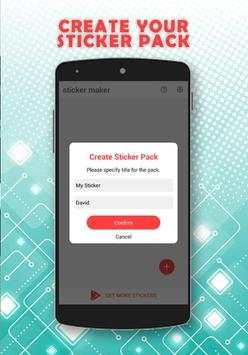
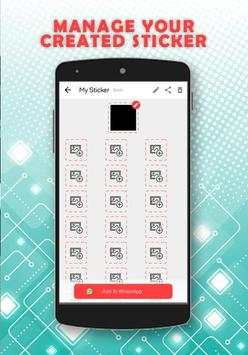
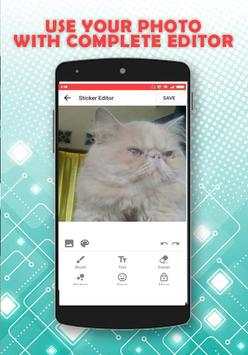
With this apps you can make and create your own sticker packs for WhatsApp. You can use memes, or your own photos, you can use you photo from your phone or from camera both will work.
How to use this Sticker maker apps
1. Open the app and click New Sticker Pack
2. Enter a name for your pack and click the plus button to choose an image from camera, gallery or files
3. Crop the image to a circle or square frame as you wish, and click Crop
4. Use the sticker editor to design your own sticker. You can use the following tools:
4.1. Decorations to add funny props, beards, spectacles and more to your sticker
4.2. Make WhatsApp stickers with text using the text tool. Choose from stylish fonts to match your mood
4.3. Add emojis and place them inside your sticker using the emoji tool
4.4. Erase background to make the stickers look even better with the sticker background eraser tool
4.5. Bring out your creativity with our unique paint brush tool with opacity and stroke size controls
5. When you're done, click the Save button to save this sticker
6. Add as many stickers as you like and click the Continue button
7. Click Add to WhatsApp to add and use this personal stickers for WhatsApp
Please note: If you can't add the stickers to WhatsApp, it means you haven't received the latest update. You can wait for the update to come via google play, or update via the website of WhatsApp.
Disclaimer:
This is only the responsibility of the developer.
This is WhatsApp Inc.'s support or bond. WhatsApp Messenger, names, trademarks and other registered trademarks and is the property of their respective owners.


Version 1.2


