
DOWNLOAD IS NOT SUPPORTED IN WEB STORE!
Use the latest version of 9Apps to download APK&OBB file of games in one click!
DOWNLOAD 9APPS

SYNOPSIS:
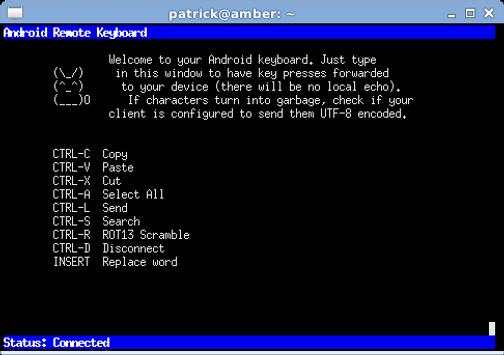
Type on your phone, using your PC keyboard.
DESCRIPTION:
Tired of onscreen keyboards? Rather want to type your SMS messages on your desktop keyboard than on your phone? Then Remote Keyboard is the app for you!
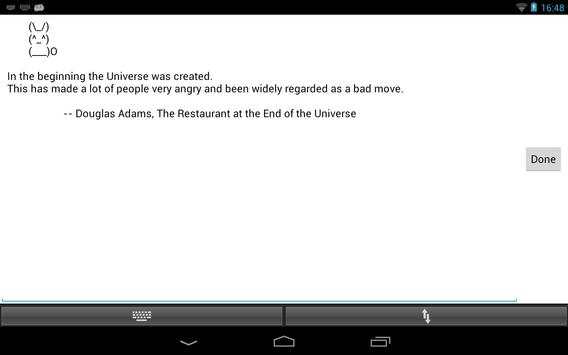
Remote Keyboard allows you to connect your desktop computer's keyboard via wlan (can be forwarded over USB via ADB) to your android device and control it comfortably through any telnet client.
FEATURES:
• Copy&Paste text from Droid to PC and vice versa.
• Share text with the app to automatically send it to the client.
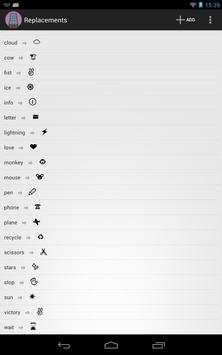
• Emoji support through word substitution (requires a Jelly Bean device with the according fonts; Definition lists available on the website).
• Build in ROT13 scrambler.
• Put favorite apps on Speeddial (launch them with the function keys).
• Password protection
USAGE INSTRUCTIONS:
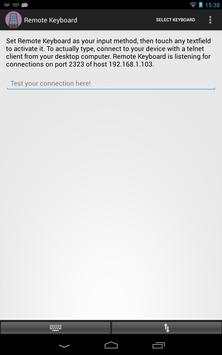
After installing the Remote Keyboard on your device, you must enable it as an input method. The app will guide you through the process.
On the PC side, you will need a telnet client to make the connection. Telnet comes pre installed on all major operation systems. Windows users (Vista and later), however, need to explicitly enable it via the control panel or (preferably) install a 3rd party telnet client like PuTTY.
Please note that many telnet clients use the US ASCII charset by default. You have to set them to "UTF8" encoding if you want to use non-ASCII characters (e.g. german umlaute, japanese characters, ...)


Added TextFiction as option to test the connection



Temple Run 2
4.4122.1MB

Candy Crush Saga
4.491.1MB

Mushroom Takeover
4.569.0MB

Quikr – Search Jobs, Mobiles,
4.120.8MB

ShopClues
3.816.4MB

Offline Music Mp3 Player- Muso
4.535.9MB

Talking Tom Cat
3.963.0MB

Facebook Lite
4.02.5MB

Dearmet: Video Chat, Live Talk
4.043.4MB

imo beta -video calls and chat
4.394.0MB