
DOWNLOAD IS NOT SUPPORTED IN WEB STORE!
Use the latest version of 9Apps to download APK&OBB file of games in one click!
DOWNLOAD 9APPS
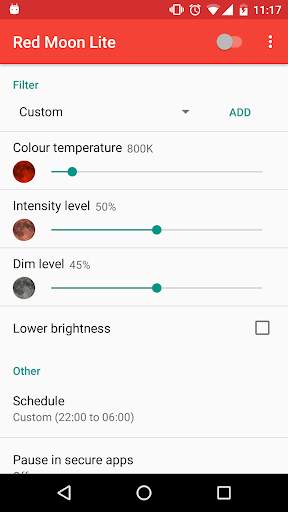
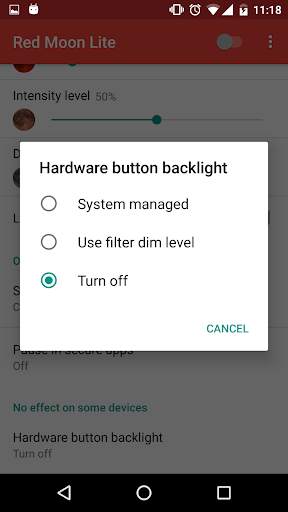
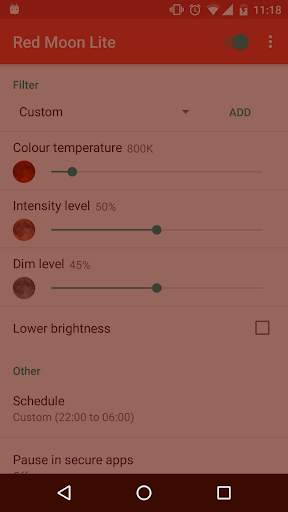
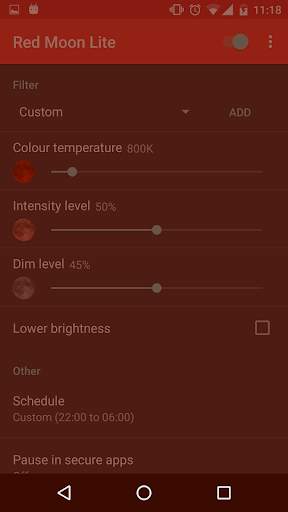
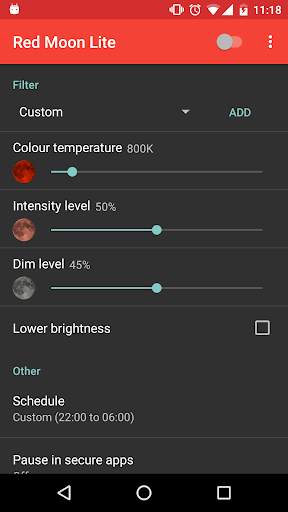
Red Moon Lite protects your sleep by filtering harmful blue light from your screen.
* Red Moon Lite can automatically turn on when it gets dark. You can also set custom times when Red Moon Lite should turn on or off.
* You can save various settings profile, for example a relaxing red profile for reading and a color neutral profile for watching movies.
* Thanks to Red Moon Lite's three easy to use sliders, you have full control over your screen. You can even choose exactly what color you want the filter to be.
* Red Moon Lite's widget makes it easy to quickly darken your screen.
* You can control the Red Moon Lite quickly through the notification.
* Red Moon Lite uses almost no battery and automatically turns off when it isn't needed.
* Red Moon Lite can integrate with your phones internal brightness settings for a seamless experience.
* Red Moon Lite has an intuitive user interface, compliant with the Material Design guidelines.
Red Moon Lite needs some permissions to work:
* Red Moon Lite needs the 'Draw over other apps' permission to filter the blue light from you phone screen.
* Red Moon Lite needs the 'Modify system settings' permission to be able to automatically lower the brightness when the filter is on.
* Red Moon Lite needs access to your 'Approximate location' to be able to determine at what time the sun sets, so it can turn on at night.
* Red Moon Lite needs the 'Run at startup' permission so the filter can persist when your device is rebooted.




![[3 Hours Loop] 4K Gradient Mood Lights Purple Orange | Smooth LED Lights for Background screenshot 5](https://i.ytimg.com/vi/PQoLr7eVLUI/mqdefault.jpg)



Quikr – Search Jobs, Mobiles,
4.120.8MB

ShopClues
3.816.4MB

Talking Tom Cat
3.963.0MB

Offline Music Mp3 Player- Muso
4.535.9MB

Facebook Lite
4.02.5MB

Temple Run 2
4.4122.1MB

Stickman Fighting
3.059.6MB

Candy Crush Saga
4.491.1MB

imo beta -video calls and chat
4.394.0MB

Dearmet: Video Chat, Live Talk
4.043.4MB