





DOWNLOAD IS NOT SUPPORTED IN WEB STORE!
Use the latest version of 9Apps to download APK&OBB file of games in one click!
DOWNLOAD 9APPS

Fast wireless connection!
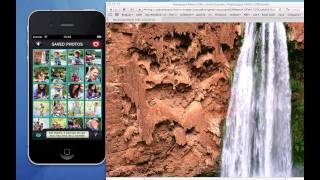
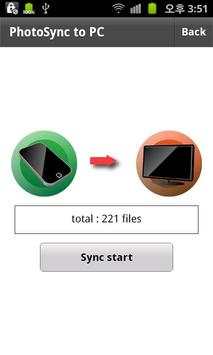
Upload pictures to your PC wirelessly.
1. Install PhotoSyncServer on your computer.
http://goo.gl/CSN5s or http://goo.gl/fzP0d (pc only)
Installation Video - mac: http://youtu.be/ZPSZDuF61H8
- Ubuntu: http://youtu.be/srfLhMd6DdE
2. Install PhotoSync on your smart phone.
3. Have both your computer and smart phone connected to the same network.(WIFI)
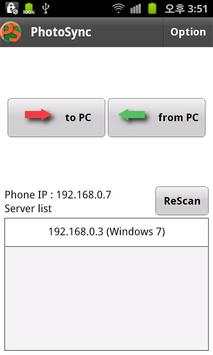
When the above conditions are satisfied and the application is launched, it will automatically search for the server.
Upload or download photographs wirelessly through the server.
★You can add or delete directories that you wish to synch through the ‘options' panel.
★Function
- Upload pictures to your computer (synch by directory)
- Download pictures from your computer
- supported image format : jpg, jpeg, bmp, png, gif.
- supported video format : 3gp, mp4, m4a, avi.
supported PC OS : Windows, Linux, Mac OS X.
more info (demo video)
site(mobile only): psgpsn.nayana.com
blog : balcode.tistory.com
Required: adobe air.
"air booster engine" applies. (Baud rate has been improved.)



imo beta -video calls and chat
4.394.0MB

Facebook Lite
4.02.5MB

Candy Crush Saga
4.491.1MB

Offline Music Mp3 Player- Muso
4.535.9MB

Quikr – Search Jobs, Mobiles,
4.120.8MB

ShopClues
3.816.4MB

Mushroom Takeover
4.569.0MB

Talking Tom Cat
3.963.0MB

Temple Run 2
4.4122.1MB

Dearmet: Video Chat, Live Talk
4.043.4MB