









DOWNLOAD IS NOT SUPPORTED IN WEB STORE!
Use the latest version of 9Apps to download APK&OBB file of games in one click!
DOWNLOAD 9APPS
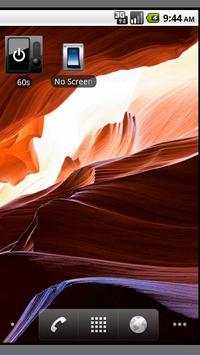
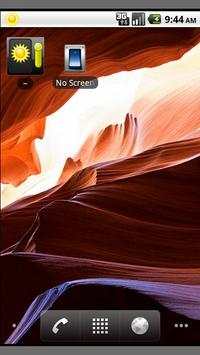
Allows to suspend the automatic screen off.
Then, reactivate it with the previously memorized delay.
Click on the widget to toggle between the two modes.
Changing of the screen off delay remains the same :
Parameters/Display/Screen timeout
To get access to the preference screen, double tap on the application icon or the widget within 2 seconds.
For automation, pass "com.k2.set/on" or "com.k2.set/off" in data field (-d parameters for am command for ex.) to change the state.
Permissions required :
MODIFY SYSTEM SETTINGS
To change the screen timeout (goal of the application !)
PAIR WITH BLUETOOTH DEVICES
ACCESS BLUETOOTH SETTINGS
Start / Stop Bluetooth (if requested in NoScreenOff preferences)
CONNECT AND DISCONNECT FROM WI-FI
Start / Stop Wi-Fi(if requested in NoScreenOff preferences)
This application doesn't require Internet or Telephony access, so keep cool
!



![Ed Sheeran - Soft Piano [sleep, study, relax, calm, chill, no mid-roll ads, instrumental] screenshot 4](https://i.ytimg.com/vi/bXABghLhGGQ/mqdefault.jpg)

1.9 : added romanian language


