















DOWNLOAD IS NOT SUPPORTED IN WEB STORE!
Use the latest version of 9Apps to download APK&OBB file of games in one click!
DOWNLOAD 9APPS




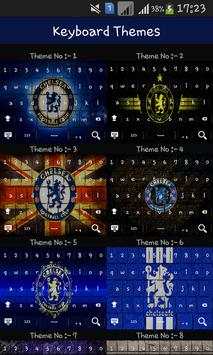

Chelsea Keyboard is an application that can change our keyboard with Chelsea theme, very interesting and interactive, because in her there are various themes of blue that can be selected according to our wishes.
How to use keyboard:
- Run Chelsea keyboard
- Select Enable Keyboard
- Select keyboard Chelsea
- Select Set Input Method, go to insert method
- Select enter the English Language (American)
- Select a set of themes, then select the blues theme as you wish.
For any query, question, complaint and suggestion do not hesitate to contact us.
Disclaimer: All images the keyboard background images come from Google search API.


