link2sd plus on 9Apps

Free download latest link2sd plus for Android here and enjoy it with your phone. Below you can download a list of top and latest apps related to link2sd plus . 9APPS is a fast, safe app store. With 9APPS, you can save a lot of time on searching and downloading apps.

#1 Link2SD Plus (New)

Link2SD Plus (New)
Rating: star 3.5 | Version: 1.1 | Size: 84.9KB
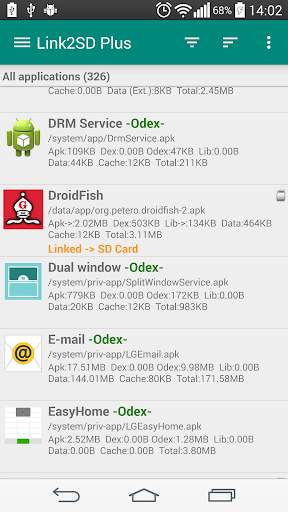
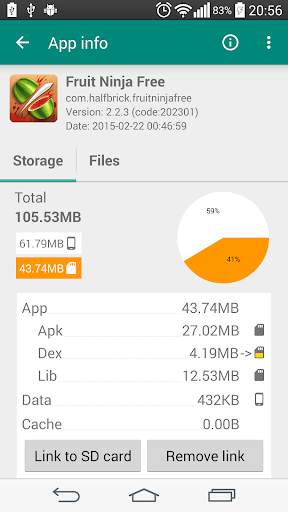
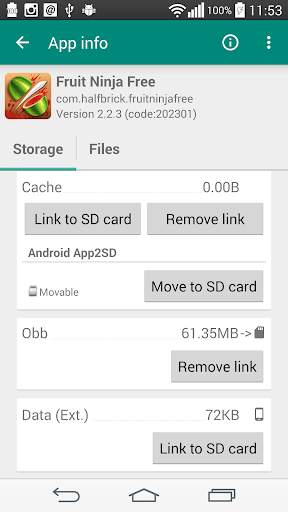
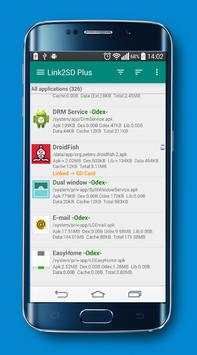
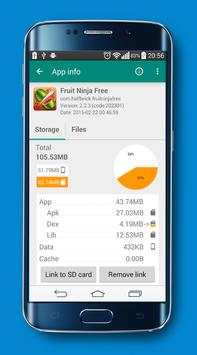
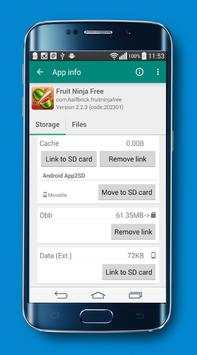
Link2SD Plus (New) screenshot 1 Link2SD Plus (New) screenshot 2 Link2SD Plus (New) screenshot 3

✚✚✚✚
Plus-toets voor LINK2SD
✚✚✚✚
Deze app is alleen een licentietoets, requereert de link2SD (gratis) app en verandert het in Plus-editie, verwijdert advertenties en ontgrendelt extra functies. U ziet "LINK2SD PLUS" op de titel in Link2SD (gratis) -app.
Plus-functies toegevoegd
✔ Links Interne gegevensmap van Apps naar SD-kaart
U moet een niet-FAT-bestandssysteem (ext2, ext3, ext4 of f2fs) gebruiken op uw 2e partitie. Omdat het vetbestandssysteem (FAT16, FAT32 of EXFAT) geen Unix-bestandseigendom of -rechten ondersteunt en een beveiligingsplitsing van de privébestanden van de app veroorzaakt.
✔ Links externe gegevens en OBB-mappen van apps en games aan SD-kaart
✔ Links Dex-bestanden van de apps van het systeem aan SD-kaart
✔ Auto Clear Cache Service
✔ Verwijdert advertenties van Link2SD
**** Opmerking voor Old Link2SD Plus-gebruikers ****
Vanwege een probleem met Google Play is de pakketnaam van de app gewijzigd en gepubliceerd als een nieuwe app.
Het is hetzelfde als de oude, jij kan blijven gebruiken om oude versie te gebruiken. U kunt de oude versie opnieuw installeren van
"Play Store -> My APPS -> ALL"
.
**** Ondersteuning & upgrades / herinstalls ****
● Houd "LINK2SD PLUS" geïnstalleerd en niet bevriezen (uitschakelen).
● Link2SD Plus-aankoop is per Google-account voor aankopen in Play Store, alle upgrades en installatie zijn gratis.
● U kunt LINK2SD PLUS op elk apparaat gratis installeren zolang u hetzelfde Google-account gebruikt waarmee u het hebt gekocht. Merk op dat voor de aankopen van Google Play Store-aankopen als u meerdere Google-accounts op het apparaat hebt, moet uw "Originele" Google-account worden geselecteerd in Play Store (Side-Menu => TOP-rechterwitte pijl naast uw account).
Als u een licentiefout krijgt
dit wordt gerapporteerd in de volgende gevallen:
● Play Store-app niet geladen. Start Play Store-app en wacht tot het de startpagina volledig laadt. Play Store-app kan niet laden, bijvoorbeeld tijdens zijn zelfupdate. Wacht alsjeblieft tot het volledig laadt, start vervolgens Link2SD opnieuw op
● Internetverbinding is niet beschikbaar / Onstabiele of Play Store-app / services zijn geblokkeerd van internet. Het vereist een netwerkverbinding voor de eerste licentiecontrole. Maar dan kunt u voor een bepaalde periode offline gaan voordat u een andere licentiescontrole vereist. Caching is ingeschakeld voor licentiecontrole.
● Link2SD Plus is in feite niet gelicentieerd / bestelling is onvolledig / terugbetaald / geannuleerd. Open uw transacties in "Wallet.google.com" en controleer uw link2SD Plus-status "Voltooid"
● Ongeldig Google-account op het apparaat. Google Play-apps zijn gebonden aan het Google-account, als u deze wijzigt, kan Play Store uw aankoop niet meer herkennen. Voeg dit opnieuw toe dat Google-account terug naar uw apparaat en / of selecteer dit account in Google Play Store-app (Side Menu => Bovenste pijl-rechtsaan naast uw Google-account)
● Te veel verzoeken van apps om servers voor licentie te spelen controleren. Probeer het later opnieuw (in 10 minuten)
● (Android 2.x) achtergrondgegevens zijn uitgeschakeld
om dit probleem op te lossen:
1. Verwijder LINK2SD en LINK2SD PLUS en vervolgens opnieuw op 2. Zorg ervoor dat u een internetverbinding op het apparaat en stabiele
hebt. Installeer LINK2SD en LINK2SD PLUS uit de app Google Play Store. Installeert opnieuw in dezelfde account zijn gratis. (Installeren van de APK zal het probleem niet oplossen)
4. Mogelijk moet u een bit / exit LINK2SD plus een paar keer wachten om licentietoestand opnieuw te laden.
5. Als het niet heeft geholpen, duidde de gegevens van Google Play Store en Google Play Services en Reboot aan
Als u "onvoldoende opslagruimte beschikbaar" krijgt bij het installeren van Link2SD Plus, zelfs u voldoende vrije ruimte hebt
om dit probleem op te lossen:
1. "Wis alle app-cache" binnen link2SD
2. Stel "Installatielocatie" in op Automatisch binnen LINK2SD-instellingen en reboot op 3. Als het niet heeft geholpen, duiden de gegevens van Google Play Store en Google Play Services en Reboot op

...

👉 For More Detail of Link2SD Plus (New)

#2 Guide for Link2SD Plus

Guide for Link2SD Plus
Rating: star 3.0 | Version: 1.0 | Size: 11.9MB
Guide for Link2SD Plus screenshot 1 Guide for Link2SD Plus screenshot 2 Guide for Link2SD Plus screenshot 3

Link2SD Plus application of the most powerful transport applications to the memory card, easy to use and simple and highly efficient benefit a lot from him in this area, but Link2SD Plus it needs the powers to work your root.
Link2SD Features:
-scan provides you with the accumulated files on the phone option in order to accelerate and provide anointed
-doing Full management of your applications as a survey - and the change of venue - and the freezing of the application - convert it to apply the system - and directly run - re-install those who have problems - Send applications Bluetooth easy way.
-The Work of organizing and cleaning for your phone in various ways
-There Is the option of making it memorable place of installation is not foreign and internal This is our topic today and Other features are many and Ultimate.

...

👉 For More Detail of Guide for Link2SD Plus

#3 Link2SD

Link2SD
Rating: star 3.6 | Version: 4.3.4 | Size: 3.8MB
Link2SD screenshot 1 Link2SD screenshot 2 Link2SD screenshot 3

Link2SD is an application manager that makes it easy for Android 2.0 users on their device to move applications to the SD card. It enables you to manage your apps and storage easily.
Features:
✔ Link apk, dex and lib files of apps to SD card
✔ Link internal data of apps to SD card (Plus)
✔ Link external data and obb folders of apps and games to SD card (Plus)
✔ Link dex files of the system apps to SD card (Plus)
✔ Auto clear cache service (Plus)
✔ Automatically link newly installed apps (optional)
✔ Move any user apps to SD even though the app does not support moving to SD ("force move")
✔ Shows the apps that support moving to SD with native app2sd
✔ Set the default install location of the apps; auto, internal, or external
✔ Batch link, unlink, reinstall, uninstall, "move to SD", "move to phone" functions
✔ Notify when movable apps installed
✔ Uninstall system applications (bloatware removal)
✔ Freeze and un-freeze system and users applications
✔ Convert system apps into user apps
✔ Convert user apps into system apps
✔ Integrate "Updated" system apps into system (ROM)
✔ Clear data and cache of the application
✔ Batch clear data and cache of the selected apps
✔ Clear all apps cache at once (1-tap cache cleaner without being root)
✔ Exclusion list for "Clear all app cache" function
✔ Clear cache widget (1-tap cache cleaner without being root)
✔ Notify if total cache size exceeds specified size
✔ Reboot manager includes power off, normal reboot, quick (hot) reboot, reboot recovery, reboot bootloader / download mode
✔ Reboot widget to boot with one click
✔ List applications, show detailed size information and link status
✔ Wide variety of options to sort and filter apps
✔ Search applications by name
✔ Display available space information of internal storage, SD card and SD card 2nd partition
✔ Share the Play Store link or the APK (app's full package) file of the apps
✔ Create shortcut for the apps
✔ Support 40 languages
How it works:
Linking apps
Link2SD uses a secondary partition on your SD card and uses it as another segment of internal storage.
Link2SD moves apk, dalvik-cache (.dex), lib and internal data files into this partition, which the OS mounts on boot, and creates a symbolic link in the original location.
This retains the file structure that the system expects but with the bulk of the data moved to the SD card.
Linking obb and external data folders of apps and games
On devices that have emulated SD card, obb and external data folders are located in the internal storage, not in the external (real) SD card.
Link2SD moves these folders to the 1st or the 2nd partition of your external SD card (depending on your selection) and with the bind option of the mount command remounts the file hierarchy at external SD card while it is still available at the original location.
What you need:
Linking apps
- root permission
- second partition on SD card
You should have two partitions on your SD card and both should be primary.
You need to use a non-FAT file system (ext2, ext3, ext4 or f2fs) on your 2nd partition in order to link app's private data files. Because the FAT file system (FAT16, FAT32 or exFAT) does not support UNIX file ownership or permissions and will cause a security breakdown of app's private files.
Link2SD does not create the second partition, you need to create it yourself.
Linking obb and external data folders of apps and games
- root permission
Second partition on SD card is optional, folders can be moved to the 1st or 2nd second partition of the SD card.
Link2SD also provides native App2SD feature of Android OS. It can move any user apps to SD card (force move), with batch moving capability.
Link2SD is a free (ad supported) app, you can upgrade to Link2SD Plus to remove ads and get additional features.
DISCLAIMER: It is made available for use at your own risk with no warranty of any kind.

...

👉 For More Detail of Link2SD
#4 link2sd (new)

link2sd (new)
Rating: star 3.0 | Version: 1.8 | Size: 4.0MB
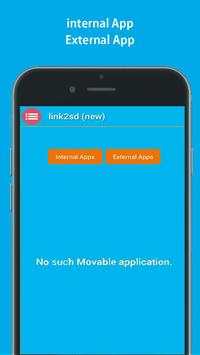
link2sd (new) screenshot 1 link2sd (new) screenshot 2 link2sd (new) screenshot 3

link2sd (new) is :
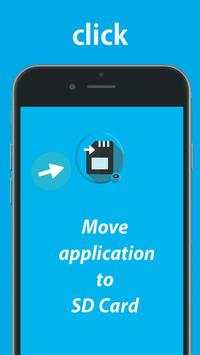
This app is tool help you to move the apps to SD card for one clik,
Apps are limited to only being able to manipuulate files on thestorage the link2sd(new) being restricted me.
The brand visible on the card is often a vendor that labels other people’s chips with it’s own branding. It's good for you that you would like to keep in device, but also makes unmovablle apps is work free not root.
If you don't know what the where the device's camera stores photos and where the Gallery application searches your photos/media files.
and you don't have any experience with a fille managers.
***
In addition to moving content applications,
This app has the ability to linnk foldeers in your internal sdcard to folders in your external sdcardesd thereby populating the internal sdcaard folders with content that really exists in the external card memoire.
Helps free space and have multiple games/apps with big data stored.
link1ssd comes with other features and is also the only script that has a bunch for almost any situation.
***
*Linksd2new apk, dex and lib files of apps to SD card application.
*Uninstall link2Ssd(new) no root.
*You can copy Apps in your device through phone to SD on cable.
*Open this software in the market.
*FM will offer to move the files for you.
*Move apps to SD card only application to help you.
*APK application the mobile phone memory to extren
*SD card to phone or phone to SD card..
*Move apps from smartphone to SbD Cards.
*Linkks apps to SD cards.
****
Files To SD Card(new) is useful for devices with small internal memory.
The app will list all available SD cards and partitions,the second partition on the first external SD card 1 and 2.
****
thanks for downolad this applications

...

👉 For More Detail of link2sd (new)

#5 Plus

Plus
Rating: star 5.0 | Version: 6.0 | Size: 4.0MB
Plus screenshot 1 Plus screenshot 2 Plus screenshot 3

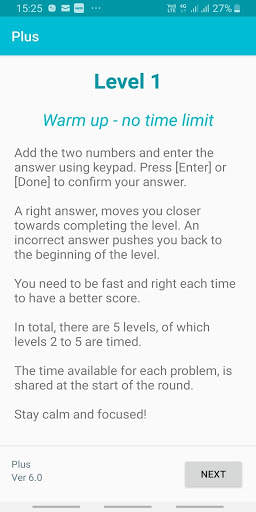
A simple, but not that simple game which challenges your alertness, agility, concentration, and focus using basic addition skills.
There are five levels to play, which squeezes you a bit to play faster in each level.
The key is to hold your nerves as the situation gets tighter.
The game adjusts based on your performance.
The faster and more accurate you get, the higher is your score.
Share your score with your friends and challenge them to up your score.
Privacy Note:
The game does record your score along with your login identity.
The plan is to provide you additional analytics on your performance in future versions of the game.
Your identity will never be shared.
Permissions: The games does require access to INTERNET (for storing the score), and your DEVICE STORAGE (for sharing the score with your friends)
APP Sharing: The game uses your phone's WhatsApp to create the final Game score, which can be shared with your friends, if you chose to.
The app does not share any information on its own.

...

👉 For More Detail of Plus

Search Results

1/20

You may like

DOWNLOAD IS NOT SUPPORTED IN WEB STORE!
Use the latest version of 9Apps to download APK&OBB file of games in one click!
DOWNLOAD 9APPS