

DOWNLOAD IS NOT SUPPORTED IN WEB STORE!
Use the latest version of 9Apps to download APK&OBB file of games in one click!
DOWNLOAD 9APPS

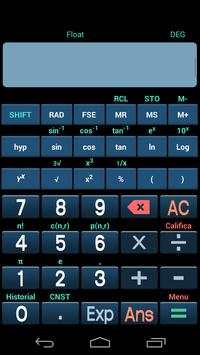
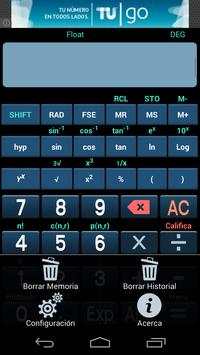
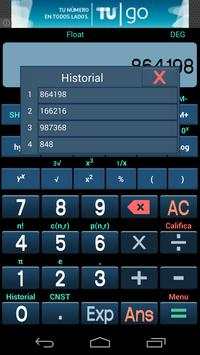
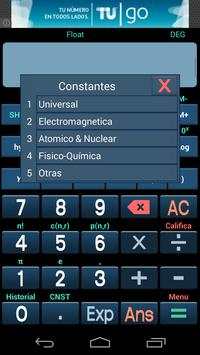
What can you do with Scientific Calculator PRO ?
In the configuration section you can set that when 're using the active screen on the calculator is maintained so they do not end when you stop using the buttons for a few seconds .
Clear history
Memory storage of results and you can delete them when they are no longer useful .
Set the maximum numbers to show the display of results ( requires restart)
Decimal points (configuration)
Set to vibrate or not each time you press a number
Keep active screen so you can not turn off
Declare constants ( Physico- Chemical, Universal , Electromagnetic , custom )
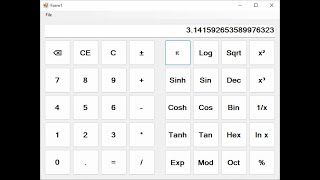
The keyboard has all written instructions , if you hold tight each secondary function buttons on the calculator is activated. You see it is very intuitive and easy to use, hold down on each key scientific calculator you can access the secondary function.
Application Note : On reports that some users noticed write functions without closing parentheses please remember that if you calculate the root of a number must close the parentheses




Corregido el problema con la tecla ANS



Temple Run 2
4.4122.1MB

Quikr – Search Jobs, Mobiles,
4.120.8MB

Mushroom Takeover
4.569.0MB

imo beta -video calls and chat
4.394.0MB

Facebook Lite
4.02.5MB

Dearmet: Video Chat, Live Talk
4.043.4MB

Candy Crush Saga
4.491.1MB

ShopClues
3.816.4MB

Offline Music Mp3 Player- Muso
4.535.9MB

Talking Tom Cat
3.963.0MB