











DOWNLOAD IS NOT SUPPORTED IN WEB STORE!
Use the latest version of 9Apps to download APK&OBB file of games in one click!
DOWNLOAD 9APPS

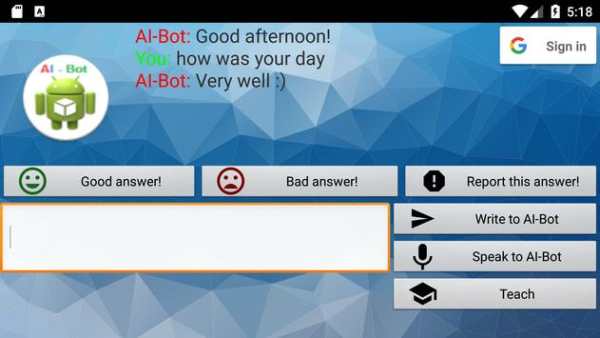
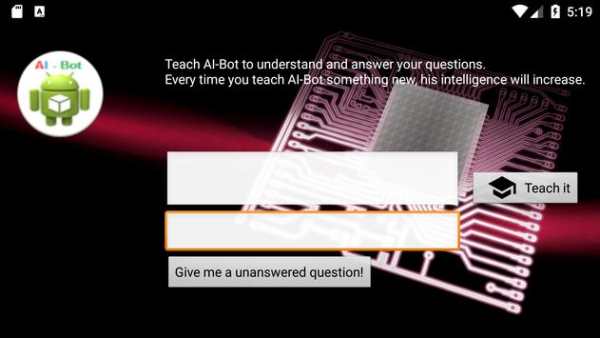
AI-Bot (Artificial Intelligent Bot) gives your Android smartphone Artificial Intelligence!
You can entertain yourself with AI bots and give him a variety of commands.
- Browser:
Enter a Web address starting with http://
one and AI Bot will open the page in your default browser.
- Market (Google Play):
Enter market :/ / off and AI bot opens the Market
- Increase text size:
Enter "grow" or "grow" a.
- Decrease font size:
Enter "shrink" or "shrink" a.
- Change font size:
Enter "set size" and then enter the desired size.
- Facebook Open:
Enter "Facebook" and the Facebook app is opened.
- Open Gmail (Google Mail):
Type "Gmail" and "Gmail" in to open Gmail
- Skype, ICQ or Kik open:
The commands "Skype", "Yahoo" or "Kik" opens the desired Chat App
- Apps & Games:
Also opening other apps and games is not a problem for AI-bot:
Simply fast the name of the app (such as Minecraft PE, Cartoon Wars 2, Block Story, etc.) and type in the app is already open.
*** This is the Lite version. It is free, but there is advertising displayed.
The Pro version is free of ads.
In addition, the Pro version supports voice input and AI bot has a voice ***
- Bug fixes
- Layout improvements


