



DOWNLOAD IS NOT SUPPORTED IN WEB STORE!
Use the latest version of 9Apps to download APK&OBB file of games in one click!
DOWNLOAD 9APPS

WHY USE VPN CONFIG LOADER?
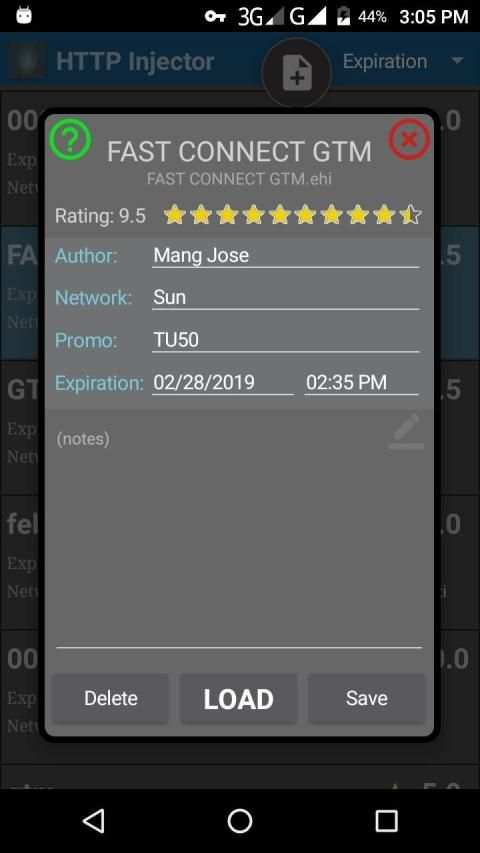
• Changing config in any of the supported VPNs can be done in JUST 2 CLICKS!
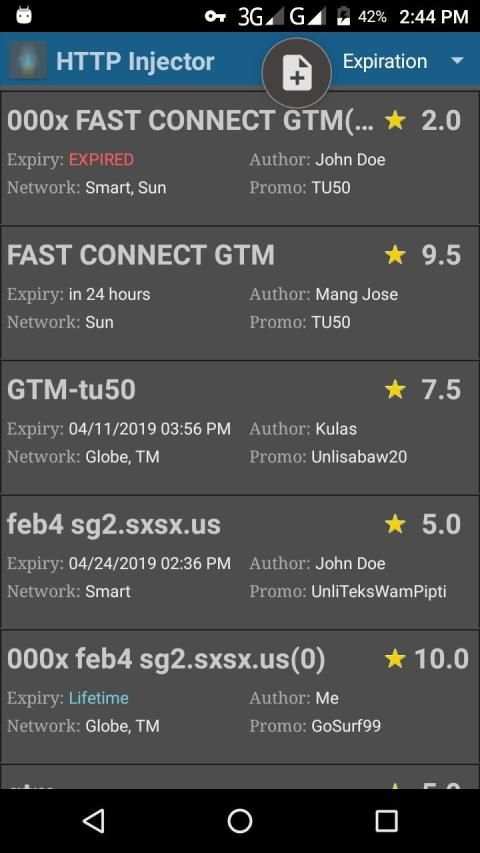
• With a rating system to remind yourself which configs are fast and reliable
• Keep track of expiration dates
• List can be sorted according to Rating, Expiration, Network, etc.
-------------------------------------
HOW TO CHANGE THE CONFIG OF A VPN
1. Select from the list.
2. Click LOAD on the next screen. DONE!
------------------------------------
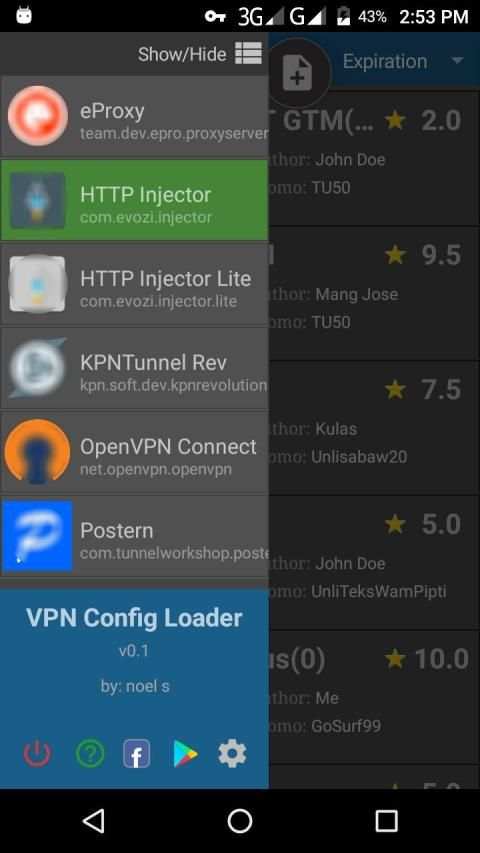
THIS APP WORKS ON:
• eProxy
• HTTP Injector
• HTTP Injector Lite
• KPNTunnel Rev
• OpenVPN Connect
• Postern
(For Android 5+ only)
=====================================
HOW TO ADD CONFIG FILES
• Move or copy your config files to the "vpn config loader" folder in the root of your phone's internal storage.
• Click the + sign at top of the main screen.
All files compatible for the supported VPNs will be added automatically.
After the configs are added, the original files will be moved to "added" folder.
You can now delete them if you want. Just make sure you don't do "Clear Data" or you will lose everything.
v0.9-M
* bug fixes
NOTE:
This version is for Android Lollipop an Marshmallow only.
The Alternate version: v0.9-A works also for Nougat, Oreo, and Pie.
https://drive.google.com/file/d/1xO9iiaBIKnijpa3j2DyWFXcHiXlG1FZS/view?usp=drivesdk



Quikr – Search Jobs, Mobiles,
4.120.8MB

말하는 고양이 토킹톰
3.963.0MB

Facebook Lite
4.02.5MB

Mushroom Takeover
4.569.0MB

Candy Crush Saga
4.491.1MB

imo beta -video calls and chat
4.394.0MB

Dearmet: Video Chat, Live Talk
4.043.4MB

ShopClues
3.816.4MB

Temple Run 2
4.4122.1MB

Offline Music Mp3 Player- Muso
4.535.9MB