DOWNLOAD IS NOT SUPPORTED IN WEB STORE!
Use the latest version of 9Apps to download APK&OBB file of games in one click!
DOWNLOAD 9APPS

🔶 #1 File Management app EX File Explorer - File Manager for Android
is the EX File Explorer for your Android Device.
Free, Safe, Simple, Manage your files efficiently and easily with EX File Explorer. EX File Explorer - EX File Manager is an easy and powerful file explorer for Android devices. It's free, fast and full-featured.
With
EX File Explorer - File Manager
you can easily manage your files and folders on your device and cloud storages. What's more, you can find how many files & EX File Explorer - EX File Explorer apps you have on your device at a glance immediately after opening EX File Explorer.
EX File Explorer - File Manager for Android
manages all the files on your smartphone, just like a file explorer on your computer.
Major functions of
EX File Explorer - EX File Manager
are as following:
- Internal music player / Internal image viewer/ Internal text editor : You can choose to use built-in utilities for faster and better performance.
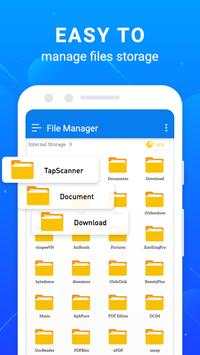
- Main Storage / SD card / USB OTG : You can manage all files and folders on both your internal storage and external storage.
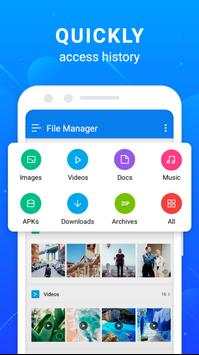
- Downloads / Images / Audio / Videos / Documents / New files : Your files and folders are automatically sorted by their file types and characteristics so that you can easily find exactly the file you are looking for.
- EX File Explorer - EX File Explorer Apps : You can see and manage all applications installed on your local device.
- Access from PC : You can access your android device storage from PC to manage files on your local android device using FTP(File Transfer Protocol).
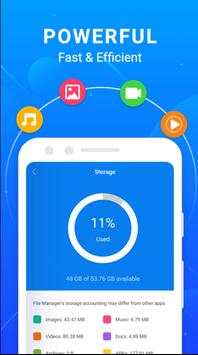
- Storage analysis : You can analyze local storages to clean up useless files. You can find out which files take up the most space.
EX File Manager
Browse and manage files stored on your storage manager, SD card, or USB drive conveniently and Users can create folders, file; save files, move, copy, file share, compress, and decompressed files; and view file details.
EX File Explorer
File Manager Support file classification via name, date and size. So Download and browse files and documents on your mobile like on your computer. EX File Manager is allows to manage your SD card and cloud storage.
Features of EX File Explorer - File Manager:
⚡ Manage your files (File Manager) like you do on your desktop or laptop using Multiple Select, Cut/Copy/Paste, Move, Create, Delete, Rename, Search, Share, Send, Hide, Create Shortcut, and Bookmark;
▪️ 3 sets of commercial icons for 80 different file types, toolbar and menu items
▪️ EX File Explorer, multiple resolutions support
▪️ List and grid view for file explorer
▪️ Compress and decompress support
▪️ Search and share files
▪️ Multiple selection and various sorting support
▪️ Thumbnail for photo, video and apk files
▪️ EX File Explorer support file shortcut on Home screen for easily access
▪️ Basic features like cut, copy, delete, compress, extract etc. easily accessible
▪️ Work on multiple tabs at same time
▪️ SMB(windows) file sharing with EX File Explorer
▪️ EX File Explorer, multiple themes with cool icons
▪️ Navigation drawer for quick navigation
▪️ App Manager to open, backup, or directly uninstall any app
▪️ Quickly access history, access bookmarks or search for any file
▪️ EX File Explorer, root explorer for advanced users
If you have any suggestions for improvements or just want to get in touch please reach out to us at our support email