









DOWNLOAD IS NOT SUPPORTED IN WEB STORE!
Use the latest version of 9Apps to download APK&OBB file of games in one click!
DOWNLOAD 9APPS
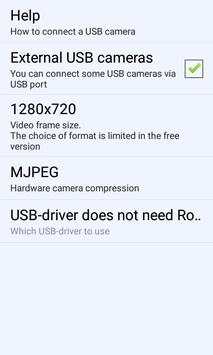
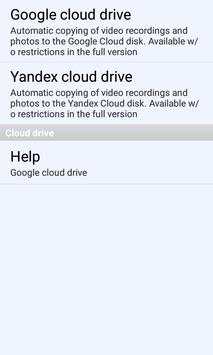
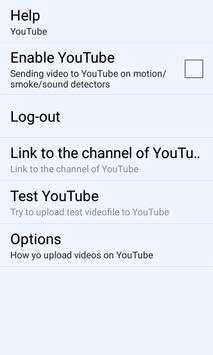
Before using this app check 3 things:
----------------------------------------------------------------------------------------------------
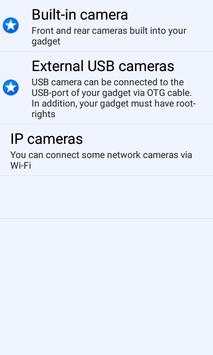
1) Your gadget can support USB OTG. This means that you can connect different peripheral devices (e.g., USB flash drive, USB-disk, etc.) to your gadget via USB.
2) USB camera must support UVC standard. This means that it can be used in Android.
3) A high-quality micro USB OTG cable must be used to connect the USB camera and gadget. This cable should not be very long - the shorter the cable, the better.
----------------------------------------------------------------------------------------------------
USB camera must support UVC standard as well as your gadget must support OTG USB.
The app can record and save videos from any of these cameras to SD-card, Google-drive, YouTube.
How does it work?
After you have installed this app, please reboot your gadget.
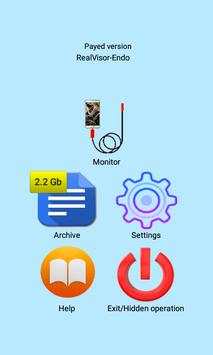
Choice "Monitor" icon in the app.
1) Videos. To start video recording you need press big button in the left top side of the screen.
2) Photos. To make the photo you need click "photo" icon
left top side of the screen below "Videos" icon.
Why the screen is black?
Let's say your gadget supports the OTG function and the USB camera is compatible with ANDROID. But the screen remains black.
Why? The reason may be in that you don't choice "Use by default for this USB device" in the dialog box.
This dialog box appears when you start the application with connected USB camera.
The appearance of this dialog box is guaranteed after the gadget is restarted.
Have you any questions?
http://endoscope.realvisor.net
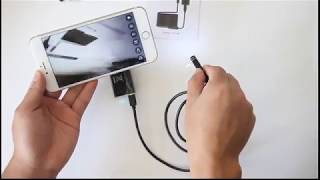


0) Android 9 support
1) Online camera access over the browser.
2) Why the screen is black?
Let's say your gadget supports the OTG function and the USB camera is compatible with ANDROID system. But the screen remains black.
Why? The reason may be in that you don't choice "Use by default for this USB device".
This dialog box appears when you start the application with connected USB camera.
The appearance of this dialog box is guaranteed after the gadget is restarted.


